



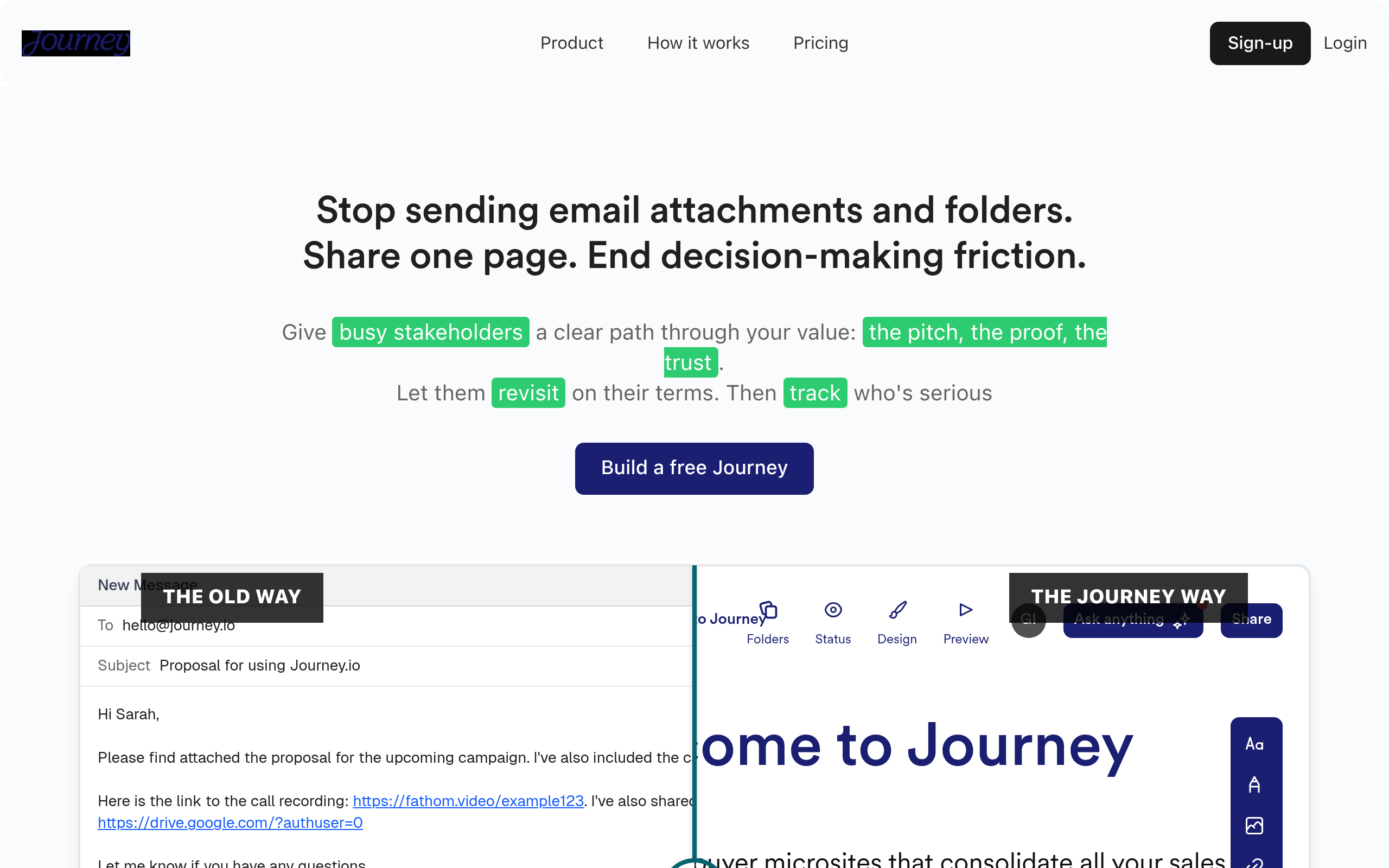
What is Journey.io?
A sales rep sends an email with a PDF proposal, a Loom video, and a calendar link. The prospect opens the email, clicks the video, ignores the PDF, and forgets to book a meeting. Journey.io changes this outcome by putting the video, the proposal, and the booking calendar on a single trackable webpage.
Journey.io, Inc. developed this platform to fix fragmented B2B sales follow-ups. The software targets account executives and customer success managers who need to build digital deal rooms fast.
- Primary Use Case: Creating personalized digital sales rooms to centralize deal collateral.
- Ideal For: B2B sales teams and account executives managing complex deals.
- Pricing: Starts at $9 ($9/mo billed monthly). This is a low entry point for basic password protection, but true utility starts at $29.
Key Features and How Journey.io Works
Presentation Building and AI Generation
- AI Content Generation: Creates presentation drafts from a single URL or text prompt. The AI output requires manual editing to fix formatting quirks.
- Multimedia Embedding: Supports over 50 third-party embeds including Figma and Typeform. External widgets will fail to load if the viewer has a slow internet connection.
- Document Management: Centralizes PDFs, videos, and slide decks in one library. Storage limits depend on your specific subscription tier.
Tracking and Analytics
- Engagement Analytics: Tracks time spent and clicks slide by slide. You must upgrade to a paid plan to see detailed viewer location data.
- Session Replays: Provides visual playback of how a recipient navigated the content. This feature is restricted to the $59 per month Scale plan.
- Slack Notifications: Sends instant alerts to team channels when a prospect opens a link. You cannot customize the alert format.
Security and Customization
- Password Protection: Secures sensitive documents with access codes and email verification. The free tier offers zero security features.
- Custom Branding: Removes Journey logos and allows custom subdomains. You must pay at least $29 per month to remove the default branding.
- CRM Integrations: Syncs engagement data with Salesforce and HubSpot. Custom field mapping requires administrative access to your CRM.
Journey.io Pros and Cons
Pros
- Consolidates multiple file types into a single URL, eliminating the need to send five different email attachments.
- Real-time tracking shows exactly which slides or videos hold a prospect’s attention the longest.
- Mobile-responsive design formats presentations for smartphones without requiring manual layout adjustments.
- Interactive embeds allow sales teams to capture leads via Typeform directly inside the presentation.
Cons
- The free tier limits users to just one active Journey, making it useless for managing multiple deals.
- Recipients cannot view presentations offline because the platform relies on live web embeds.
- Removing the “Made in Journey” branding requires a $29 per month subscription.
- The non-linear presentation format confuses some buyers who expect a traditional slide deck.
Who Should Use Journey.io?
- B2B Account Executives: Sales reps can track exactly when a prospect opens a proposal and which pages they read.
- Customer Success Managers: Teams can build onboarding portals with embedded Loom tutorials and help documentation.
- Startup Founders: Founders can share investor pitch decks and monitor engagement to identify high-intent venture capitalists.
- Not for Field Sales Reps: Reps selling in areas with poor internet connectivity will struggle. The platform offers no offline viewing mode.
Journey.io Pricing and Plans
The Free plan costs $0 per month but restricts you to a single active Journey. It includes basic insights and forces “Made in Journey” branding on your links. This tier functions more like an extended trial than a usable product.
The Start plan costs $9 per month.
It increases your limit to two Journeys and adds password protection (I found this tier still too restrictive for daily sales work).
The Grow plan costs $29 per month. This tier unlocks unlimited Journeys, an AI Chatbot, and email tracking. It also lets you remove the default branding.
The Scale plan costs $59 per month. It adds session replays, Slack notifications, and custom NDAs for strict document control.
The Enterprise plan requires custom pricing.
It provides advanced security, dedicated support, and custom integrations for large teams.
How Journey.io Compares to Alternatives
Similar to DocSend, Journey.io tracks document engagement and secures files behind email gates. DocSend focuses on PDF analytics and secure file sharing. Journey.io prioritizes visual storytelling by letting you embed videos and interactive forms directly next to your documents. DocSend gives you tighter control over downloading and printing permissions.
Unlike PandaDoc, Journey.io does not focus on legally binding e-signatures or complex pricing workflows. PandaDoc helps teams generate contracts, calculate pricing tables, and collect payments. Journey.io acts as a digital sales room to present the collateral leading up to that final contract.
The Verdict for B2B Sales Teams
Journey.io excels at turning scattered sales collateral into cohesive, trackable digital deal rooms. B2B account executives managing complex sales cycles get the most value from the platform. Solo consultants looking for a free tool should look elsewhere, as the free tier is too restrictive. If you only need to track PDF views without multimedia embeds, DocSend is a more focused alternative.