

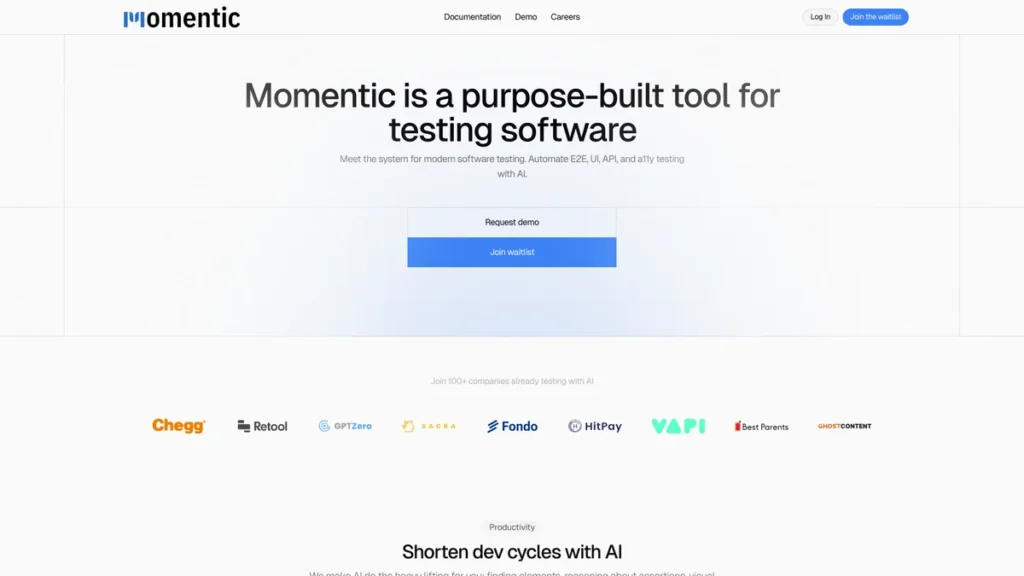
What is Momentic?
Momentic is an AI-powered test automation platform engineered to address the persistent challenges of modern software testing. From a senior developer’s perspective, it’s a tool designed to reduce the maintenance overhead associated with end-to-end (E2E), user interface (UI), and API testing. It shifts the paradigm from brittle, selector-based test scripts to more resilient tests based on semantic understanding. By leveraging AI to interpret plain English descriptions for element location and assertion crafting, Momentic aims to accelerate development workflows and improve test reliability within continuous integration and continuous delivery (CI/CD) pipelines.
Key Features and How It Works
Momentic integrates several intelligent features designed to tackle common testing bottlenecks. Its functionality is built around abstracting away the tedious aspects of test creation, allowing developers to focus on logic and coverage.
- AI-Driven Element Location: Instead of relying on fragile XPath or CSS selectors that break with minor UI refactors, Momentic uses an AI model to identify elements based on their context and description. A developer can specify an element like “the login button next to the username field,” and the AI locates it, drastically improving test script resilience.
- Dynamic Assertion Crafting: The platform enables the creation of powerful assertions that go beyond simple value checks. You can define assertions based on complex logical conditions, API response payloads, or even visual states, providing comprehensive validation of application behavior.
- Automated Test Recording: For initial test scaffolding, users can record their interactions with an application. Momentic captures these actions and translates them into a test script, providing a solid foundation that can be refined and expanded.
- Local Application Testing: A dedicated desktop application allows for the development and execution of tests against local development environments. This is critical for debugging and validating tests before committing code and running them in the CI/CD pipeline, ensuring a tight feedback loop.
- Smart Waiting Mechanism: One of the most common sources of test flakiness is improper handling of asynchronous operations. Momentic automatically tracks in-flight network requests (XHR/Fetch) and intelligently waits for them to complete before proceeding, eliminating the need for arbitrary ‘sleep’ commands and making tests more stable.
- Integration with CI/CD Pipelines: Momentic is built for modern DevOps workflows. It offers native compatibility with major CI/CD providers like GitHub Actions, CircleCI, and GitLab Pipelines, enabling automated regression testing as a core part of the deployment process.
Pros and Cons
From a technical standpoint, Momentic presents a compelling value proposition but also has areas for consideration.
Pros
- Reduced Test Maintenance: The AI-based element location significantly reduces the effort required to update tests after UI changes, a major pain point with traditional frameworks.
- Increased Velocity: Automating test creation and reducing flakiness allows development teams to ship code faster and with greater confidence.
- Seamless CI/CD Integration: Its out-of-the-box support for popular CI/CD tools makes it easy to incorporate into existing, mature development pipelines.
- Consolidated Testing: The ability to handle UI, API, and accessibility testing in a single platform simplifies the tech stack and reduces context switching for developers.
Cons
- Abstraction Layer: While user-friendly, the high level of abstraction might obscure low-level control, which could be a limitation when debugging highly complex or unusual test failures.
- Platform Lock-in: Adopting a proprietary platform like Momentic means investing in a specific ecosystem, which can be a concern for teams that prioritize open-source tooling and maximum flexibility.
- Maturity and Community: As a newer tool, it lacks the extensive community forums and decades of troubleshooting documentation available for established frameworks like Selenium or Cypress.
Who Should Consider Momentic?
Momentic is particularly well-suited for engineering teams focused on rapid development and deployment. It offers significant value to:
- Agile Development Teams: Teams practicing continuous integration who need to build and maintain a reliable E2E test suite without dedicating extensive engineering resources to it.
- QA Automation Engineers: Professionals looking to move beyond brittle scripts and leverage AI to build more robust and intelligent test automation.
- Full-stack Developers: Developers responsible for both feature implementation and quality assurance who need a tool that can test the full application stack, from the UI to the API layer.
- Organizations with Dynamic UIs: Companies whose applications undergo frequent UI updates will benefit most from Momentic’s resilient element location capabilities.
Pricing and Plans
Momentic operates on a freemium model, providing a free entry point for individuals and small teams, with a paid plan for professional use.
- Free Plan: This plan is available at no cost and is designed for users to explore the core capabilities of the platform.
- Pro Plan: Priced from $14 per month, this plan unlocks advanced features, increased test runs, and priority support, tailored for professional developers and QA teams.
For the most up-to-date and detailed pricing information, consulting the official Momentic website is recommended.
What makes Momentic great?
Momentic’s most powerful feature is its AI-driven element location, which fundamentally changes how tests interact with a user interface. This isn’t merely syntactic sugar; it’s a technical solution to the core problem of brittle selectors that has plagued automated UI testing for years. By decoupling the test logic from the specific implementation details of the DOM structure, it allows tests to survive front-end refactoring with minimal to no changes. This capability, combined with its smart waiting mechanism and seamless CI/CD integration, positions Momentic as a highly practical tool for building scalable and maintainable automated testing suites in a modern software development environment.
Frequently Asked Questions
- How does Momentic handle dynamic content and single-page applications (SPAs)?
- Momentic is designed for modern web applications. Its smart waiting mechanism automatically handles asynchronous data loading typical in SPAs built with frameworks like React, Angular, or Vue.js, ensuring tests only proceed after the UI has stabilized.
- Can I extend Momentic with custom code for complex scenarios?
- While Momentic abstracts many complexities, it is designed for developers and allows for the integration of more complex logic. You can craft dynamic assertions and structure tests to handle sophisticated validation requirements that go beyond simple recording.
- How does Momentic’s API testing compare to dedicated tools like Postman or Insomnia?
- Momentic integrates API testing within the E2E workflow, allowing you to validate backend responses and then assert their effects on the UI in a single test. While dedicated tools may offer more in-depth features for API exploration alone, Momentic excels at testing the contract between the frontend and backend.
- What are the security implications of running tests through a third-party tool?
- Momentic provides a local application for developing and running tests against non-public environments, ensuring sensitive code and infrastructure are not exposed. When running in CI/CD, it integrates via standard, secure protocols within your existing pipeline environment.