

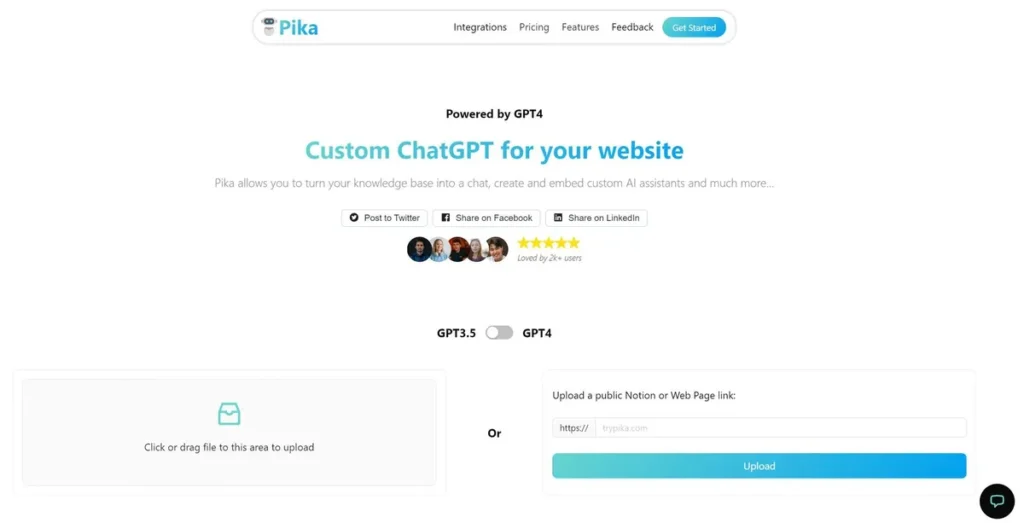
What is Pika?
Pika is an AI-powered video generation platform designed to convert text prompts and static images into short video clips. For the small business owner or marketer juggling a dozen tasks, it presents a compelling proposition: the ability to create video content without the significant time, cost, or technical expertise traditionally required. Instead of hiring a videographer or grappling with complex editing software for a simple social media ad or product showcase, Pika offers a streamlined alternative. The core promise is to function as an in-house, on-demand video creator, enabling businesses to produce visual content at a speed and scale that was previously unattainable for those with limited resources.
Key Features and How It Works
Pika’s functionality revolves around a simple input-output process. Users provide a prompt—whether text, an image, or an existing video—and the AI interprets it to generate a new animated clip. The platform is engineered to be intuitive, minimizing the learning curve for teams who need to move quickly.
- Text-to-Video Generation: This is the platform’s primary function. You type a descriptive sentence (e.g., ‘a cinematic shot of a coffee bean falling into a cup of espresso’), and Pika generates a short video based on that instruction. Think of it like a short-order cook for video; you provide the recipe (the prompt), and the AI quickly prepares the dish (the video) without requiring you to know how to operate the entire kitchen.
- Image-to-Video Animation: Users can upload a static image, such as a product photo or a logo, and Pika will animate it. This is particularly useful for adding subtle motion to otherwise flat social media posts, increasing their potential for engagement.
- Video Modification Tools: Pika allows for modifications to existing videos. You can change aspect ratios, expand the canvas to fit different social media formats (e.g., turn a horizontal video into a vertical one), or use prompts to alter specific elements within a clip.
- Integrated Sound Effects & Lip Sync: The tool includes options to add sound effects to generated clips or even upload an audio track for an AI-generated character to lip-sync, opening possibilities for simple explainer videos or character-driven content.
Pros and Cons
From a business perspective, every tool is an investment. Here’s a balanced look at Pika’s potential return.
Pros
- Drastic Cost Reduction: Compared to hiring a video editor or agency, the monthly cost of Pika is minimal, offering significant savings for businesses on a tight marketing budget.
- Unmatched Speed: The ability to generate a video concept in minutes, rather than days, allows for rapid testing of ad creatives, social media content, and marketing ideas.
- Low Barrier to Entry: No prior video editing experience is required. Anyone on your team capable of writing a clear sentence can begin producing video content immediately.
- Content Scalability: Pika enables the creation of a high volume of video variations for A/B testing ad campaigns or populating a content calendar without a proportional increase in effort.
Cons
- Limited Creative Control: The final output is heavily dependent on the AI’s interpretation of your prompt. Achieving a very specific, brand-aligned vision can be challenging and may require multiple attempts.
- Potential for Inconsistency: AI video can sometimes produce visual artifacts or unnatural movements. The quality is impressive for the technology but may not consistently meet the standards of high-end commercial production.
- Watermarking on Free Plan: The free version includes a Pika watermark, which may not be suitable for professional branding, effectively pushing serious business users towards a paid plan.
Who Should Consider Pika?
Pika is not a replacement for a full-service production studio, but it is a powerful asset for specific business needs. Consider this tool if you are:
- A Small Business Owner: You need engaging social media content but lack the budget for a dedicated video team. Pika allows you to create ads and posts in-house.
- A Marketing Professional: You’re tasked with running multiple campaigns and need to quickly generate video creatives for A/B testing on platforms like Meta or TikTok.
- An Entrepreneur or Startup Founder: You need to create a simple, compelling pitch video or product demonstration without investing heavily in production costs.
- Content Creators & Bloggers: You want to add a dynamic visual layer to your existing content, such as animating illustrations for a blog post or creating short-form videos from ideas.
Pricing and Plans
Pika operates on a freemium model, making it accessible to try before committing financially. The structure is based on credits, where one video generation typically consumes a set number of credits.
- Free Plan: This plan provides a monthly allotment of credits, allowing users to generate a limited number of videos. However, all videos created on this tier will have a Pika watermark. It’s a solid option for testing the platform’s capabilities.
- Pro Plan ($9.99/month): Starting at approximately $9.99 per month (with annual billing options often providing a discount), the Pro plan offers a significantly larger bucket of monthly credits and, most importantly, removes the watermark. This tier is the practical choice for any business intending to use the generated videos for commercial or marketing purposes.
Disclaimer: Pricing is subject to change. Please consult the official Pika website for the most current details.
What makes Pika great?
Pika’s standout advantage is its ability to directly translate a simple text prompt into a dynamic video clip, bypassing traditional production steps. This isn’t just an incremental improvement; it’s a fundamental shift in the content creation workflow. For a small business, this means the bottleneck is no longer budget, software, or technical skill—it’s simply the idea itself. This democratization of video creation empowers businesses to compete in a visual-first digital landscape, enabling them to produce relevant, timely, and engaging content without the traditional overhead. It transforms video from a high-cost, high-effort project into a lean, everyday marketing activity.
Frequently Asked Questions
- Can I use videos generated by Pika for commercial purposes?
- Yes, users on the paid subscription plans typically have full commercial rights to the videos they create. The free plan’s output, often watermarked, may have restrictions. It’s crucial to review Pika’s terms of service for specific licensing details.
- How does the quality of Pika’s videos compare to hiring a human video editor?
- Pika can produce visually impressive short clips that are perfect for social media and digital ads. However, it lacks the nuanced storytelling, precise brand alignment, and emotional depth a skilled human editor can provide for longer-form or high-stakes projects. It’s a tool for speed and scale, not a replacement for high-touch creative work.
- Can I upload my own brand assets, like logos or fonts?
- Pika’s capabilities are constantly evolving. While you can upload an image (like a logo) to animate it, direct integration of custom brand kits with specific fonts and color palettes is a feature more common in traditional video editors. The primary control in Pika comes from descriptive text prompts.