

What is Lido?
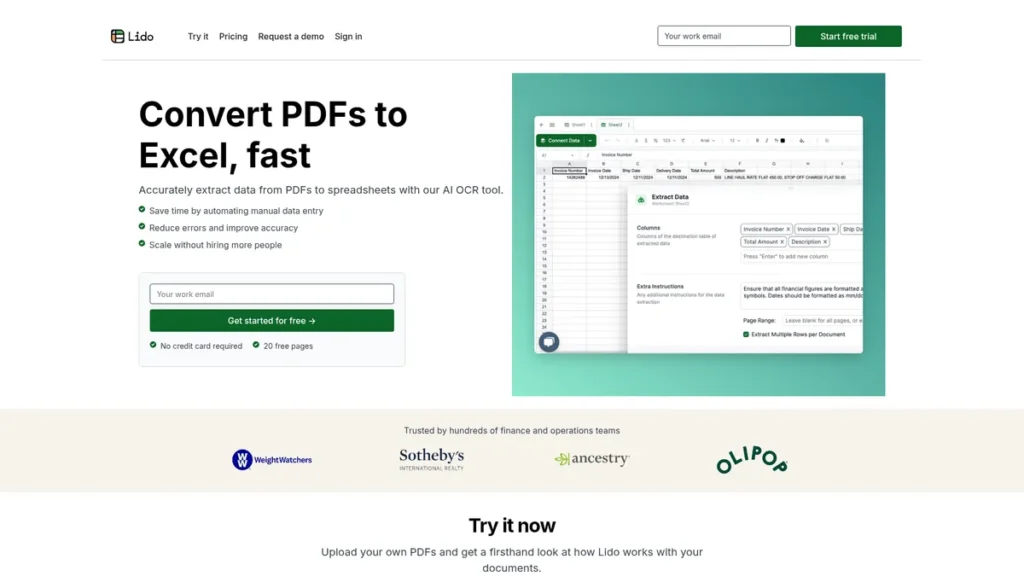
For any small business owner, time is the most valuable currency. Yet, countless hours are lost to the tedious, error-prone task of manually transcribing data from invoices, bank statements, and other financial PDFs into spreadsheets. Lido is an AI-powered Optical Character Recognition (OCR) tool built to reclaim that time. It automates the extraction of critical data from documents and converts it into clean, usable Excel files. For finance and operations teams drowning in paperwork, Lido acts as a digital assistant, streamlining workflows, minimizing costly human errors, and freeing up personnel to focus on strategic growth rather than administrative drag.
Key Features and How It Works
Lido isn’t just a simple document scanner; it’s an intelligent platform designed to understand and structure financial data. Its core functionality is built to deliver immediate, tangible ROI by tackling the most common data entry bottlenecks.
- AI-Driven Data Extraction: At its heart, Lido uses a sophisticated AI engine to read and interpret data from both pristine digital PDFs and lower-quality scanned documents. It accurately identifies and pulls key information, ensuring a high degree of precision from the very first step.
- Customizable Data Rules: Think of this feature as a highly specific personal assistant. A basic assistant might fetch your data, but Lido allows you to give it standing orders. You can create rules to automatically reformat vendor names for consistency (e.g., changing ‘Vendor Inc.’ and ‘Vendor, Inc.’ to simply ‘Vendor’) or standardize date formats. This ensures the data is not only extracted but is immediately clean and ready for analysis, saving a second wave of manual cleanup.
- Intelligent Table Extraction: Recreating tables from a PDF is a notoriously painful process. Lido simplifies this by allowing you to define the table area on a document. The tool then intelligently extracts the entire table, preserving its structure and converting it directly into spreadsheet rows and columns.
- Automated Data Cleaning: Beyond custom rules, Lido employs AI to perform routine data hygiene. It can automatically standardize number formats, categorize different types of expenses based on keywords, and flag potential inconsistencies, helping maintain an organized and error-free dataset for bookkeeping and financial reporting.
Pros and Cons
From a business owner’s perspective, any new tool must be weighed by its practical benefits versus its costs and limitations. Lido presents a strong case but isn’t without its trade-offs.
Pros
- Significant Time Savings: Lido can reduce a task that takes hours of manual data entry down to mere minutes, directly translating into saved labor costs and increased productivity.
- Improved Accuracy: By removing the human element from data transcription, the tool drastically reduces the risk of errors that can lead to incorrect financial reports or payment issues.
- Cost-Effective Scalability: As your business grows and document volume increases, Lido can handle the additional load without the need to hire more administrative staff, making it a highly cost-effective solution.
- Accessible Interface: The platform is designed for business users, not just IT experts. Its intuitive interface means less time spent on training and faster adoption by your team.
Cons
- Initial Setup Time: While user-friendly, getting the most out of Lido’s advanced features, like custom rules, requires an upfront time investment to configure them to your specific needs.
- Desktop-Only Workflow: Lido does not currently offer mobile support, confining its use to a traditional desktop or laptop environment. This may be a limitation for business owners who manage tasks on the go.
- Limited Native Integrations: The tool may not connect directly with all third-party accounting or ERP software, potentially requiring a manual export-and-import step to move data between systems.
Who Should Consider Lido?
Lido’s value proposition is clearest for professionals who regularly wrestle with document-based data. Its applications span several key roles:
- Small Business Owners & Solopreneurs: For leaders who manage their own books or oversee a small team, Lido is an invaluable tool for automating accounts payable and streamlining financial record-keeping.
- Finance and Accounting Teams: Any department tasked with processing invoices, credit card statements, or bank records can leverage Lido to dramatically boost efficiency and accuracy.
- Operations Managers: Professionals focused on optimizing internal workflows will find Lido effective at eliminating manual data processing bottlenecks and improving overall operational throughput.
- Legal Professionals: In a less common but powerful use case, legal firms can use Lido to abstract key clauses, dates, and figures from contracts and other legal documents, speeding up review processes.
Pricing and Plans
Lido operates on a freemium model, allowing users to test its core functionality before committing to a paid plan. This approach is ideal for small businesses looking to validate a tool’s ROI before investing.
- Pricing Model: Freemium
- Starting Price: $19/month
- Free Plan: A great option for individuals or businesses with very low document volume, offering a chance to experience the platform’s core data extraction capabilities firsthand.
- Pro Plan ($19/month): Designed for professionals and small teams with a regular flow of documents, this plan provides a higher processing limit and access to more advanced features.
Disclaimer: Pricing information is subject to change. Please visit the official Lido website for the most current and detailed plan information.
What makes Lido great?
Tired of wasting hours manually correcting data after you’ve already spent hours entering it? What truly sets Lido apart is its intelligent approach to data fidelity. Many tools can pull text from a PDF, but few can do so with high accuracy across both digital and scanned documents while also cleaning and formatting the data according to user-defined rules. This combination of powerful OCR, customizable logic, and automated data hygiene means the output isn’t just a raw data dump—it’s a clean, structured, and analysis-ready spreadsheet. This focus on the final quality of the data is what provides a real, measurable return on investment by eliminating tedious post-extraction cleanup.
Frequently Asked Questions
- How accurate is the data extraction really?
- Lido boasts near-perfect accuracy on clear, machine-printed documents. While no OCR is infallible, it is designed to reduce the manual workload from hours of typing to a few minutes of quick review and verification. Its primary value is in its consistency and speed.
- Can Lido process handwritten information on documents?
- Lido excels at processing printed text in both scanned and digital formats. Its performance on handwritten notes can vary significantly based on the clarity of the writing. It is not optimized for complex or cursive handwriting.
- Is my sensitive financial data secure with Lido?
- Data security is a critical consideration for any financial tool. Lido employs enterprise-grade security protocols and encryption to protect user data, reflecting its high industry rating for data privacy and security. Always review the company’s specific privacy policy for full details.
- How much technical skill is required to set up and use Lido?
- Lido is built with a user-friendly interface. Basic data extraction requires minimal technical skill. Setting up advanced custom rules involves a learning curve, but it’s a logical, one-time process that pays long-term dividends in automation without needing to write any code.