

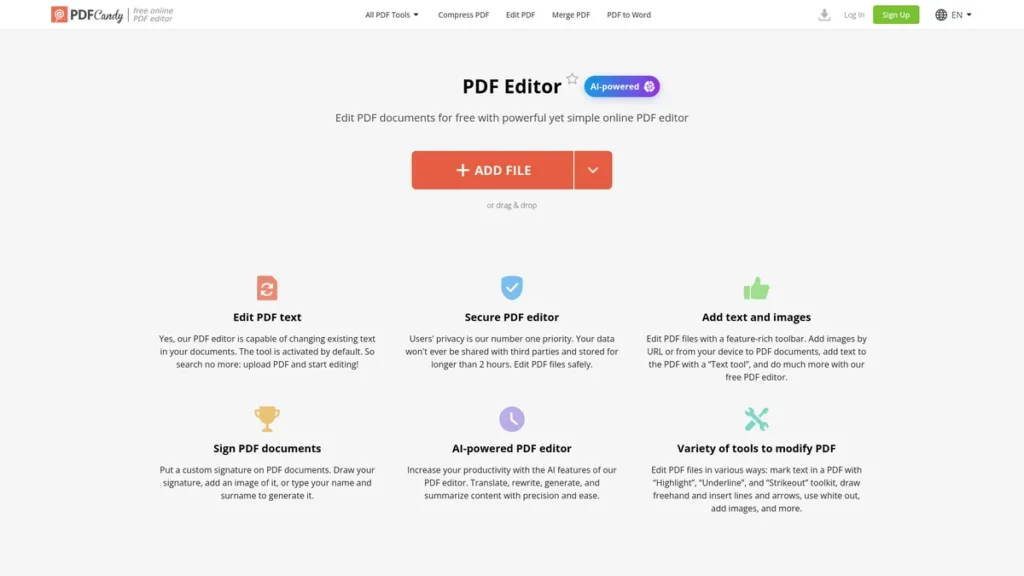
What is PDF Editor?
For any small business owner, time is the most valuable currency, and wrestling with PDF documents is often a significant time sink. PDF Editor presents itself as more than just another document tool; it’s an AI-enhanced platform designed to streamline one of the most common yet frustrating administrative tasks. It aims to eliminate the need for bulky, expensive software by offering a comprehensive suite of editing features directly in your browser. This tool enables you to modify text, insert images, annotate reports, and sign contracts without the usual hassle. For a business owner, this translates to faster turnarounds on client-facing documents and less time spent on non-revenue-generating activities. The core value proposition is simple: make professional PDF editing accessible, efficient, and secure for businesses that can’t afford to waste time or money.
Key Features and How It Works
PDF Editor packs a range of functionalities designed to address practical business needs. While it covers the basics exceptionally well, its AI capabilities are what set it apart from the standard free tools.
- AI-Powered Content Engine: The platform’s standout feature is its ability to process and enhance the content within your PDFs. It can translate documents for international clients, rewrite awkward phrasing for better clarity, or summarize lengthy reports. Think of the AI summarizer as a diligent assistant who reads a 40-page market analysis and provides you with a one-page executive summary, highlighting the key data points and conclusions. This feature alone can save hours of reading time, allowing you to make informed decisions faster.
- Comprehensive Editing Suite: Beyond the AI, the tool provides all the essential editing functions a business needs. You can directly edit text blocks, replace images in a product catalog, highlight key sections in a contract, and add annotations for team feedback. The interface consolidates these tools in a clean, intuitive layout, removing the steep learning curve associated with traditional desktop publishing software.
- Secure Document Processing: For any business handling sensitive information like contracts or financial reports, security is non-negotiable. PDF Editor addresses this with a clear privacy policy, stating that user data is not shared with third parties. Furthermore, all uploaded files are automatically deleted from their servers after two hours, minimizing the risk of data exposure.
- User-Friendly Interface: The platform is designed for immediate use. There’s no complex installation or lengthy tutorial required. A busy entrepreneur or team member can log in and start editing documents effectively within minutes, a critical factor for maintaining productivity.
Pros and Cons
No tool is perfect for every scenario. Here’s a balanced look at where PDF Editor excels and where it might fall short for a small business.
Pros
- Reduced Administrative Overhead: The tool’s efficiency directly translates into saved labor hours. Tasks that once took significant time, like correcting a typo in a finalized invoice or summarizing a partner agreement, can be done in moments.
- Professional, Watermark-Free Output: All documents edited and saved with the paid plans are completely free of watermarks, ensuring your business maintains a professional image in all client communications.
- Accessible Anywhere, Anytime: As a web-based tool, it allows you and your team to access and edit documents from any device with an internet connection, whether you’re in the office, at home, or traveling.
- Cost-Effective Solution: It offers a powerful alternative to expensive software suites like Adobe Acrobat Pro, providing essential features at a fraction of the cost, which is ideal for budget-conscious businesses.
Cons
- Potential Workflow Bottlenecks: The current lack of extensive integrations with third-party apps like CRMs, cloud storage aggregators, or project management tools means it may exist as a standalone part of your workflow rather than a seamlessly integrated one.
- Processing Caps on Base Plans: The file size and task limits on lower-tier plans could be restrictive for businesses that regularly handle large, high-resolution documents, potentially forcing an upgrade to a more expensive plan.
Who Should Consider PDF Editor?
PDF Editor is particularly well-suited for professionals and businesses that need more than a simple PDF viewer but don’t require the full, complex feature set of enterprise-level software. Consider this tool if you are:
- A Small Business Owner: Managing contracts, invoices, proposals, and marketing materials. The ability to quickly edit and sign documents without a dedicated admin is a significant advantage.
- A Freelancer or Consultant: Creating and amending client agreements, project reports, and portfolios on the fly. The no-watermark feature is crucial for maintaining a professional brand.
- A Marketing Professional: Reviewing and annotating PDF proofs for ad copy, brochures, and web designs. The AI tools can help refine messaging and summarize competitor analysis reports.
- Legal and HR Departments: Handling sensitive documents that require secure editing, annotation, and redaction. The tool’s security protocols make it a viable option for such tasks.
Pricing and Plans
PDF Editor operates on a paid subscription model, ensuring access to its premium AI features and a professional, watermark-free experience. While a limited free version may be available, its true value for business use is unlocked in the paid plans.
- Pricing Model: Paid
- Starting Price: $10/month
- Available Plans: The ‘Pro’ plan, starting at $10 per month, is designed for individual professionals and freelancers, offering generous processing limits and full access to all AI and editing tools. A ‘Business’ tier is also available for small teams, providing centralized billing and collaborative features for a slightly higher per-user cost.
Disclaimer: Please note that pricing information may not be up to date. For the most accurate and current pricing details, refer to the official PDF Editor website.
What makes PDF Editor great?
The standout feature of PDF Editor is its integrated AI engine, which elevates the tool from a simple utility to a genuine productivity multiplier. While many editors let you change text, this one allows you to fundamentally interact with and transform the content within the document. The ability to instantly translate a supplier contract, summarize a dense research paper, or rephrase a marketing paragraph without ever leaving the document is a powerful advantage. This focus on intelligent content interaction, combined with robust security and an accessible interface, provides a clear return on investment by saving significant time and effort on document-heavy tasks.
Frequently Asked Questions
- How secure is my company’s data with PDF Editor?
- The platform prioritizes security by not sharing user data with third parties and implementing an automatic deletion policy that removes your files from their servers two hours after processing. This makes it a relatively secure choice for handling sensitive business documents.
- Can it accurately edit text in scanned documents?
- Yes, the tool includes Optical Character Recognition (OCR) technology. While accuracy can depend on the quality of the scan, it generally does a proficient job of converting scanned text into an editable format, which is invaluable for digitizing legacy documents.
- Are there plans available for teams or multiple users?
- Yes, in addition to individual plans, PDF Editor typically offers a ‘Business’ or ‘Team’ plan. These plans provide features tailored for collaboration, such as shared document spaces and centralized account management and billing.
- Does the AI summarizer work on complex legal or technical documents?
- The AI is trained on a vast dataset and performs well on specialized content. For complex legal or technical documents, it can effectively identify key themes, definitions, and conclusions. However, it should be used as a tool to aid understanding, not as a substitute for professional legal or expert review.