



What is ChatPDF?
Users expect AI document readers to handle any file format they upload. ChatPDF accepts only PDF files, rejecting Word documents and Excel spreadsheets. The tool trades format flexibility for speed, processing 100-page academic papers in under five seconds.
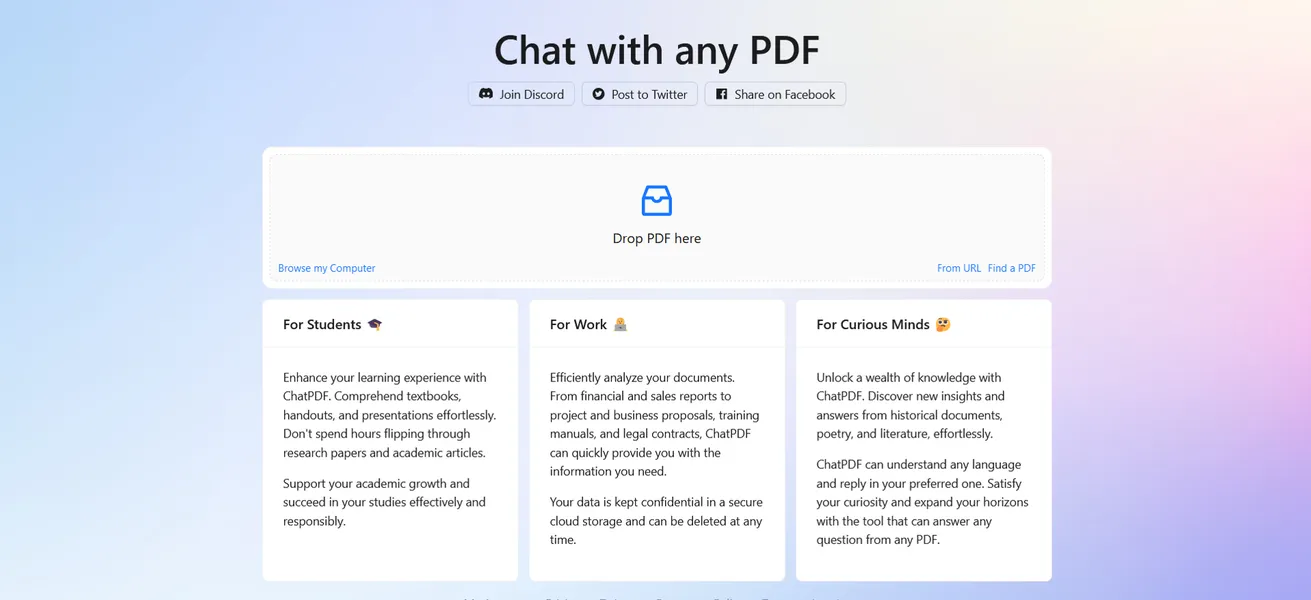
ChatPDF Inc. built this document analysis tool to solve a specific reading problem. Students and researchers spend hours scanning long texts for specific facts. ChatPDF acts as a conversational interface, letting users ask questions and receive answers with exact page citations.
- Primary Use Case: Extracting summaries and cited answers from long academic or corporate PDFs.
- Ideal For: University students and researchers on a strict budget.
- Pricing: Starts at $5/mo (Freemium) – The $5 Plus plan offers high value in the AI document analysis market.
Key Features and How ChatPDF Works
Document Processing and Limits
- PDF Upload: Accepts files up to 32MB on the Plus plan.
- Page Limits: Reads documents up to 2,000 pages for paid subscribers.
- URL Import: Fetches PDFs hosted online via direct links, bypassing local downloads.
Conversational Analysis
- Question Capacity: Permits up to 1,000 questions per day on the Plus tier.
- Source Citations: Adds direct references and page numbers to every answer.
- Multi-language Support: Reads and translates text across 90 different languages.
Storage and Integration
- Cloud Storage: Saves chat history for future reference across sessions.
- Bulk Management: Lets Plus users organize and search an unlimited number of PDFs.
- Developer API: Provides a REST API for integrating PDF chat into external apps.
ChatPDF Pros and Cons
Pros
- Requires no account creation for the free tier, allowing immediate document analysis.
- Provides high citation accuracy by linking every AI response to a specific page.
- Processes documents fast, generating summaries for 100-page files in under five seconds.
- Features a minimalist user interface that requires zero learning curve.
- Costs only $5 per month, making it affordable compared to enterprise competitors.
Cons
- Restricts uploads to PDF format, lacking support for Word or Excel.
- Limits free users, permitting only two document uploads every 24 hours.
- Hallucinates when interpreting complex data within multi-column layouts or tables.
- Lacks a dedicated mobile application, forcing users to rely on mobile web browsers.
Who Should Use ChatPDF?
- University Students: You can create study guides and flashcards from digital textbook chapters.
- Financial Analysts: You can extract key financial metrics from corporate annual reports.
- Legal Professionals: You can analyze legal contracts to identify specific clauses or obligations.
- Not for Enterprise Teams: You should avoid this tool if you need collaborative workspaces or support for proprietary Word documents.
ChatPDF Pricing and Plans
The Free Plan costs $0 per month but functions more like a strict daily trial. Free users can upload two PDFs per day. Each file must stay under 120 pages and 10MB. The system caps free users at 50 questions daily.
The Plus Plan costs $5 per month.
This tier unlocks unlimited PDF uploads. Subscribers can process documents up to 2,000 pages with a 32MB file size limit. Plus users can ask 1,000 questions per day.
How ChatPDF Compares to Alternatives
Similar to AskYourPDF, ChatPDF focuses on academic and research documents. AskYourPDF supports multiple file formats including TXT and PPT. AskYourPDF charges $14.99 per month for its premium tier. ChatPDF charges only $5 per month for similar page limits.
ChatPDF restricts users to PDFs.
Unlike Humata AI, ChatPDF targets individual students rather than enterprise teams. Humata AI includes team collaboration features and advanced security protocols for corporate data. Humata AI charges $9.99 per month for its student plan and limits users to 250 pages per document. ChatPDF allows 2,000 pages per document on its $5 plan.
The Best AI PDF Reader for Budget-Conscious Students
ChatPDF delivers fast and accurate document analysis for a very low price. (I found the table extraction unreliable during testing, but standard text analysis works well). University students get the most value from the $5 Plus plan. Corporate teams needing multi-format support should look elsewhere. AskYourPDF provides a better alternative for users who need to analyze Word documents and PowerPoint presentations.