



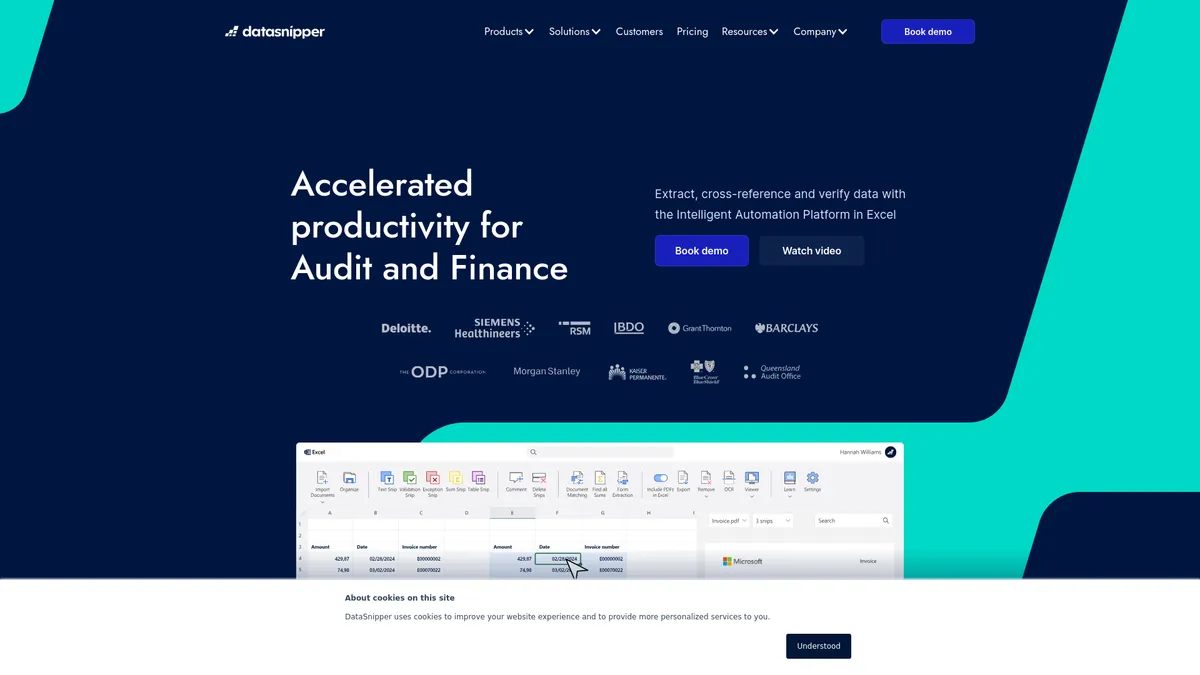
What is DataSnipper?
DataSnipper is a specialized Excel add-in that turns a standard spreadsheet into an automated audit and reconciliation engine. It replaces manual data entry by linking specific cells directly to source documents like invoices, bank statements, and purchase orders.
Developed by DataSnipper B.V., this tool targets audit and finance teams drowning in unstructured PDF data. It solves the specific problem of vouching and tracing. Auditors click a cell, and the software displays the exact source document snippet.
- Primary Use Case: Automating three-way matching and vouching directly inside Excel.
- Ideal For: Mid-to-large audit firms and corporate finance teams using Windows.
- Pricing: Starts at $64 per user per month. A high entry price that requires significant volume to justify.
Key Features and How DataSnipper Works
Automated Document Matching
- Document Matching: Cross-references data across multiple document types. Limit: Requires standardized naming conventions for optimal accuracy.
- Financial Statement Check: Verifies mathematical accuracy of reports. Limit: Struggles with highly irregular custom formatting.
Bulk Data Extraction
- DocuMine: Extracts specific fields from thousands of PDFs. Limit: Only available on the $175 Accelerate plan.
- Table Extraction: Converts PDF tables into editable Excel grids. Limit: Performance lags when processing batches exceeding 1,000 pages.
Audit Trail and Verification
- Snip Functionality: Links Excel cells to document areas. Limit: Increases the final Excel file size significantly.
- OCR Engine: Recognizes text in 25 languages. Limit: Accuracy drops on low-resolution scans under 200 DPI.
DataSnipper Pros and Cons
Pros
- Native Excel integration prevents context switching during complex audits.
- Cell-level audit trails let reviewers verify source data instantly.
- Automated vouching reduces manual verification time by over 50 percent.
- Built-in OCR handles complex layouts better than standard PDF converters.
Cons
- The $64 monthly starting price prices out solo practitioners.
- The software requires the desktop version of Excel on Windows.
- Processing large batches of high-resolution PDFs causes noticeable system lag.
Who Should Use DataSnipper?
- Mid-to-large audit firms: Teams handling massive volumes of invoices and receipts save hundreds of hours on manual vouching.
- Corporate finance departments: Internal teams use the matching features to reconcile bank statements against general ledger entries quickly.
- Solo practitioners (Not Recommended): The high cost per user and steep learning curve make this a poor fit for independent accountants with low document volume.
DataSnipper Pricing and Plans
DataSnipper does not offer a free trial.
Users must commit to paid plans immediately. The pricing structure scales based on advanced extraction needs.
- Start Plan ($64/user/month): Includes essential tools for document review, basic data extraction, and standard audit tasks inside Excel.
- Accelerate Plan ($175/user/month estimated): Adds DocuMine, advanced AI extractions, and standard data export capabilities.
- Elevate Plan (Custom Pricing): Unlocks company templates, directory sync, document retention policies, and premium support services.
How DataSnipper Compares to Alternatives
Similar to MindBridge, DataSnipper targets financial professionals looking to automate audit workflows. MindBridge focuses heavily on AI-driven risk scoring and anomaly detection across entire ledgers. DataSnipper focuses on the mechanical process of matching documents to specific spreadsheet cells. Audit teams often use both tools for different phases of an engagement.
Unlike Trullion, which operates as a standalone cloud platform for lease accounting and revenue recognition, DataSnipper lives entirely inside Microsoft Excel. Trullion works well for teams wanting a dedicated web interface. DataSnipper appeals to auditors who refuse to leave their spreadsheets.
The Verdict: Best for Enterprise Audit Teams on Windows
DataSnipper delivers massive value to large audit firms processing thousands of PDFs monthly. The ability to link a specific cell to a source document creates an undeniable audit trail. (I tested the table extraction on a 50-page scanned PDF, and it mapped the columns perfectly.) Reviewers save hours because they no longer need to hunt through paper files to verify a single number.
Solo accountants should look elsewhere. The $64 monthly base price and Windows-only requirement create unnecessary friction for small operations. Mac users should consider cloud-based alternatives like Trullion.
The lack of Mac support remains a glaring omission.
Over the next 12 months, expect DataSnipper to push its AI extraction capabilities further into predictive analytics, moving beyond simple document matching into automated risk flagging.