

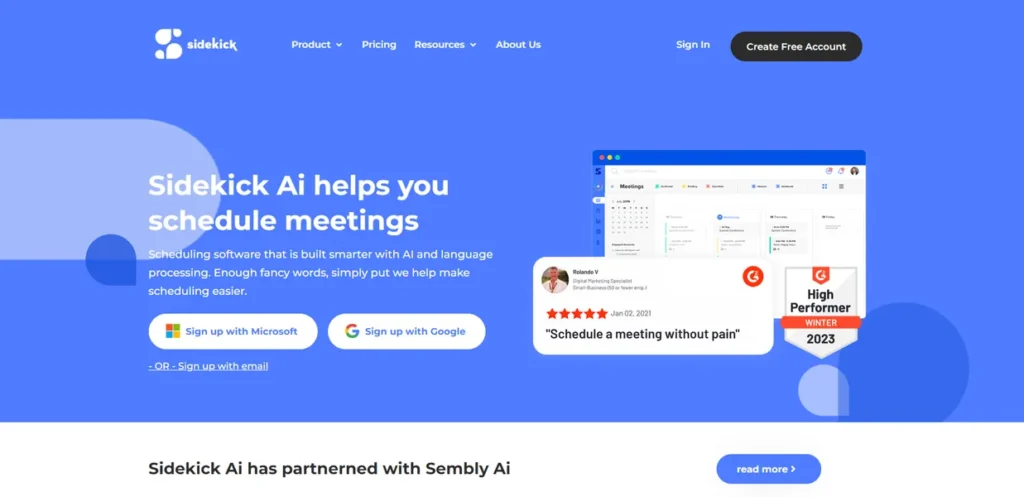
What is Sidekick?
Sidekick is an AI-powered scheduling tool designed to eliminate the administrative burden of coordinating meetings and appointments. For any small business owner, time is the most valuable asset, and the hours spent in back-and-forth email chains to find a suitable meeting time represent a direct loss of productivity. Sidekick addresses this specific problem by automating the entire process. It integrates with your existing calendar and email to intelligently find and book appointments, acting as a digital assistant. The goal is straightforward: reduce the time spent on scheduling so you and your team can focus on revenue-generating activities and core business responsibilities.
Key Features and How It Works
Sidekick’s value proposition is built on a set of practical features designed to streamline scheduling. Here’s a breakdown of its core components from a business perspective:
- Smart Scheduling: This is the engine of the platform. Instead of you manually cross-referencing calendars, Sidekick analyzes the availability of all participants and suggests the most optimal times. It understands preferences and patterns, minimizing conflicts and speeding up the booking process from days to minutes.
- Email Integration: The tool works directly within your existing email client, such as Google Workspace or Outlook. This means you don’t need to switch between applications to manage invitations or responses. This seamless integration reduces friction and helps maintain workflow continuity, a key factor for maintaining efficiency.
- Customizable Reminders: No-shows are costly for any business. Sidekick allows you to set up automated, personalized reminders for upcoming appointments via email or other channels. This simple feature can significantly reduce the rate of missed meetings with clients and internal team members, protecting valuable time slots.
- Multi-Timezone Support: For businesses with remote employees or an international client base, scheduling errors due to time zone differences are a common and frustrating problem. Sidekick automatically handles all time zone conversions, presenting available slots in each participant’s local time to prevent confusion and ensure everyone is on the same page.
Pros and Cons
Evaluating any new tool requires a clear-eyed look at its benefits and drawbacks. Here’s how Sidekick stacks up for a business user.
Pros
- Reduced Administrative Time: The most significant benefit is the measurable reduction in time spent on scheduling. This allows staff to focus on more critical, high-value tasks, directly impacting the bottom line.
- Minimal Learning Curve: The interface is intuitive, meaning your team can adopt it without extensive training. Quick implementation is crucial for small businesses that cannot afford lengthy onboarding processes.
- Robust Integrations: It connects with essential business tools like Google Calendar, Microsoft Outlook, and Zoom, ensuring it fits into your existing tech stack without causing disruption.
- Improved Professionalism: Providing a simple, efficient way for clients to book meetings enhances their experience and presents a polished, professional image of your business.
Cons
- Internet Dependency: Like most modern SaaS tools, Sidekick requires a stable internet connection to function. Its offline capabilities are limited, which could be a drawback for users who frequently work in areas with poor connectivity.
- Recurring Subscription Cost: While the pricing is competitive, it is an ongoing operational expense. Businesses must weigh the monthly cost against the time saved to ensure a positive return on investment.
Who Should Consider Sidekick?
Sidekick isn’t for every business, but it offers substantial value to specific professional groups:
- Small to Medium Enterprises (SMEs): Ideal for companies that lack a dedicated administrative assistant. It empowers team members to manage their own schedules efficiently, freeing up management to focus on growth.
- Freelancers and Consultants: For solo entrepreneurs, time spent on admin is directly subtracted from billable hours. Sidekick automates client booking, maximizing earning potential.
- Sales and Business Development Teams: Professionals who need to book a high volume of meetings with prospects can reduce scheduling friction, shorten the sales cycle, and book more demos or consultations.
- Remote or Distributed Teams: Any organization that operates across multiple time zones can use Sidekick to eliminate the logistical headaches of coordinating global meetings.
Pricing and Plans
Sidekick operates on a freemium model, allowing you to test its core functionality before committing to a paid plan.
- Free Plan: A limited version designed for individuals to try out the basic scheduling features. It’s a no-risk way to evaluate if the tool fits your workflow.
- Pro Plan: Starting at approximately $8 per month per user, this tier unlocks the full suite of features, including advanced customization, unlimited scheduling, and more robust integrations. For a small business owner, the key calculation is whether the tool saves an employee more than $8 worth of time each month.
Disclaimer: Pricing is subject to change. Please visit the official Sidekick website for the most current and detailed information.
What makes Sidekick great?
How much time does your team waste on the back-and-forth emails required to schedule a single meeting? Sidekick’s value is found in its direct and effective answer to this question. It doesn’t try to be an all-in-one project management suite; it excels by focusing on one high-friction, low-value task and automating it completely. Its greatness lies in its simplicity and singular focus. By integrating with the tools you already use daily, it removes a universal bottleneck in professional communication. It gives back tangible hours to your team, which can be reinvested into activities that actually grow your business.
Frequently Asked Questions
- How secure is my calendar and contact data with Sidekick?
- Sidekick uses industry-standard security protocols and secure authentication methods (like OAuth) to connect to your accounts. It only requests the permissions needed to perform its scheduling functions. However, as with any third-party tool, it’s recommended to review their official privacy policy.
- Can I customize my booking page with my company’s branding?
- Yes, paid plans like the Pro tier typically offer customization options, allowing you to add your company logo and brand colors to your scheduling links. This ensures a consistent and professional experience for your clients.
- Does Sidekick work for both internal team scheduling and external client booking?
- Absolutely. It is designed for both use cases. You can use it to find a meeting time among your internal team members or share a public booking link with external clients and partners so they can easily pick a time that works for them.
- Is the Pro plan pricing of $8/month per user or for an entire team?
- SaaS pricing like this is typically on a per-user, per-month basis. This means if you have a team of five who need Pro features, your cost would be calculated accordingly. This model allows businesses to scale their usage as the team grows.