



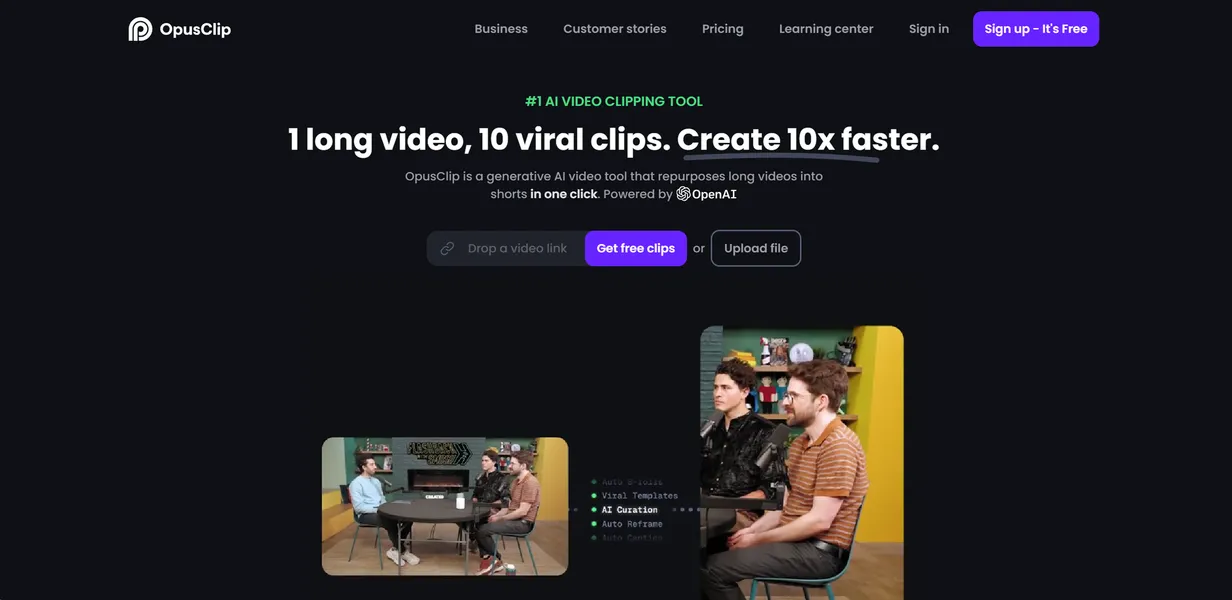
What is Opus Clip?
The most surprising thing about AI video clippers is how quickly they burn through your wallet. You upload a two-hour podcast to extract a single three-minute segment (a common workflow for creators). The software charges you for the full 120 minutes anyway. This is the exact friction point you hit with Opus Clip.
Developed by OpusClip Inc., this AI video tool automatically transforms long-form videos into short-form clips for TikTok, Reels, and Shorts. It targets podcasters, marketers, and creators who need to repurpose content fast. The software uses speaker detection and engagement analysis to find hooks and format them vertically.
- Primary Use Case: Converting long YouTube podcasts into short viral clips for TikTok and Instagram Reels.
- Ideal For: Solo podcasters and small marketing teams.
- Pricing: Starts at $15/mo (Freemium) – You pay $15 for 150 processing minutes without watermarks.
Key Features and How Opus Clip Works
Automated Curation and Scoring
- AI Curation: Identifies engaging hooks from long footage. Limit: Struggles with highly technical subjects where context matters more than energy.
- AI Virality Score: Predicts the likelihood of a clip going viral. Limit: The score is an estimate based on past trends, not a guarantee of actual views.
Visual Formatting and Tracking
- Auto-Reframe: Converts 16:9 horizontal video to 9:16 vertical format. Limit: Fast-moving subjects can occasionally confuse the tracking algorithm.
- Active Speaker Detection: Uses facial recognition to keep the primary speaker centered. Limit: Works best with clear, front-facing camera angles.
- AI Layouts: Offers split-screen modes for gaming and reaction videos. Limit: Customization options for these layouts remain basic.
Post-Production Additions
- Dynamic Captions: Generates animated subtitles with emojis. Limit: Requires manual review for niche industry terms.
- AI B-roll: Inserts stock footage to cover cuts. Limit: B-roll choices can feel generic for specialized topics.
- Social Media Scheduler: Posts directly to TikTok, YouTube Shorts, and Instagram Reels. Limit: Only available on the $29 Pro plan.
Opus Clip Pros and Cons
Pros
- Automates the manual process of finding and cutting highlights, saving hours per video.
- High-quality face tracking ensures speakers stay in the vertical frame.
- The virality score provides a data-driven way to prioritize which clips to post first.
- Direct social media integration eliminates the need to download and re-upload files manually.
- AI B-roll masks jump cuts and adds visual variety without manual stock footage searches.
Cons
- Processing minutes are deducted for the entire uploaded video, even if you only export one clip.
- AI-generated B-roll is often generic or slightly off-topic for technical subjects.
- The free version includes a large watermark that prevents professional use.
- Users report occasional lag when processing videos exceeding two hours.
Who Should Use Opus Clip?
- Solo Podcasters: You can turn a single hour-long interview into a week of TikTok content in ten minutes.
- Social Media Managers: The built-in scheduler on the Pro plan lets you publish directly to multiple platforms.
- Budget-Conscious Creators: This tool is NOT for you if you regularly upload three-hour streams just to find one specific joke. The per-minute billing model will drain your quota instantly.
Opus Clip Pricing and Plans
The Free Plan costs $0 per month and includes 60 processing minutes. But this is essentially a trial. It forces a large watermark on your clips and limits resolution to 1080p.
The Starter Plan costs $15 per month. It provides 150 processing minutes, removes the watermark, and unlocks the virality score.
The Pro Plan costs $29 per month. It doubles your quota to 300 processing minutes. It also adds AI B-roll, the social scheduler, and a team workspace for two users.
The Business Plan requires custom pricing. It offers custom volume limits, unlimited team members, dedicated support, and faster processing speeds.
How Opus Clip Compares to Alternatives
Similar to Munch but with a stronger focus on visual layouts. Munch excels at extracting contextually complete thoughts from complex videos. Opus Clip leans heavily into visual engagement with its AI B-roll and dynamic emojis. Munch charges $49 per month for 200 minutes. Opus Clip gives you 150 minutes for $15.
Unlike Vidyo.ai, this tool includes a predictive virality score. Vidyo.ai offers highly customizable templates for users who want exact control over their brand kits. Opus Clip prefers an automated approach. You upload the video, and the AI makes the design choices (which saves time but limits creativity). Vidyo.ai starts at $29.99 per month for 300 minutes.
The Verdict: Best for High-Volume Podcasters
If you record standard talking-head interviews and need fast social content, choose Opus Clip. The face tracking and auto-captions work exceptionally well for clear audio. If you stream long gaming sessions and only want specific highlights, look elsewhere. The billing model punishes long uploads. For those users, a manual editor or a tool like Klap might offer better value.