



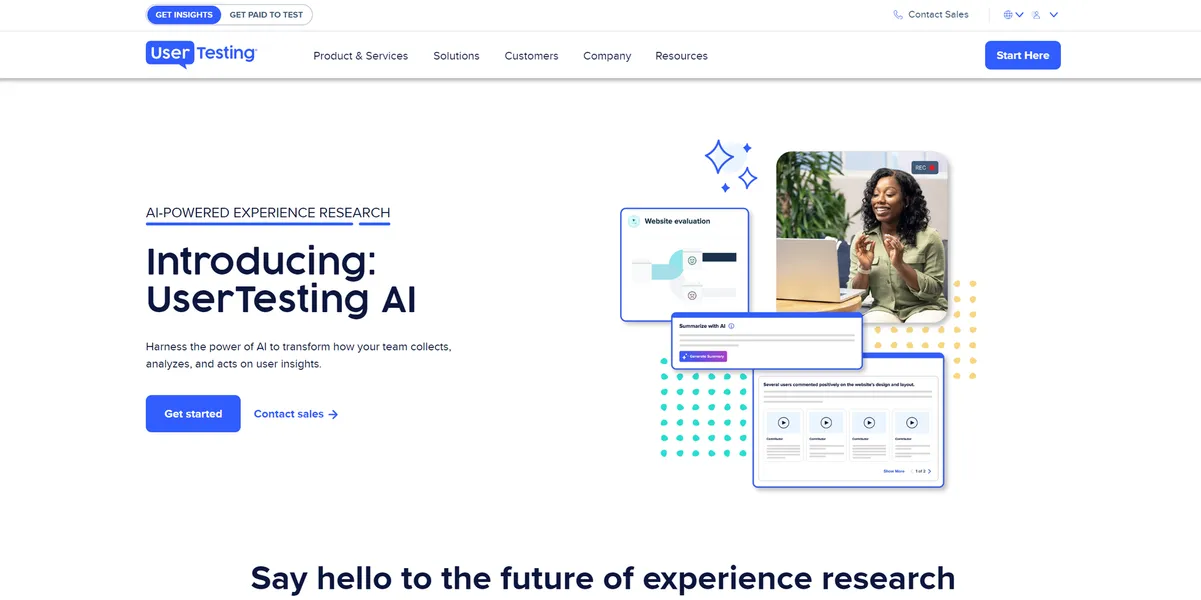
What is UserTesting AI?
The most impressive part of testing UserTesting AI is watching it condense a 45-minute user interview into five bullet points in seconds. You no longer have to scrub through hours of video to find the exact moment a user frowned at a checkout button.
Developed by UserTesting, Inc., this UX research platform solves the massive time sink of qualitative data analysis. Product teams and UX researchers use it to run unmoderated tests and moderated interviews. The AI engine then auto-tags behaviors and maps sentiment across the entire session.
- Primary Use Case: Summarizing hours of video interviews into key themes using AI-generated transcripts.
- Ideal For: Enterprise UX research teams running high-volume usability studies.
- Pricing: Starts at $Custom (Annual Contract) — High entry cost requires speaking to sales.
Key Features and How UserTesting AI Works
Automated Video Analysis
- AI Insight Summary: Generates bulleted summaries for every recorded video session. Limit: Summaries only cover verbalized feedback and clear actions.
- Sentiment Analysis: Visualizes emotional peaks and valleys across a timeline. Limit: Struggles to interpret sarcasm or cultural nuances in speech.
Behavioral Tagging and Search
- Smart Tags: Tags moments of frustration or ease based on cues. Limit: Relies on clear audio and visible facial expressions.
- Keyword Search: Searches across all video transcripts in a workspace. Limit: Only works on processed transcripts, which take time to generate.
Testing and Integration
- Interactive Path Flows: Visualizes the exact steps users took through a prototype. Limit: Requires proper setup of starting URLs and success criteria.
- Design Tool Integrations: Connects with Figma and Adobe XD. Limit: Syncing large prototypes causes lag on slower connections.
UserTesting AI Pros and Cons
Pros
- AI summaries cut manual review time by up to 50 percent for large studies.
- The platform vetting process ensures more reliable feedback than cheaper competitors.
- Sentiment detection uses both audio and facial expressions for nuanced reactions.
- SOC2 Type II compliance and GDPR adherence protect sensitive product data.
Cons
- The lack of transparent pricing makes it inaccessible for small startups.
- Sentiment analysis sometimes misinterprets sarcasm or cultural nuances in speech.
- The extensive feature set requires significant onboarding for new researchers.
- Users report frustration with how credits are consumed for different test types.
Who Should Use UserTesting AI?
- Enterprise UX Teams: Large organizations running continuous discovery will save hundreds of hours using AI summaries.
- Product Managers: PMs who need quick highlight reels to show stakeholders exactly where users get stuck.
- Solo Founders (Not Recommended): The high custom pricing and rigid credit system make this a poor choice for bootstrapped startups.
UserTesting AI Pricing and Plans
UserTesting hides all pricing behind a sales wall.
There is no free trial available.
You must commit to an annual contract based on your testing volume. The Essentials plan covers core research with demographic targeting and basic integrations. It limits access to advanced AI features. The Advanced plan adds unmoderated and moderated tests, a global panel, and enterprise security.
The Ultimate plan includes the full AI-powered analysis suite. This covers smart tags, card sorting, tree testing, and the insights hub. The Ultimate+ plan offers unlimited testing, custom insights services, and a dedicated consultant. (The credit system dictates how many tests you can actually run).
How UserTesting AI Compares to Alternatives
Similar to Maze but built for heavier qualitative research. Maze excels at quick, quantitative prototype testing with unmoderated panels. UserTesting provides much deeper video analysis and moderated interview tools. Maze offers transparent pricing starting at $99 per month, making it better for smaller teams.
Unlike Hotjar, this tool focuses on active user feedback rather than passive observation. Hotjar records real users interacting with your live website via heatmaps and session recordings. UserTesting recruits specific participants to complete assigned tasks and speak their thoughts aloud. Hotjar is cheaper and easier to install, but it lacks the direct interview capabilities.
The Verdict: Best for Enterprise Research Teams
UserTesting AI offers massive time savings for teams processing dozens of user interviews weekly. The automated summaries and sentiment tracking turn raw video into actionable data in seconds. If you have the budget and run continuous discovery, choose this platform.
If you are a small team needing quick prototype validation, look elsewhere. Maze provides a much faster, cheaper way to gather unmoderated quantitative feedback.