



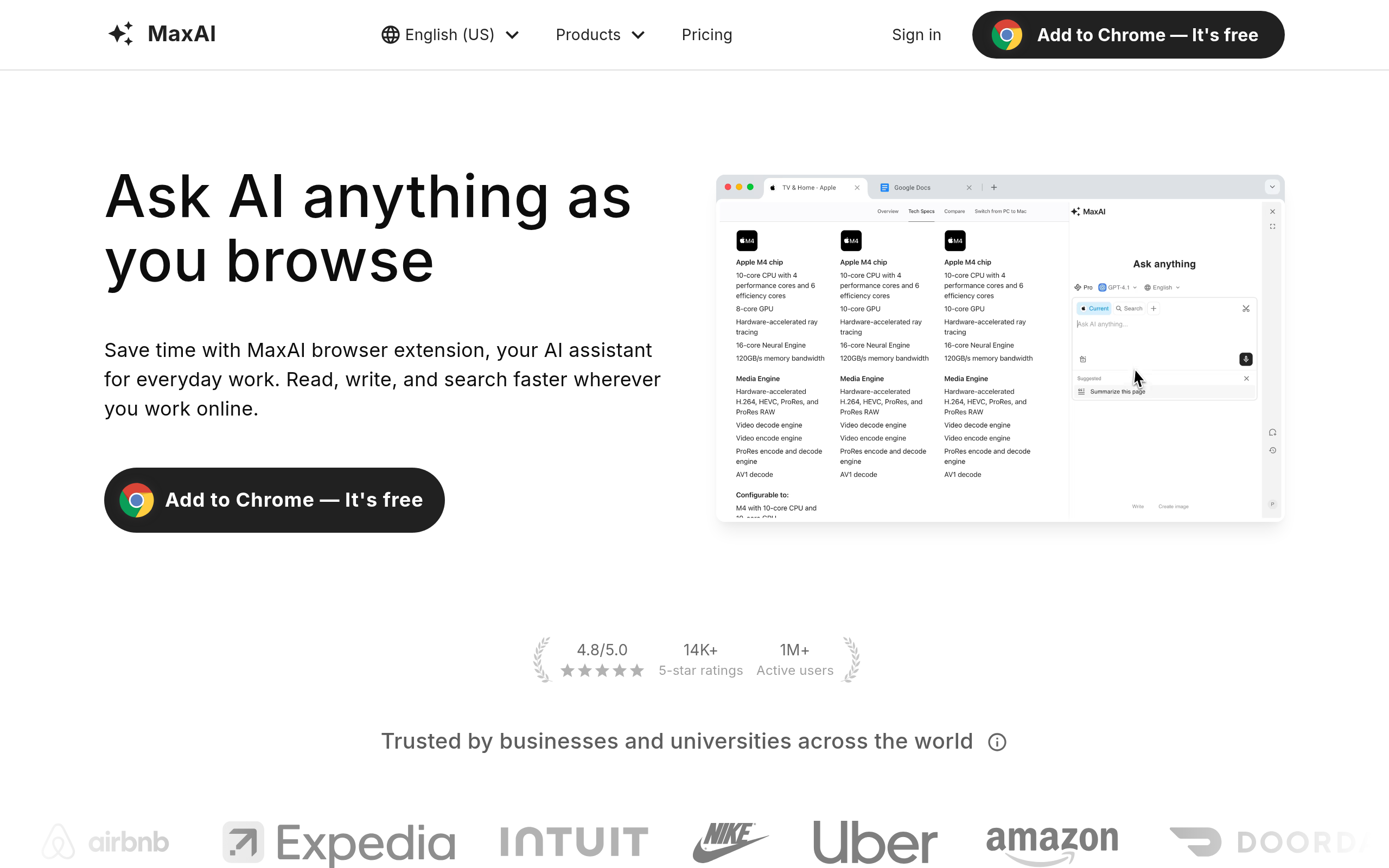
What is MaxAI.me?
You are reading a 40-page PDF report in Chrome. Instead of copying text into a separate ChatGPT tab, you highlight a paragraph and click a floating button.
A sidebar opens.
Claude 3.5 Sonnet explains the technical jargon right there. You save five minutes of tedious copying and pasting.
MaxAI.me Inc. built this browser extension to eliminate tab switching. It acts as an omnipresent AI assistant. Professionals who read dense documentation or write dozens of emails daily get the most value. You access GPT-4o, Claude 3.5, and Gemini 1.5 from one interface. The extension translates complex web content into 50 different languages while maintaining the original page formatting.
- Primary Use Case: Summarizing long PDFs and drafting emails right inside the browser.
- Ideal For: Researchers and professionals managing high-volume communications.
- Pricing: Starts at $12 per month (freemium): You pay a premium for convenience over native AI subscriptions.
Key Features and How MaxAI.me Works
Multi-Model AI Access
- Model Switching: You toggle between GPT-4o, Claude 3.5 Sonnet, and Gemini 1.5 Pro with one click. The Pro plan limits you to 300 Smart AI responses daily.
- Cloud Sync: The tool syncs your chat history across multiple browser installations. You must create an account to save custom prompts.
In-Browser Reading and Summarization
- One-Click Summaries: You can summarize YouTube transcripts or local PDF files in the sidebar. The free tier restricts you to basic summarization tools and 3 Pro chats per day.
- Web Access: The extension browses the live internet to pull current news. It displays AI answers alongside standard Google or Bing search results.
Contextual Writing Assistant
- Highlight Menus: Highlighting text reveals a menu with 50 built-in prompts for rewriting or fixing grammar. You can change the tone of a LinkedIn post before publishing.
- Email Integration: Gmail and Outlook get direct reply buttons. Complex HTML formatting sometimes breaks during insertion (a common frustration for newsletter writers).
Image Generation and Art
- AI Art Creation: The Elite plan includes DALL-E 3 and Midjourney-style models. You can generate images in the sidebar, though generation times lag behind native apps.
MaxAI.me Pros and Cons
Pros
- Works on Google Docs, Gmail, and local PDF viewers without extra configuration.
- Toggles between GPT-4o and Claude 3.5 in a single interface.
- One-click shortcuts for summarizing save manual copying.
- Privacy Mode stops your data from training future models.
- Frequent updates add new AI models days after their public release.
Cons
- Smart AI responses hit a hard cap of 300 daily on the Pro plan.
- The extension consumes high RAM on older laptops.
- The pricing distinction between Fast and Smart responses confuses new buyers.
- The mobile experience lacks the core sidebar features found on the desktop extension.
Who Should Use MaxAI.me?
- Researchers: You can summarize 50-page PDFs without leaving the browser window.
- Sales professionals: The Gmail integration drafts context-aware replies in seconds.
- Social media managers: You can rewrite posts on X or LinkedIn using specific tone prompts.
- Mobile users: This is not a good fit. The mobile experience lacks the core sidebar features found on the desktop extension.
MaxAI.me Pricing and Plans
The Free Plan costs $0 per month. It offers GPT-4o-mini and Gemini-1.5-Flash. But it limits you to 3 Pro chats per day. This acts more like a trial than a daily driver.
The Pro Plan costs $30 monthly. You pay $12 monthly if you bill annually. It includes 10,000 Fast AI responses and 300 Smart AI responses using GPT-4o. You also get unlimited basic chats and higher upload limits for documents.
The Elite Plan costs $40 monthly. It adds Image AI queries, DALL-E 3 art generation, and advanced web search features. You gain access to Midjourney-style image models.
The credit system creates friction. You must monitor your usage of Smart versus Fast responses to avoid hitting daily caps. Fast responses use smaller models like GPT-4o-mini. Smart responses use the heavier GPT-4o model.
How MaxAI.me Compares to Alternatives
Similar to Monica, MaxAI.me offers a persistent sidebar for quick text manipulation. But Monica includes more specialized tools for PDF chatting and mind mapping. MaxAI.me focuses on quick contextual popups and email drafting. You will prefer MaxAI.me if you spend your day in Gmail or Outlook.
Unlike Sider, this tool integrates into Apple Mail. Sider provides a stronger mobile application for iOS and Android. MaxAI.me remains optimized for desktop browser environments. Sider also offers a more generous free tier for casual users.
Merlin is another direct competitor in the browser extension space. Merlin excels at YouTube summarization with detailed timestamps. Yet MaxAI.me provides a cleaner interface for writing tasks. You get better inline text replacement with MaxAI.me.
The Best Browser Extension for Desktop Power Users
MaxAI.me delivers the fastest way to access top-tier AI models without juggling browser tabs.
It is best for desktop-bound professionals who process massive amounts of text and email daily. Budget-conscious users should look at Sider for a more generous free tier.