



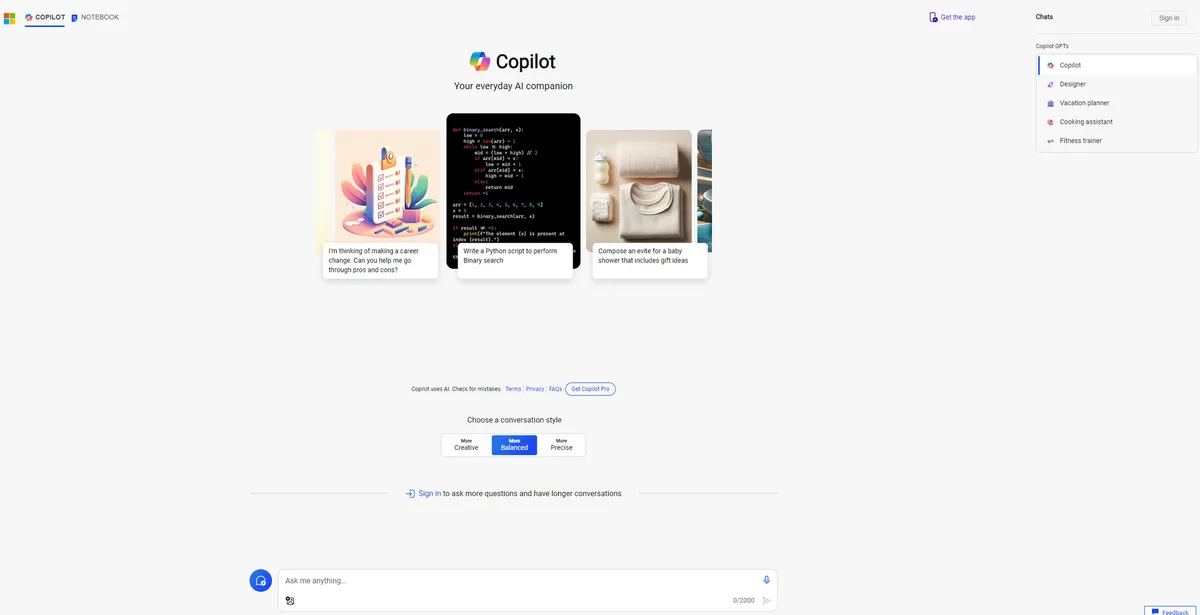
What is Microsoft Copilot?
Over 345 million people use Microsoft 365 commercial paid seats globally. Microsoft Copilot attempts to inject generative AI directly into those daily workflows. The tool places a GPT-4o chat interface inside Word, Excel, PowerPoint, and Outlook.
Microsoft Corporation developed this AI productivity assistant to reduce time spent on routine office tasks. The primary audience includes corporate employees and solo professionals who spend hours drafting emails or formatting slides.
- Primary Use Case: Drafting emails and generating presentations inside Office apps.
- Ideal For: Corporate teams invested in the Microsoft ecosystem.
- Pricing: Starts at $20.00/mo (Freemium). The free tier offers basic web chat, while Pro adds Office integration.
Key Features and How Microsoft Copilot Works
Document and Presentation Generation
- Word Drafting: Generates text based on prompts directly on the page. Limit: Struggles with highly technical document formatting.
- PowerPoint Creation: Builds slide decks from text prompts. Limit: Generated slides often use generic stock layouts (which require manual adjustment).
Data Analysis and Spreadsheets
- Excel Formulas: Suggests formulas from natural language queries. Limit: Only works if data is formatted as a strict Table.
Communication and Meetings
- Teams Summaries: Generates meeting notes and action items. Limit: Requires active live transcription (assuming your IT department allows it).
- Outlook Drafting: Writes email replies and summarizes long threads. Limit: Sometimes misses the nuanced tone of previous thread messages.
Microsoft Copilot Pros and Cons
Pros
- Native integration keeps data inside Word and Excel without copy-pasting.
- Enterprise privacy ensures corporate data avoids public model training.
- Pro users get priority GPT-4o access during peak global usage hours.
- DALL-E 3 integration provides 100 daily boosts for image creation.
Cons
- Excel features ignore legacy spreadsheets not formatted as Tables.
- The $30 per user monthly cost strains small business budgets.
- Web grounding hallucinates when asked for specific niche citations.
Who Should Use Microsoft Copilot?
- Corporate Teams: Large organizations benefit from enterprise-grade data protection and automated Teams meeting summaries.
- Solo Professionals: Independent workers save time drafting routine client emails in Outlook.
- Advanced Data Analysts: This tool is a poor fit for users needing complex spreadsheet manipulation due to strict Table formatting requirements.
Microsoft Copilot Pricing and Plans
The Copilot Chat tier is free. It provides basic web-grounded AI chat with daily turn limits.
Copilot Pro costs $20.00 per month. This individual plan grants priority model access and integration with free Microsoft web apps.
Microsoft 365 Copilot costs $30.00 per user per month. It requires an annual commitment and provides full suite integration.
Copilot for Sales or Service costs $50.00 per user per month. This tier adds specialized standalone agents for CRM data.
Copilot Studio costs $200.00 per month. It serves as a standalone solution for building custom agents.
How Microsoft Copilot Compares to Alternatives
Similar to ChatGPT but Microsoft Copilot embeds directly into your existing documents. ChatGPT requires users to copy text between browser windows and local files. ChatGPT Plus costs $20 per month and offers a flexible custom GPT builder.
Unlike Google Gemini, Microsoft Copilot relies on OpenAI models like GPT-4o. Gemini integrates into Google Workspace apps like Docs and Sheets. Users invested in Google Drive will find Gemini Advanced a better fit for $19.99 per month.
Verdict: Best for Dedicated Microsoft 365 Power Users
Microsoft Copilot justifies its price tag only if you spend your entire day inside Word, Excel, and Teams.
The strict Excel formatting rules remain a major friction point.
Enterprise teams get the most value from the automated meeting summaries and secure data handling. Users who prefer Google Docs should look at Gemini Advanced instead.