



What is Playground AI?
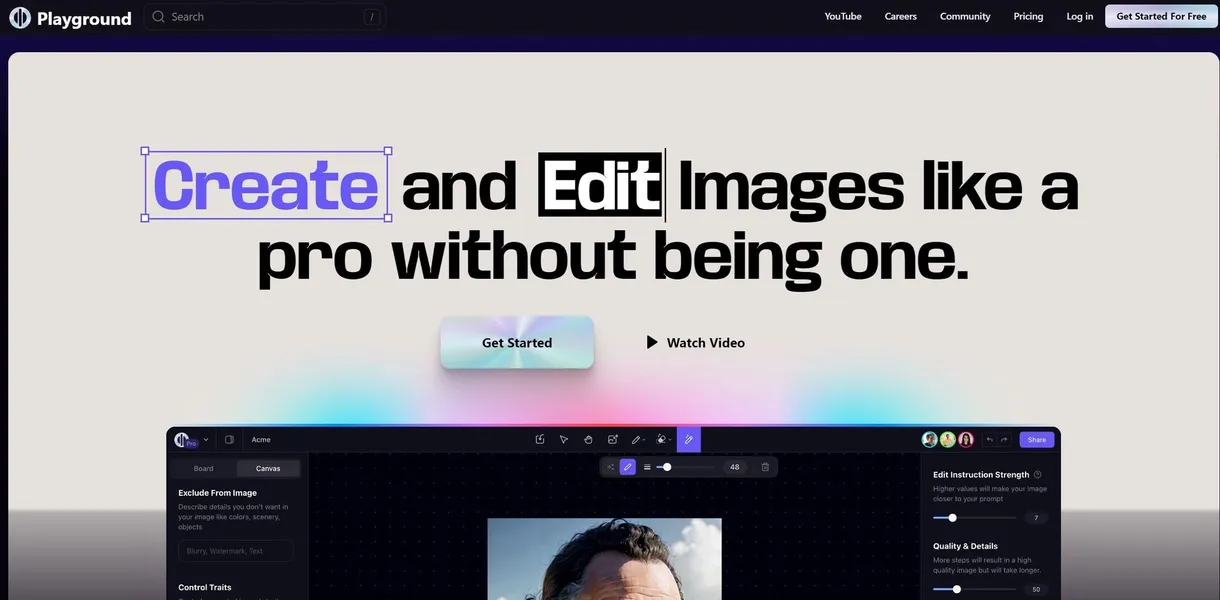
The most frustrating part of testing Playground AI is realizing its infinite canvas fails on mobile screens. The desktop experience offers a capable workspace for generating and editing images at the same time. You can drag elements around and adjust prompts without losing your previous work.
Developed by Playground AI, Inc., this web-based tool solves the fragmented workflow problem in AI art creation. It targets graphic designers and marketers who need to generate, crop, and expand images without switching between different applications. You can create a base image and immediately remove its background in the same window.
- Primary Use Case: Generating custom stock photography and expanding image borders for social media.
- Ideal For: Solo marketers and graphic designers.
- Pricing: Starts at $12 per month. The Pro plan offers excellent value with 1,000 daily image generations.
Key Features and How Playground AI Works
Infinite Canvas and Workspace
- Infinite Canvas: The infinite canvas (which feels similar to Figma) lets you arrange, edit, and generate multiple images side-by-side. Limit: Performance degrades if you load too many high-resolution images at once.
- Private Mode: Hide your generations from the public community feed. Limit: Only available to paid Pro and Turbo users.
Generation Models and Styles
- Model Selection: Toggle between Stable Diffusion XL and proprietary models. Limit: SDXL generations take longer than standard models.
- Preset Filters: Apply over 50 curated styles like Cinematic or Neon Mecha. Limit: Filters tend to override specific color prompts in your text.
- Image-to-Image: Upload a reference photo to guide the AI output. Limit: High image strength settings ignore your text prompt.
Post-Processing and Editing
- Generative Fill: Brush over specific areas to add or change elements. Limit: Requires precise masking to avoid blending errors.
- Outpainting: Expand the canvas of an existing image to 2x or 4x its original size (I found this useful for Instagram formatting). Limit: Extended areas lack the detail of the original center.
- Background Removal: Isolate subjects and export images with transparency. Limit: Struggles with fine details like loose hair or complex foliage.
- Face Restoration: Fix distorted facial features and eyes in generated human portraits. Limit: Can make faces look overly smooth or artificial.
- Upscaling: Increase image resolution up to 4K for print and digital display. Limit: Upscaling consumes more daily generation limits.
Playground AI Pros and Cons
Pros
- The Canvas interface provides a more intuitive design workflow than standard prompt-box generators.
- High-quality SDXL integration ensures competitive image detail and lighting compared to Midjourney.
- Built-in editing tools like background removal save time by eliminating external software needs.
- The community prompt library allows users to copy and remix successful prompts with one click.
- The Pro plan provides 1,000 daily images, catering well to high-volume professional creators.
Cons
- Images generated on the Free tier are public by default, creating privacy issues for commercial projects.
- The mobile web experience is bad, making complex canvas editing difficult on phones.
- Content filters are sensitive, flagging benign prompts as unsafe and blocking generation.
- Free users experience long queue times and slow generation speeds during peak server traffic.
Who Should Use Playground AI?
- Solo Marketers: You can generate custom stock photos and resize them for different social platforms fast.
- Digital Artists: The image-to-image feature helps maintain consistent character designs across multiple generations.
- Budget-Conscious Beginners: The free tier offers enough daily credits to learn prompt engineering without financial commitment.
- Mobile-Only Users (Not Recommended): The complex canvas interface requires a desktop mouse and keyboard for precise editing.
Playground AI Pricing and Plans
The pricing structure includes a genuine free tier rather than a disguised trial. Free users pay $0 per month but face strict generation limits and public image visibility. You can test the core features, but you cannot use the resulting images for commercial purposes.
The Pro plan costs $12 per month and includes 1,000 images per day, faster generation speeds, and a commercial license. This tier provides the best value for daily users who need consistent output without worrying about credit limits.
The Turbo plan costs $36 per month.
It provides 2,000 images per day, the highest generation speeds, and allows simultaneous generations. Power users running multiple complex prompts at the same time will benefit from this top tier.
How Playground AI Compares to Alternatives
Similar to Midjourney, Playground AI produces detailed images using advanced diffusion models. Unlike Midjourney, this tool provides a visual interface and built-in editing tools instead of relying on Discord commands. You can click a button to remove a background instead of typing a new prompt. Midjourney still holds a slight edge in raw artistic interpretation, but Playground AI wins on usability.
Leonardo.ai also targets game developers and designers with custom model training. Playground AI focuses more on its infinite canvas and layout capabilities. You can arrange dozens of variations on a single screen with Playground AI. Leonardo.ai offers better asset generation for 3D texturing, while Playground AI excels at 2D marketing materials and social media graphics.
Canva is another alternative that includes basic AI image generation. Unlike Canva, Playground AI offers advanced controls like image strength sliders and generative fill. Canva works better for assembling final presentations, but Playground AI creates superior raw image assets.
The Final Verdict: Best for Desktop-Bound Marketers
Playground AI delivers an excellent visual workspace for users who need to generate and edit images in one place.
Mobile users should look elsewhere.
If you need absolute top-tier artistic generation and do not mind a chat interface, Midjourney remains the better choice.