



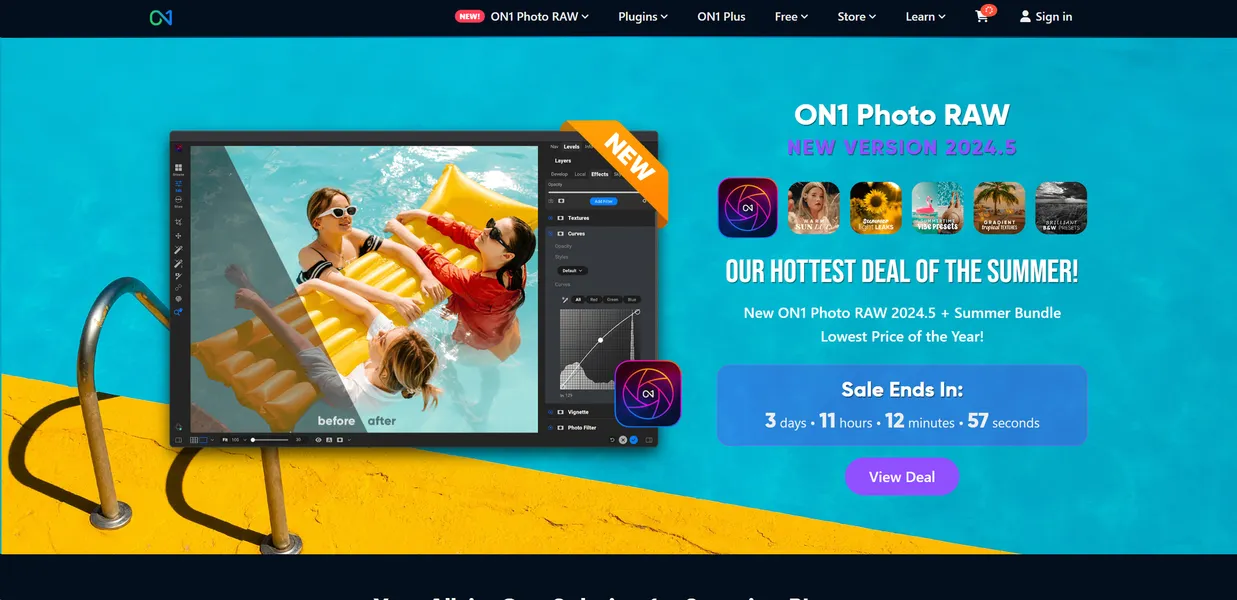
What is ON1 Photo RAW?
Photographers often expect an all-in-one editor to replace their entire Adobe subscription. They usually get a slow cataloging tool bolted onto a basic raw processor. ON1 Photo RAW actually delivers a complete workflow, combining fast file browsing with advanced layered editing.
Developed by ON1, Inc., this software solves the problem of jumping between different apps for organization, raw processing, and pixel-level retouching. It targets professional and enthusiast photographers who want advanced AI masking and noise reduction without paying a mandatory monthly fee.
- Primary Use Case: Managing large photo libraries and applying AI-driven noise reduction and masking in a single workflow.
- Ideal For: Professional and enthusiast photographers seeking an alternative to subscription-based editing software.
- Pricing: Starts at $7.50 per month. The perpetual license offers long-term savings for budget-conscious users.
Key Features and How ON1 Photo RAW Works
AI-Powered Retouching and Adjustments
- Brilliance AI: Adjusts color and tone automatically based on scene lighting. It struggles with highly stylized or intentionally underexposed artistic shots.
- Portrait AI: Detects faces to apply individual skin smoothing and eye enhancements. The detection fails if faces are partially obscured or turned away from the camera.
- Sky Swap AI: Detects horizons and masks complex edges like trees for sky replacement. The automatic mask often requires manual cleanup around fine branches.
Noise Reduction and Upscaling
- AI NoNoise: Removes luminance and color noise while preserving fine textures. Processing high-ISO raw files takes significant time on older graphics cards.
- AI Resize: Upscales low-resolution photos by up to 1600 percent for large prints. Extreme upscaling introduces visible artifacts if the original image lacks sharp focus.
Organization and Workflow
- Keyword AI: Scans images to generate descriptive metadata tags automatically. The AI sometimes applies generic tags that do not help with specific searches.
- Non-destructive Layers: Allows compositing multiple images with masks and blend modes. Stacking more than five high-resolution layers causes noticeable interface lag.
ON1 Photo RAW Pros and Cons
Pros
- The one-time purchase option of $99.99 provides a permanent license without recurring monthly fees.
- Fast browsing speed lets you view high-resolution RAW files instantly without waiting for catalog imports.
- AI NoNoise technology preserves fine detail better than standard noise reduction in Adobe Lightroom.
- Local adjustments are highly precise with AI-powered masking that snaps to edges automatically.
Cons
- High system requirements lead to sluggish performance on older hardware or laptops with integrated graphics.
- The cluttered user interface features numerous icons and panels that create a steep learning curve.
- Heavy batch processing and complex AI tasks occasionally cause the software to crash.
Who Should Use ON1 Photo RAW?
- Budget-conscious professionals: The perpetual license option saves money over time compared to mandatory cloud subscriptions.
- High-volume event photographers: Fast file browsing allows quick culling without waiting for images to import into a catalog.
- Beginners on older hardware: This tool is not a good fit for users with basic laptops. The heavy AI processing requires a dedicated graphics card to run smoothly.
ON1 Photo RAW Pricing and Plans
ON1 Photo RAW offers both subscription and perpetual license options. The software includes a 30-day free trial that provides full access to all features without requiring a credit card.
- Monthly Subscription: $7.99 per month. Includes 200GB of cloud storage, mobile apps, and all plugins.
- Annual Subscription: $89.99 per year (averages $7.50 per month). Includes 200GB of cloud storage, mobile apps, and all plugins.
- 1TB Subscription: $15.99 per month. Increases cloud storage to 1TB and includes all plugins.
- Perpetual License (Photo RAW): $99.99 one-time fee. Provides a standalone desktop license with no cloud storage.
- Perpetual License (Photo RAW MAX): $179.99 one-time fee. Adds plugin capabilities for Adobe Photoshop, Lightroom Classic, and Apple Photos.
How ON1 Photo RAW Compares to Alternatives
Similar to Adobe Lightroom, ON1 Photo RAW offers complete raw processing and library management. Unlike Lightroom, ON1 includes full layered editing within the same application. Lightroom forces users to send files to Photoshop for complex compositing. ON1 also gives users the choice of a perpetual license, whereas Adobe strictly requires a monthly subscription.
Capture One competes directly with ON1 Photo RAW in the professional market. Capture One provides superior tethered shooting capabilities and highly specific color grading tools. ON1 Photo RAW counters with a much lower starting price and a broader suite of AI-driven effects. Capture One targets high-end studio photographers, while ON1 appeals to outdoor and portrait shooters who want automated retouching.
The Verdict for Independent Photographers
ON1 Photo RAW delivers massive value for independent photographers who want professional editing tools without a subscription. The combination of fast browsing, raw processing, and layered editing handles almost any workflow requirement. You will save money and time by keeping all your edits in one application.
Users with older computers should look elsewhere. The heavy reliance on AI tools demands modern hardware (especially a good graphics card) to avoid frustrating lag. If you primarily shoot in a studio and need flawless tethering, Capture One remains the better choice. We still do not know if ON1 can optimize their software enough to run smoothly on entry-level machines.