



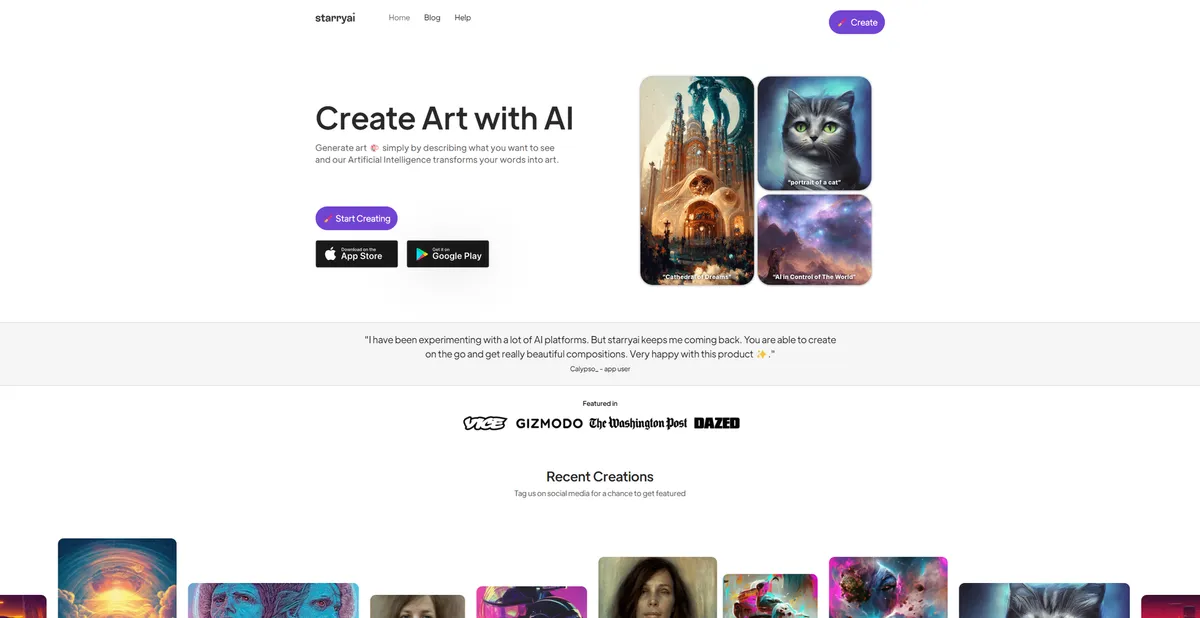
What is StarryAI?
The most unusual thing about StarryAI is its aggressive stance on copyright. Free users retain full commercial ownership of every image they generate. You can sell your creations right away.
StarryAI Inc. built this AI art generator to solve the mobile creation problem. Most image generators force users into clunky web interfaces (or confusing Discord servers). StarryAI targets smartphone creators who need native iOS and Android applications. The tool provides multiple generation engines to match specific visual styles. Users type text prompts to generate unique artwork.
- Primary Use Case: Generating abstract NFT artwork and social media graphics on mobile devices.
- Ideal For: Smartphone creators and budget-conscious artists.
- Pricing: Starts at $8 per month (freemium) – Users get 20 free images before hitting a paywall.
Key Features and How StarryAI Works
Dual Generation Engines
- Altair Engine: Uses VQGAN-CLIP to create abstract art. Limited to non-photorealistic outputs.
- Orion Engine: Uses Diffusion models for coherent imagery. Struggles with fine details like hands.
- Bulk Generation: Creates up to 9 variations of a single prompt at once. Consumes more credits per use.
Image Manipulation Tools
- Canvas Tool: Allows in-painting and out-painting for localized edits. Requires a desktop browser for precise control.
- Upscaling: Enhances resolution up to 8x for physical printing. Consumes extra daily credits per use.
- Aspect Ratio Control: Offers 1:1, 4:5, and 9:16 sizes. Custom dimensions require paid plans.
Mobile Creation Suite
- Native Apps: Dedicated iOS and Android applications. Free users face frequent advertisement interruptions.
- Prompt Builder: Visual interface with over 1000 styles. Limits custom weight adjustments found in advanced tools.
- Evolve Feature: Enables precise iteration on existing AI-generated images. Requires clear initial prompts to work well.
StarryAI Pros and Cons
Pros
- Grants full commercial rights to all users on the free tier.
- Provides native mobile apps for iOS and Android devices.
- Awards 5 free credits every 24 hours without trial expiration.
- Offers distinct Altair and Orion engines for varied visual styles.
- Includes a visual prompt builder to help beginners select art styles.
Cons
- Credit costs escalate for high-volume professional users.
- Generation speeds lag behind DALL-E and Stable Diffusion.
- Fails to render complex human anatomy.
- Interrupts the mobile app experience with advertisements for free users.
Who Should Use StarryAI?
- Mobile Creators: Users who want to generate art from their smartphones.
- NFT Artists: Creators who need guaranteed commercial ownership of their digital assets.
- Casual Hobbyists: People who want to experiment using the daily free credit allowance.
- Not for Professional Illustrators: Artists needing precise anatomical accuracy should avoid this tool.
StarryAI Pricing and Plans
The free tier is a genuine ongoing plan. Users receive 5 credits daily to generate up to 20 images. You keep commercial rights even on this free tier.
The Starter plan costs $10 per month or $8 billed each year. This unlocks entry-level paid features and removes mobile advertisements.
The Pro tier costs $35 per month. It provides mid-tier features and higher generation limits. Users get faster processing times.
The Unlimited plan costs $60 per month. It offers maximum generation capacity for heavy users. This tier suits creators who sell physical prints.
How StarryAI Compares to Alternatives
Similar to Midjourney but StarryAI offers a native mobile app. Midjourney forces users to operate inside Discord. Yet Midjourney produces superior photorealistic images and renders accurate human anatomy. StarryAI wins on accessibility for casual users. You can generate images on a train commute without typing complex commands.
Unlike NightCafe, StarryAI focuses on its mobile experience. NightCafe offers a web-first community platform with daily challenges. Both tools use daily credit systems to attract free users. NightCafe provides more granular control over diffusion models. StarryAI provides a cleaner interface for absolute beginners.
The Best AI Art Generator for Mobile Creators
StarryAI delivers a solid mobile creation experience for casual artists.
But professional illustrators will find the anatomical errors frustrating.
Smartphone users who want commercial rights get the most value here. Professionals needing precise details should look at Midjourney instead.