



What is Beacons?
Most link-in-bio tools point users away from social media. Beacons tries to keep them right where they are to buy things.
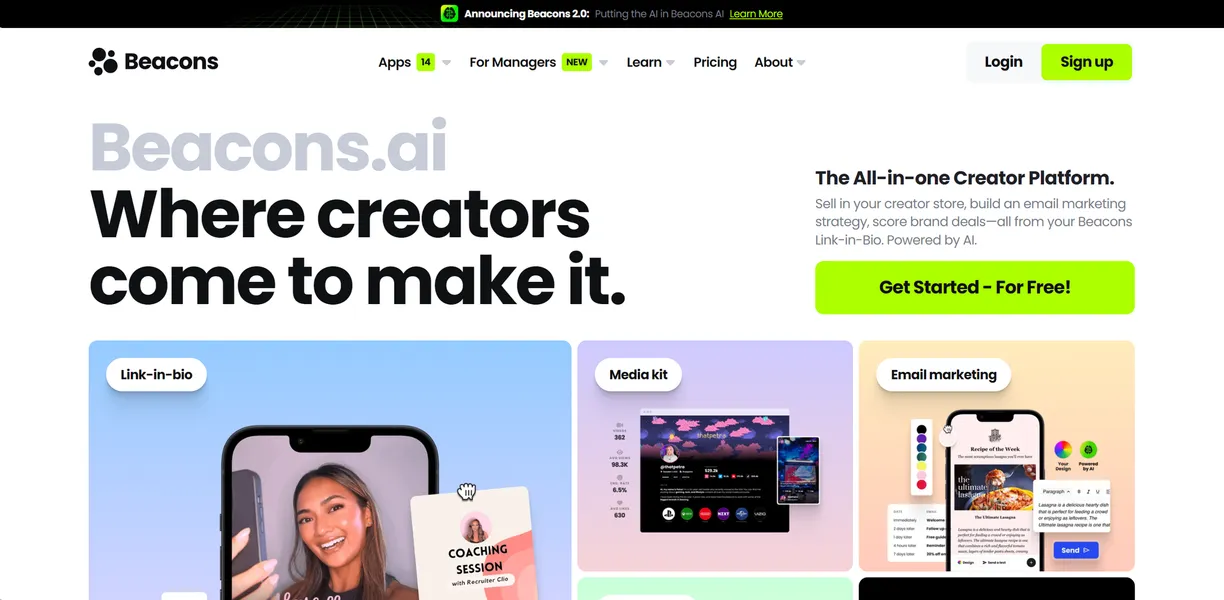
Developed by Beacons AI, Inc., this creator platform functions as a digital storefront and marketing hub. It targets social media influencers who want to consolidate their tech stack. Users can build landing pages, send emails, and pitch brands from one dashboard.
- Primary Use Case: Consolidating social links and selling digital products from Instagram or TikTok bios.
- Ideal For: Social media influencers and digital product creators.
- Pricing: Starts at $8.33 (freemium) – Replaces multiple subscriptions but charges a 9 percent transaction fee on lower tiers.
Key Features and How Beacons Works
Digital Storefront and Checkout
- Digital Store: Sells over 100 file types including PDFs and video courses. Limited to 100 sales per month on the free plan.
- AI Product Descriptions: Generates SEO copy for store items to increase conversions. Limited by the quality of initial user prompts.
Audience and Marketing Tools
- Email Marketing: Sends automated drip campaigns to fan databases. Capped at 50,000 emails per month on higher tiers.
- Audience Manager: Tracks fan data and purchase history in a CRM database. Requires manual export for external backups.
Brand Pitching and Analytics
- Media Kit: Synchronizes live data for TikTok and Instagram via official APIs. Only updates when connected accounts remain active.
- AI Brand Outreach: Writes personalized pitch emails using actual performance metrics. Limited to templates provided by the system.
Beacons Pros and Cons
Pros
- Unified dashboard replaces separate subscriptions to Linktree, Mailchimp, and Shopify.
- Real-time API integration keeps media kit statistics accurate without manual screenshot updates.
- Mobile checkout process lets fans buy digital products in under 30 seconds.
- Free tier includes a functional store and email capture for new creators.
Cons
- Transaction fees hit 9 percent on the Free and Creator Pro plans.
- The interface feels cluttered due to frequent upsell prompts and dense menus.
- Link-in-bio design flexibility relies on pre-set blocks.
- Advanced email automation requires the $30 per month Store Pro tier.
Who Should Use Beacons?
- Beginner creators: The free plan offers enough tools to start capturing emails and selling basic digital downloads.
- Established influencers: High-volume sellers benefit from the Store Pro plan to eliminate transaction fees.
- Physical product sellers: This is not a good fit. Beacons focuses on digital downloads and lacks advanced inventory routing for physical goods.
Beacons Pricing and Plans
The Free Plan costs $0 per month, including basic link-in-bio features and a media kit. Users face a 9 percent transaction fee and a hard limit of 100 sales per month.
Creator Pro costs $10 per month or $8.33 billed annually, adding custom domains and AI outreach tools. The 9 percent transaction fee remains on this tier.
Store Pro costs $30 per month or $25 billed annually, dropping transaction fees to 0 percent. This premium tier unlocks unlimited emails and course hosting.
Business Pro costs $90 per month or $75 billed annually, giving users Google Workspace integration and a physical NFC card.
The free tier is a real, usable plan rather than a disguised trial.
How Beacons Compares to Alternatives
Similar to Linktree, Beacons organizes multiple URLs into one mobile page for easy access. Linktree focuses on link routing and basic aesthetics, while Beacons acts as a full e-commerce engine. Users who want a simple menu should pick Linktree.
Unlike Stan Store, Beacons offers a free tier with actual selling capabilities for new creators. Stan Store charges $29 per month to access its basic checkout features. Stan Store provides a cleaner interface for pure digital sales, but Beacons includes deeper marketing tools.
Final Verdict for Digital Creators
Social media influencers who sell digital products get the most value from this platform. The software replaces three or four separate marketing tools to save money. (I found the dashboard overwhelming during initial setup due to the dense menus).
Physical goods retailers should look elsewhere because Shopify handles shipping logistics well.
Creators who want a clean list of links should use Linktree.