



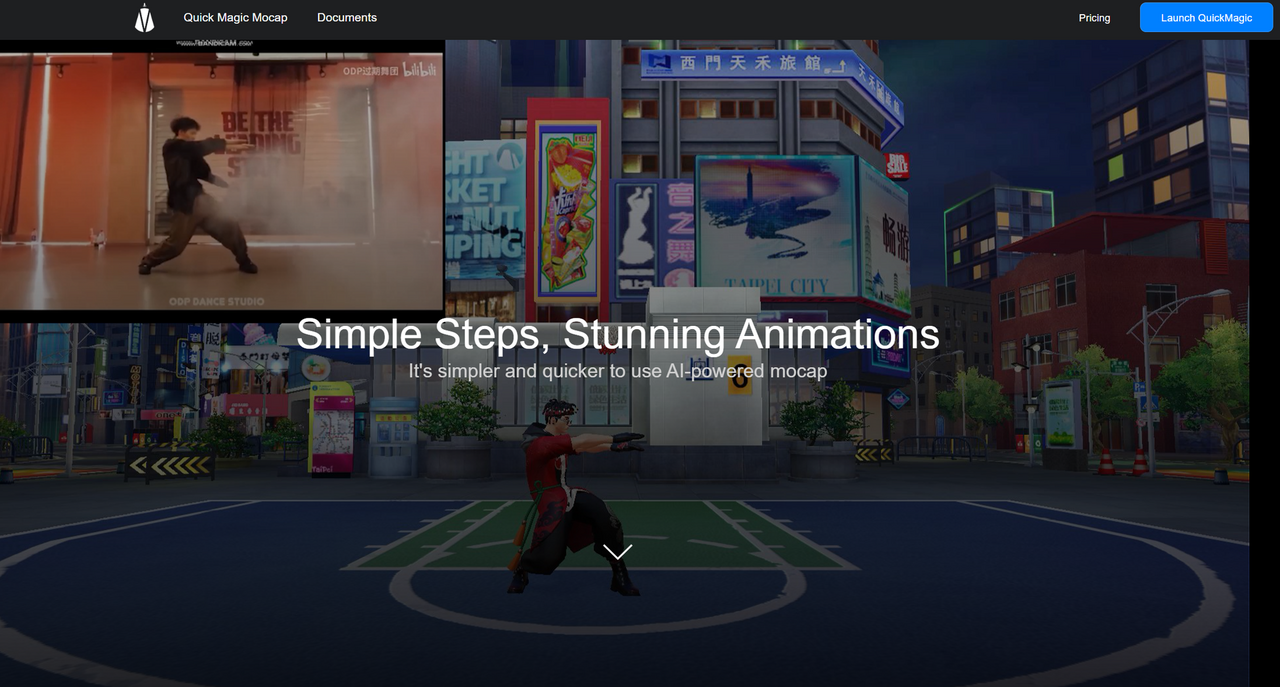
What is QuickMagic?
Most motion capture tools require a heavy upfront investment: specialized hardware suits, dedicated studio space, and complex multi-camera arrays. QuickMagic skips that entirely. Developed by QuickMagic Technology Co., Ltd., this AI motion capture and 3D avatar generation platform extracts skeletal animations directly from standard 2D MP4 or MOV files.
Instead of strapping into sensors, a solo developer can record an action sequence on a smartphone and upload it to the cloud. QuickMagic processes the footage and returns a rigged character animation ready for game engines. Using QuickMagic is like hitting off a batting tee: you get predictable results in a controlled environment, but performance falters when facing a wild pitch like heavy shadows or overlapping limbs. (I learned quickly that high-contrast backgrounds are mandatory to avoid skeletal clipping.) Yet. This tool dramatically cuts production costs for small studios needing rapid pre-visualization assets.
- Primary Use Case: Converting standard smartphone video into rigged 3D animations for Unity and Unreal Engine.
- Ideal For: Budget-conscious indie game developers and solo animators needing fast motion capture.
- Pricing: Starts at $9.90 per month (Freemium). This represents a massive cost reduction compared to traditional hardware setups.
Key Features and How QuickMagic Works
Video-to-Motion and Tracking
- Single-Camera Mocap: Converts 2D video files into 3D skeletal animations. This removes hardware barriers, though it strictly requires bright, even lighting to track accurately.
- Multi-Person Tracking: Captures simultaneous motion for up to two people in a single frame. It works well for basic interactions but struggles slightly when subjects cross in front of each other.
- Hand and Face Tracking: Extracts detailed finger movements and facial expressions from standard footage. You need a clear, close-up shot for the AI to interpret micro-expressions accurately.
Image-to-Avatar Generation
The other piece: generating custom 3D models.
- Single Image Rigging: Creates a fully rigged 3D model from a single front-facing JPG or PNG. The output is ready for immediate animation testing.
- 2K Resolution Textures: Generates high-definition textures for the avatars. This feature is locked behind the $49.90 Professional plan.
Cloud Processing and Export
- Remote Processing: Relies on cloud servers to render animations. This saves local CPU power, but high-volume users will burn through their allotted credits quickly.
- Engine Integrations: Exports to FBX, GLB, BVH, and VRM. Direct compatibility with Unreal Engine, Unity, and Blender saves hours of manual retargeting.
QuickMagic Pros and Cons
Pros
- Eliminates expensive mocap hardware by extracting skeletal data from standard 2D video files.
- Delivers fast turnaround times, processing 60-second animation clips in just a few minutes via cloud queues.
- Provides a low entry point for small businesses with a $9.90 per month Starter plan.
- Supports multiple export formats including VRM and BVH for broad compatibility with Vtubing software and legacy tools.
Cons
- The V-Coin credit system becomes expensive quickly if your team requires high-volume, daily animation processing.
- Complex movements involving overlapping limbs cause noticeable tracking jitter and skeletal clipping.
- Strict lighting requirements dictate that recording spaces must have bright illumination and high-contrast backgrounds.
Who Should Use QuickMagic?
- Indie Game Developers: The $9.90 Starter plan makes it highly affordable to create custom walk cycles and attacks without renting a studio.
- Pre-visualization Artists: Teams blocking out cinematic scenes can capture quick multi-person interactions on a phone to test camera angles.
- High-Volume Animation Studios: Not a good fit. The usage-based V-Coin system limits ROI for studios needing hours of processed mocap data each month.
QuickMagic Pricing and Plans
Worth separating out: QuickMagic operates on a usage-based credit model called V-Coins. The Free plan offers 50 V-Coins per month and restricts exports to FBX format with a 30-second maximum clip length. It functions strictly as a testing tier.
That changes when you upgrade.
The Starter plan costs $9.90 per month for 150 V-Coins. It unlocks regular processing priority, 60-second clip lengths, and all export formats. For higher demands, the Professional plan costs $49.90 per month, provides 1,000 V-Coins, enables 2K resolution avatar generation, and offers permanent asset storage.
Where it falls short: businesses scaling production. If you exhaust your monthly quota, you must buy one-time top-ups starting at $46 for 1,000 V-Coins. Heavy usage drastically reduces the cost efficiency.
How QuickMagic Compares to Alternatives
Move.ai competes directly with QuickMagic for markerless motion capture. Move.ai typically requires multiple camera angles to capture high-fidelity motion, resulting in cleaner data with fewer overlapping limb issues. And. It costs significantly more to set up. QuickMagic is strictly single-camera, making it faster to use but slightly more prone to tracking jitter.
Plask operates entirely in the browser and focuses heavily on keyframe editing tools alongside its AI generation. Plask makes it easier to clean up messy data directly within its interface. QuickMagic exports rigid data straight to your chosen game engine, meaning any required cleanup must happen in Blender or Unity. The result: Plask favors animators who want an all-in-one editing suite, while QuickMagic favors developers looking for quick pipeline injections.
A Practical Mocap Solution for Bootstrapped Indie Teams
QuickMagic delivers strong ROI for solo game developers and small animation teams who need affordable motion capture without hardware investments. The $9.90 entry tier provides enough capacity to generate functional pre-visualization assets and background character animations quickly. Teams running high-volume, production-ready animation pipelines will find the V-Coin limits restrictive and should evaluate multi-camera setups like Rokoko Video or Move.ai instead.