Adobe Firefly is the only major image generator with contractual IP indemnification and a commercially-safe training dataset. Firefly Image 5 (October 2025) finally closes the photorealism gap, but the aesthetic distance from Midjourney and the credit system's failure economics remain real friction for creative teams.
Prompt: "Photorealistic product shot of a matte white coffee cup on a white marble surface, soft diffused studio lighting from above, the cup has the words 'First Draft' printed in clean black sans-serif, steam rising, minimal composition." Firefly Image 5 delivered clean studio lighting, correct proportion, photorealistic marble texture, and, unlike earlier Firefly generations, legible text on the mug surface. The result looked like an Adobe Stock photograph. That is both Firefly's achievement and its limitation: it consistently produces images that look like they could belong in a licensed content library. Which, given that its training data is a licensed content library, makes complete sense.
This entry covers the standalone Firefly platform at firefly.adobe.com, separate from Photoshop's Generative Fill (Tool 20). As of April 2026, Firefly is Adobe's all-in-one creative AI studio: image generation, video, audio, vector graphics, mood boards, and access to 30+ partner models including FLUX, Google Imagen, Runway, and Kling, with its own pricing tiers, mobile apps, and a specific use case: brand-safe generation with a legal paper trail.
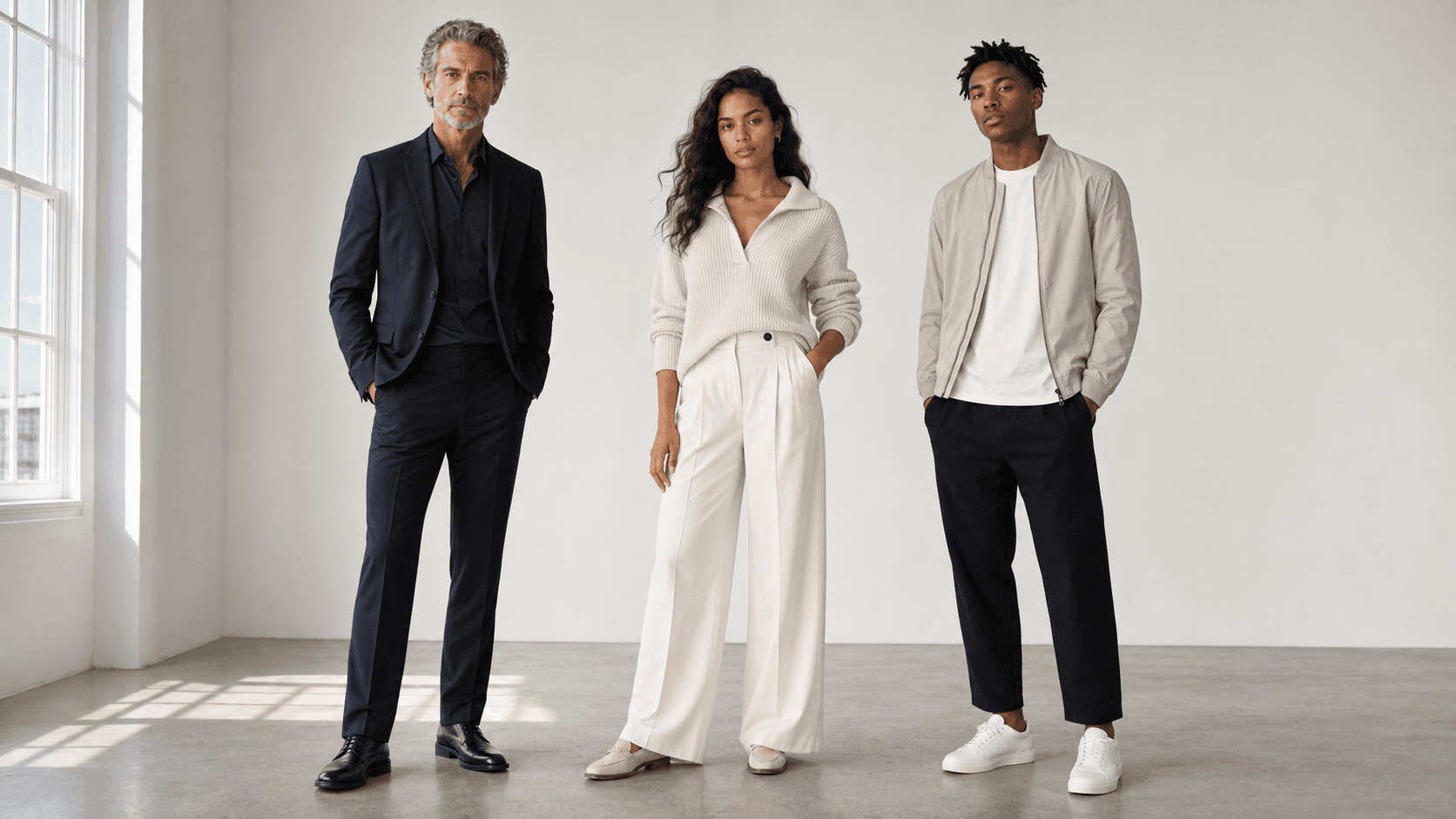
Adobe Firefly's visual signature in April 2026
Firefly Image 1 (March 2023) generated enterprise interest on its legal positioning while sitting well below Midjourney on image quality. Image 4 (April 2025) regressed noticeably on reference-image control, a persistent forum complaint. At Adobe MAX in October 2025, Image Model 5 launched in public beta: native 4MP output without upscaling, anatomically accurate portraits, complex lighting, fine textures, and "Prompt to Edit" natural language image editing. The photorealism scores improved. The aesthetic benchmark, whether the output has soul, did not.
The Firefly visual signature is best understood through its training data. Adobe trained Firefly exclusively on licensed Adobe Stock content, Creative Commons works, and public domain material. The model learned from a library of professional, commercially vetted imagery, and the outputs reflect that. Technically competent, correctly proportioned, appropriately lit, and devoid of the expressive idiosyncrasy that makes Midjourney images arresting. For a brand campaign asset, exactly right. For editorial work that needs to carry emotional weight on its own, it reads as "good stock photography" rather than "compelling image." Adobe MAX Spring on April 15, 2026 added the Firefly AI Assistant, a conversational agent that orchestrates multi-step workflows across Photoshop, Premiere, Lightroom, and Illustrator from a single interface, currently in public beta.
Prompts that actually work (with the quirks)
Prompt 1: Where Firefly earns its place. "Photorealistic product shot of a matte white coffee cup on a white marble surface, soft diffused studio lighting from above, the cup has the words 'First Draft' printed in clean black sans-serif, steam rising, minimal composition." Firefly Image 5 handles this confidently: even commercial-grade lighting, photorealistic marble texture, correct scale, and, unlike Image 3 and 4, legible in-image text on the mug surface. The result is neutral and deployment-ready without post-processing. Midjourney would add dramatic lighting and shift the palette toward cinematic warmth; Firefly produces the brief, not an interpretation of it. For commercial applications, that literal precision is the whole point.
Prompt 2: The ceiling Firefly hasn't broken through. "Futuristic city aerial view at night, neon-lit skyscrapers with holographic advertisements, rain-slicked streets below, cinematic wide shot, moody atmospheric lighting, deep blue and amber color palette." Tom's Guide's seven-prompt comparison (2025) found Firefly returning a daytime toy-architecture scene for this type of prompt. Re-run with Image 5 in our April 2026 review: the model now produces a night city, a real improvement, but the palette stays flat blue, atmospheric depth is shallow, and the holographic ads are gestured at rather than rendered. Midjourney V7 produces something that reads as production design concept art. Firefly produces something that reads as a competent stock illustration. For a pitch deck, sufficient. For editorial or concept art, the gap is real.
Two mechanics worth knowing: Fast Mode costs 2x credits with no quality gain, purely a speed option. Style Reference inputs, while improved in Image 5, still require multiple iterations on complex compositions. Firefly Image 4 frequently generated "a generic impressionist landscape" when given a reference image; Image 5 is better but not solved.
Where Adobe Firefly struggles, hands, text, consistency
The most documented frustration among Firefly users is not image quality in absolute terms, it is the gap between what was promised and what arrives, combined with a credit system that charges for every failed attempt.
"Now it just renders generic AI slop no matter what you input. Zero control, very disappointing.". Adobe Community forums user, community.adobe.com, 2025
Text rendering improved significantly with Image 5 but still scores below OpenAI's GPT Image 2 (approximately 99% character accuracy) on complex typography or curved surfaces. Hands and complex limb structures are handled better in Image 5 than in earlier versions, the anatomical accuracy improvements are real, but remain more reliable in controlled portrait compositions than in dynamic action scenes.
The more systemic problem is credit economics on failures. Credits are deducted for every generation attempt regardless of output quality. Users on video generation report burning significant credit allocations without usable clips.
"Every failed attempt to produce a 5-second video sequence resulted in 500 credits being deducted.". Adobe Community forums user, community.adobe.com, 2025
Content moderation is more restrictive than Midjourney by design, consistent with the commercially-safe positioning, but frustrating for creative professionals working with mature themes, dark aesthetics, or edge fantasy. Firefly is not designed for those workflows, and the filters make that clear.
Partner model generations add a separate cost layer that surprises users: generating with FLUX.2, GPT Image, Kling, or Runway inside Firefly consumes premium credits at 2–5x the rate of native Firefly models. Users initially expect all model options to cost the same and discover otherwise mid-project.
Commercial use: licensing, copyright, and safety filters
Adobe trained Firefly on licensed Adobe Stock content, Creative Commons works, and public domain material, not web-scraped data. Enterprise Creative Cloud customers on qualifying plans receive contractual IP indemnification: Adobe covers legal liability if a Firefly output triggers a copyright claim. In 2025, Disney, NBCUniversal, DreamWorks, and Warner Bros. filed major IP infringement lawsuits against Midjourney that remained unresolved as of April 2026. For studios and agencies, Firefly's indemnification is a genuine workflow decision.
The claim has a documented complication. In June 2024, a Bloomberg investigation found Firefly's training dataset included AI-generated images from Midjourney submitted to Adobe Stock. Since Midjourney is itself trained on web-scraped content, the "commercially safe" provenance chain acquires a gap. Adobe did not fully address the finding. The practical read: Firefly carries substantially lower IP risk than competitors and is backed by a contract, but "provably 100% clean" is not the claim Adobe can make.
A separate June 2024 ToS update used language that creatives read as Adobe claiming rights to train on private files under NDA. Within 24 hours, mass cancellations followed. Adobe clarified June 6: "Adobe does not train Firefly Generative AI models on customer content." The ToS was revised by June 18. Every Firefly output automatically receives C2PA Content Credentials, tamper-evident AI-origin metadata verifiable at contentcredentials.org, under C2PA 1.3 (2025) standards Adobe helped write as a founding member of the Content Authenticity Initiative.
Community workflows from Reddit and Discord
The workflow Firefly has most distinctly enabled is Custom Models for brand-consistent content at scale. Enterprise teams train a model on a client's visual identity, as few as 30 sample images, then generate hundreds of on-brand social assets, ad variants, and product shots. Accenture uses this across 19 industry verticals; Henkel for accelerated brand asset production. Unlike prompting Midjourney with style descriptions that approximate a brand, Custom Models know what the brand actually looks like. That specificity is qualitatively different from anything a text prompt can achieve.
Firefly Boards (global launch September 24, 2025) has built a community around mood-boarding and pre-visualization. Import reference images, generate variations, remix multiple images together, use Rotate Object to convert 2D images to 3D, and export as PDF for client presentations without leaving the Firefly environment. A subtler community find: Text to Vector Graphic generates SVG files that open as properly layered, editable Illustrator documents, no post-processing step required. For designers in Illustrator daily, the zero-friction handoff makes Firefly's vector generation a time-saver even when they use Midjourney for the hero creative.
Adobe Firefly vs. Midjourney vs. DALL-E
Midjourney V7 wins on visual richness across every documented head-to-head (Tom's Guide 2025 seven-prompt test; Neuronad 2026): it interprets prompts expressively, adding depth and atmosphere the prompt did not specify. Firefly executes prompts accurately and neutrally. For early-stage ideation, editorial, or concept art, Midjourney dominates. Midjourney's liabilities: ongoing studio litigation (Disney, NBCUniversal, DreamWorks, Warner Bros. as of April 2026), no IP indemnification, no production tool integration. Agency workflows have split along predictable lines. Midjourney for creative exploration, Firefly for production and delivery.
DALL-E / GPT Image 2 (OpenAI, Tool 28) matches or exceeds Firefly on photorealism and outperforms it substantially on text-within-image rendering, approximately 99% character accuracy versus Firefly's still-improving benchmark. GPT Image 2's multi-turn conversational editing loop is a workflow Firefly does not replicate. Firefly's advantages: native Photoshop/Illustrator/Premiere integration, enterprise IP indemnification OpenAI does not offer, and Custom Models that train on actual brand assets rather than text style descriptions. FLUX.2 by Black Forest Labs is available as a partner model inside Firefly, using it via Firefly adds the indemnification wrapper at higher credit cost; running FLUX via Replicate or fal.ai is cheaper without it.
Credit economics, what a real project costs
The free tier delivers 25 credits per month, a 95% reduction from the 500 credits new single-app Creative Cloud subscribers received before July 1, 2025. That cut landed hard: subscribers paying $55–$90/month for Creative Cloud All Apps expected video generation and partner model access at useful scale. They are not included, video, partner models, and high-resolution outputs consume premium credits that the free and single-app tiers cannot sustain for professional workflows. On Pro and Pro Plus plans, native Firefly image model generations at standard resolution are "unlimited standard", no credit cost. Credits apply to: video clips (5-second), partner model access (FLUX, GPT Image, Runway, Kling at 2–5x the native rate), high-resolution outputs, and Fast Mode (2x).
From February 2, 2026 through May 20, 2026, eligible plan subscribers get unlimited image and video generations on firefly.adobe.com, the credit system suspends for standard and video generation during that window. After May 20, published plan rates resume. For a 200-image product campaign on Standard ($9.99/month): the image generation phase costs nothing incremental (unlimited standard). Twenty 5-second video clips will draw against the 2,000-credit allocation. Any project requiring FLUX or GPT Image at volume belongs on Pro Plus ($49.99/month, 10,000 credits) or above.
User Reviews
No reviews yet. Be the first to share your experience!
Sign in to write a review.
Featured in collections
Curated lists that include Adobe Firefly.
Related articles
Guides and articles related to Adobe Firefly.
AI Fashion Prompts That Stay Consistent: The Working Formula (2026)
AI Video Generator Prompting: The Filmmaker's Real Workflow

Wix Logo Maker Review (2026): Real Costs, the Edit Catch, and AI Alternatives
One Product Photo, Full Fashion Campaign: AI Images and Video That Sell (2026)
Freepik AI Is Now Magnific: What Changed, What It Costs, and Whether to Stay (2026)