


What is Airbrush?
You need a custom header image for a blog post published in ten minutes. Instead of scrolling through expensive stock photo sites, you type a short description into a text box and get four unique options in under 30 seconds.
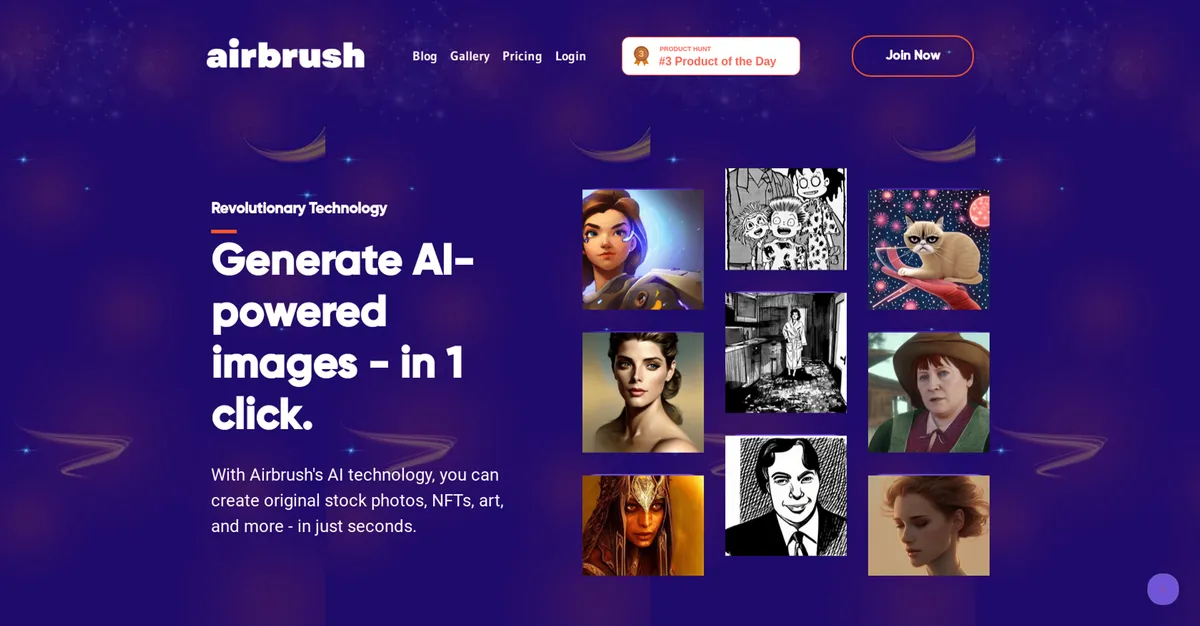
Developed by Airbrush AI, this platform generates professional headshots, stock photos, and digital artwork from text prompts. It targets marketers, bloggers, and professionals who need quick visual assets without learning complex prompt engineering.
- Primary Use Case: Generating quick blog covers and professional headshots from text prompts or selfies.
- Ideal For: Content marketers and solo bloggers on a tight budget.
- Pricing: Starts at $9 per month for the Popular Plan. This provides 500 image credits for highly affordable asset creation.
Key Features and How Airbrush Works
Text-to-Image Generation
- Stable Diffusion and DALL-E Models: Generates four image variations per prompt. Prompt adherence sometimes struggles with complex requests compared to Midjourney v6.
- Blog Cover Creator: Provides specialized templates for article headers. Output aspect ratios are limited to standard square, portrait, and landscape formats.
AI Headshot Creation
- Selfie Processing: Creates professional portraits from 5 to 10 uploaded casual photos. Processing times vary and often require separate credit allocations.
- Image Upscaling: Increases resolution up to 4x for print materials. Upscaling heavily compressed images can introduce unwanted artifacts.
Prompt Engineering Tools
- Image-to-Text Converter: Extracts descriptive prompts from uploaded photos. The resulting text does not always capture subtle artistic styles.
- Public Gallery: Offers a searchable database of community images and prompts. Finding specific niche examples requires extensive scrolling.
Airbrush Pros and Cons
Pros
- Highly affordable entry point with 500 credits for $9 monthly.
- Built-in upscaling tool removes the need for expensive third-party software.
- Permanent free tier gives users 20 credits to test the engine without a credit card.
- Extremely fast generation speeds deliver four image variations in under 30 seconds.
- Intuitive interface requires zero technical knowledge of complex prompt parameters.
Cons
- Output quality remains inconsistent, occasionally producing anatomical errors like distorted fingers.
- The AI headshot feature often requires specific plan limits or separate credit purchases.
- Limited advanced fine-tuning controls compared to professional platforms like Leonardo.ai.
- Prompt adherence is noticeably weaker than industry leaders like DALL-E 3.
Who Should Use Airbrush?
- Solo Bloggers: You get fast, unique cover images without paying high stock photo subscription fees.
- Small Marketing Teams: The $9 monthly plan provides enough credits to support daily social media posting schedules.
- Professional Digital Artists: This tool is not a good fit for you. You will find the lack of advanced fine-tuning controls and inconsistent prompt adherence frustrating.
Airbrush Pricing and Plans
Airbrush uses a straightforward freemium model based on image credits. The Free Plan provides 20 credits, image upscaling, and access to the public gallery at no cost.
This free tier acts as a genuine trial rather than a restricted demo.
The Popular Plan costs $9 per month and increases the allowance to 500 image credits. Mobile users can purchase a separate Premium subscription for $10.99 monthly or $43.99 annually. This mobile plan unlocks full access to retouching tools and filters on iOS and Android devices. (You must buy the mobile plan separately from the web application).
How Airbrush Compares to Alternatives
Similar to Midjourney, Airbrush generates high-quality images from text prompts. Unlike Midjourney, Airbrush operates entirely within a standard web browser rather than requiring a Discord account. Midjourney produces superior artistic details, but Airbrush offers a much faster learning curve for beginners.
Compared to Leonardo.ai, Airbrush focuses heavily on simplicity and speed. Leonardo.ai provides extensive fine-tuning controls and custom model training for advanced users. Airbrush sacrifices these complex features to ensure users can generate a blog cover in 30 seconds.
Aragon AI specializes almost exclusively in professional headshots. Airbrush includes headshot generation as part of a broader image creation suite. Aragon AI delivers more consistent photorealistic portraits, while Airbrush provides better value for general marketing graphics.
The Verdict for Budget-Conscious Marketers
Airbrush delivers exceptional value for content creators who need fast, affordable visual assets. The $9 monthly plan provides enough capacity for almost any solo publishing schedule.
The platform struggles when pushed toward highly specific artistic requirements.
Users who demand precise control over lighting and composition should look at Leonardo.ai instead. We still do not know if Airbrush will upgrade its underlying models to fix persistent anatomical errors in complex scenes.