



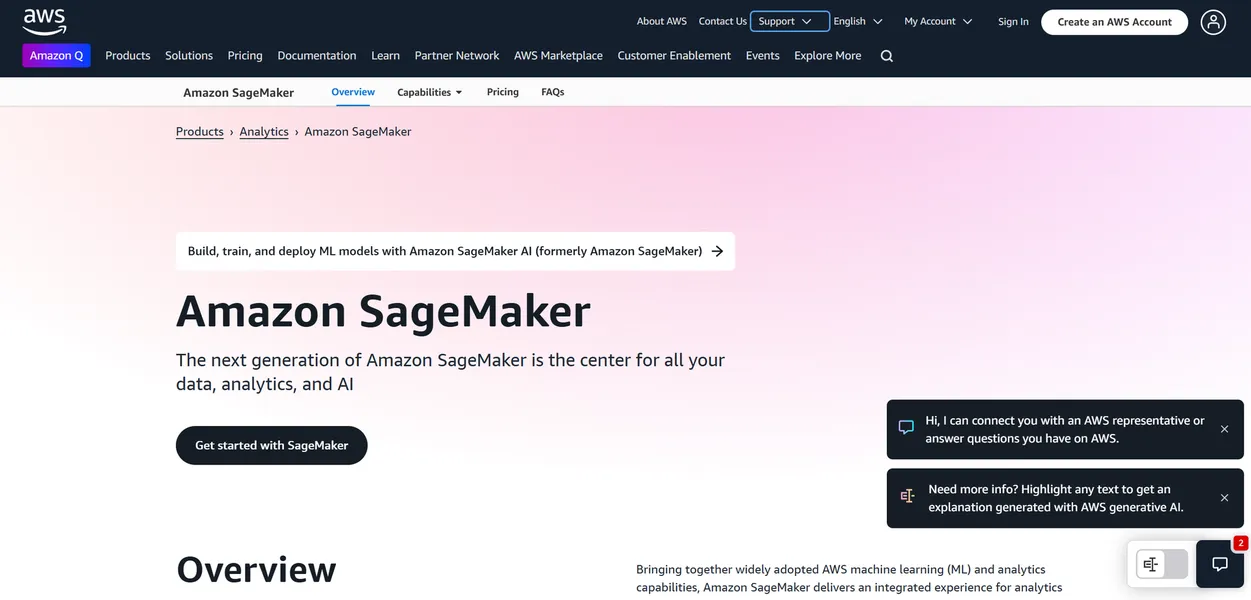
What is Amazon SageMaker?
SageMaker Data Wrangler includes over 300 built-in data transformations to prepare datasets for machine learning. Amazon Web Services, Inc. developed this fully managed service to help data scientists build, train, and deploy models at scale.
The platform solves the infrastructure overhead problem associated with enterprise machine learning. It targets advanced developers who need integrated MLOps tools to manage the entire model lifecycle.
- Primary Use Case: Training and deploying custom machine learning models at enterprise scale.
- Ideal For: Advanced data scientists and enterprise ML engineering teams.
- Pricing: Starts at $72 (On-Demand Instances) : Pay-as-you-go pricing for Studio Notebooks and training.
Key Features and How Amazon SageMaker Works
Data Preparation and Storage
- SageMaker Data Wrangler: Aggregates data from 40 sources like Amazon S3 and Snowflake. Limited to 25 hours per month on the free tier.
- SageMaker Feature Store: Centralizes ML features for team sharing. Storage costs scale based on gigabytes processed and stored.
Model Development and Training
- SageMaker Studio: Provides a unified web-based IDE for ML development. The UI can feel sluggish (I prefer local VS Code setups) during heavy workloads.
- SageMaker Training: Manages infrastructure for distributed training with libraries like Horovod. Requires manual configuration of AWS IAM roles to access S3 buckets.
- SageMaker Autopilot: Builds and tunes models automatically based on raw data. Users cannot easily export the underlying code for manual adjustments.
Deployment and MLOps
- SageMaker Serverless Inference: Deploys models without managing underlying infrastructure. Limited to 150,000 seconds of compute time on the free tier.
- SageMaker Pipelines: Orchestrates CI/CD workflows for machine learning. Pipeline execution steps incur separate charges based on the compute instances used.
Amazon SageMaker Pros and Cons
Pros
- Deep integration with S3, IAM, and Lambda simplifies data movement across the AWS ecosystem.
- Users can scale training jobs from a single notebook to thousands of GPUs automatically.
- Spot Instances for training jobs reduce compute costs by up to 90 percent compared to on-demand pricing.
- SageMaker JumpStart provides 1-click deployment for over 100 pre-trained foundation models.
Cons
- The learning curve is steep due to complex AWS IAM and networking prerequisites.
- Costs escalate quickly if users accidentally leave Studio notebooks running overnight.
- The SageMaker Studio interface feels cluttered and slow compared to standalone IDEs.
- Fragmented documentation makes troubleshooting niche deployment errors difficult.
Who Should Use Amazon SageMaker?
- Enterprise Data Scientists: Teams building custom models need the distributed training capabilities to cut training time from days to minutes.
- MLOps Engineers: Professionals managing production models benefit from SageMaker Model Monitor to detect data drift automatically.
- Business Analysts: Non-technical users can generate predictions using the visual interface of SageMaker Canvas.
- Not for Beginners: Solo developers learning machine learning will find the IAM permissions and infrastructure overhead overwhelming.
Amazon SageMaker Pricing and Plans
The pricing structure relies entirely on usage rather than flat monthly subscriptions.
The Free Tier offers 250 hours of ml.t3.medium instances and 25 hours of Data Wrangler. This tier acts as a two-month trial rather than a permanent free plan.
On-Demand Instances start around $0.10 per hour, which translates to roughly $72 per month for basic Studio Notebooks.
SageMaker Canvas charges $1.90 per workspace session-hour plus additional data processing fees.
ML Savings Plans offer up to a 64 percent discount in exchange for a one or three-year usage commitment.
How Amazon SageMaker Compares to Alternatives
Similar to Google Vertex AI, SageMaker provides a complete managed environment for machine learning. Google Vertex AI integrates better with Google Cloud data warehouses like BigQuery. SageMaker offers deeper control over underlying compute instances for custom training jobs.
Unlike Databricks, this tool focuses heavily on native AWS integrations rather than Apache Spark workloads. Databricks provides a superior collaborative notebook experience for data engineering teams. SageMaker wins on raw model deployment options like Serverless Inference.
Final Verdict: Enterprise ML Teams Ready for AWS Scale
Amazon SageMaker delivers unmatched infrastructure control for enterprise teams processing massive datasets.
Advanced data scientists get the exact GPU instances they need for distributed training.
Solo developers and students should look elsewhere. The complex IAM roles and risk of accidental hourly charges create too much friction.
If you need a simpler collaborative environment for data science, choose Databricks.