



What is Bizagi?
Enterprise teams often expect low-code platforms to replace IT departments entirely. Bizagi delivers a different reality. Users get a capable BPMN 2.0 modeling environment for business analysts, but deploying actual automated workflows requires significant technical skill.
Bizagi Group Limited developed this platform to automate complex business workflows. The software targets enterprise architects and operations managers who need to digitize processes like customer onboarding. It handles heavy data routing across legacy systems.
- Primary Use Case: Automating end-to-end enterprise workflows like customer onboarding and regulatory compliance audits.
- Ideal For: Enterprise architects and operations managers at large organizations.
- Pricing: Starts at Custom Quote (Consumption-based) : Requires contacting sales for exact enterprise licensing costs.
Key Features and How Bizagi Works
Process Modeling and Design
- BPMN 2.0 Modeler: Drag-and-drop interface for creating process diagrams. The desktop application is Windows-only, forcing macOS users to run virtual machines.
- Simulation Engine: Tests process performance before deployment. This feature requires accurate historical data input to yield useful bottleneck predictions.
Automation and AI Agents
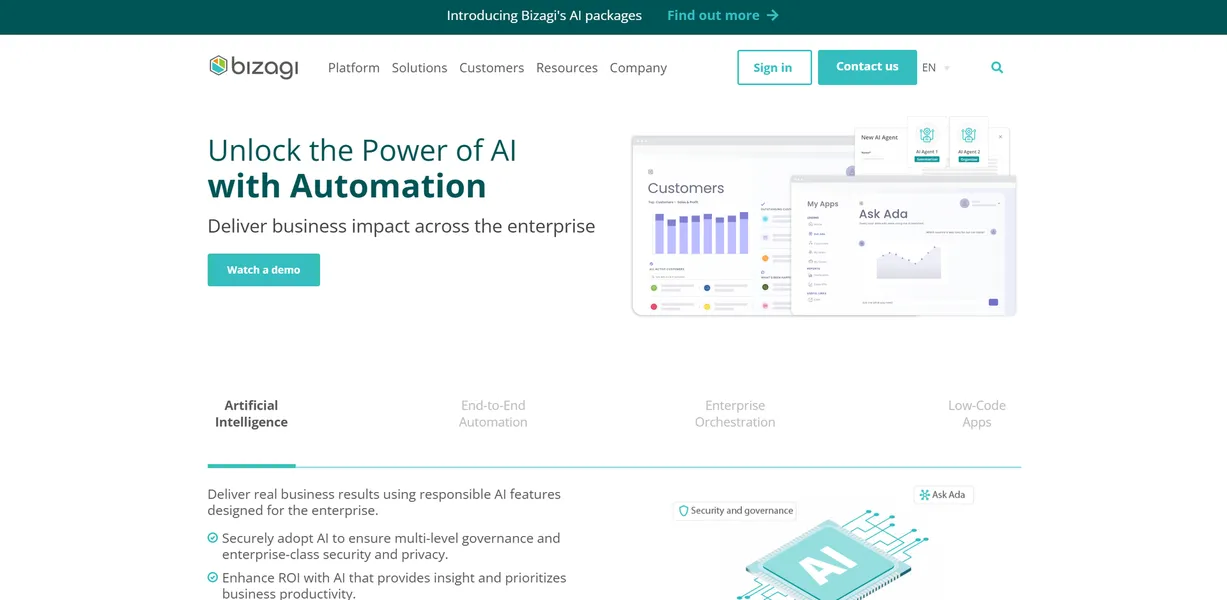
- AI Agents: Generative AI tools for natural language process creation. Accessing these capabilities requires purchasing the separate AI Ignite or AI Kick Start service packages.
- Bizagi Studio: Low-code development environment for building data models. The interface carries a steep learning curve compared to basic task automation tools.
- Case Management: Support for unstructured processes and ad-hoc task management. Knowledge workers must manually define routing rules for edge cases.
Enterprise Integration
- Integration Hub: Over 100 pre-built connectors for SAP, Salesforce, and SharePoint. Custom API connections still require advanced developer knowledge.
- Data Virtualization: Connects external databases without replicating data inside the platform. Query speed depends entirely on the external database performance.
Bizagi Pros and Cons
Pros
- The Modeler is free to download and use for documentation.
- Strong integration with the Microsoft ecosystem includes Azure and Power BI.
- High scalability supports millions of process instances and users.
- Business users can participate in development to reduce IT backlogs.
Cons
- The Studio and Automation components have a steep learning curve.
- The desktop Modeler is Windows-only (a major frustration for macOS developers).
- Complex consumption-based pricing makes long-term budget forecasting difficult.
- The user interface for end-user forms feels dated without custom CSS.
Who Should Use Bizagi?
- Enterprise Architects: Large organizations can map complex SAP integrations and enforce strict governance rules across global teams.
- Compliance Officers: The BPMN 2.0 standard ensures process maps pass strict regulatory compliance audits.
- Small Business Owners: This tool is not a good fit. The infrastructure requirements and custom pricing will overwhelm small teams needing simple task automation.
Bizagi Pricing and Plans
Bizagi does not publish standard pricing tiers.
The company uses a custom consumption-based billing model (which requires contacting sales).
The Enterprise plan includes process modeling, automation, and AI agents. Organizations pay based on usage metrics and user licenses. The AI Ignite plan acts as a promotional bundle. It combines the core product with professional services to scale AI initiatives. The AI Kick Start plan offers a two-week expert services engagement. Consultants help teams design and configure initial AI workflows.
The free tier is limited to the desktop Modeler. Users can map processes for free, but executing those processes requires a paid enterprise contract.
How Bizagi Compares to Alternatives
Similar to Appian, Bizagi targets large enterprises with complex workflow needs. Appian relies on its proprietary low-code design environment. Bizagi adheres to the BPMN 2.0 standard. This makes Bizagi attractive to organizations that already train their analysts in BPMN methodology.
Appian generally offers faster initial application deployment for simple use cases.
Unlike Pega, this tool separates the modeling environment from the execution engine. Pega builds everything into a single unified platform. Pega excels in customer relationship management and real-time decisioning. Bizagi focuses more on orchestrating backend processes and integrating legacy ERP systems like SAP S/4HANA.
Verdict: Enterprise Architects vs. Small Teams
Bizagi rewards organizations willing to invest time in proper process architecture. If your company runs on Microsoft Azure and needs strict BPMN compliance, choose this platform. The free modeler allows teams to map everything before spending any money.
If you need quick task automation or have a small budget, look elsewhere. The steep learning curve and lack of transparent pricing create too much friction for small teams. Consider a simpler tool like Make or Zapier for basic data routing.