
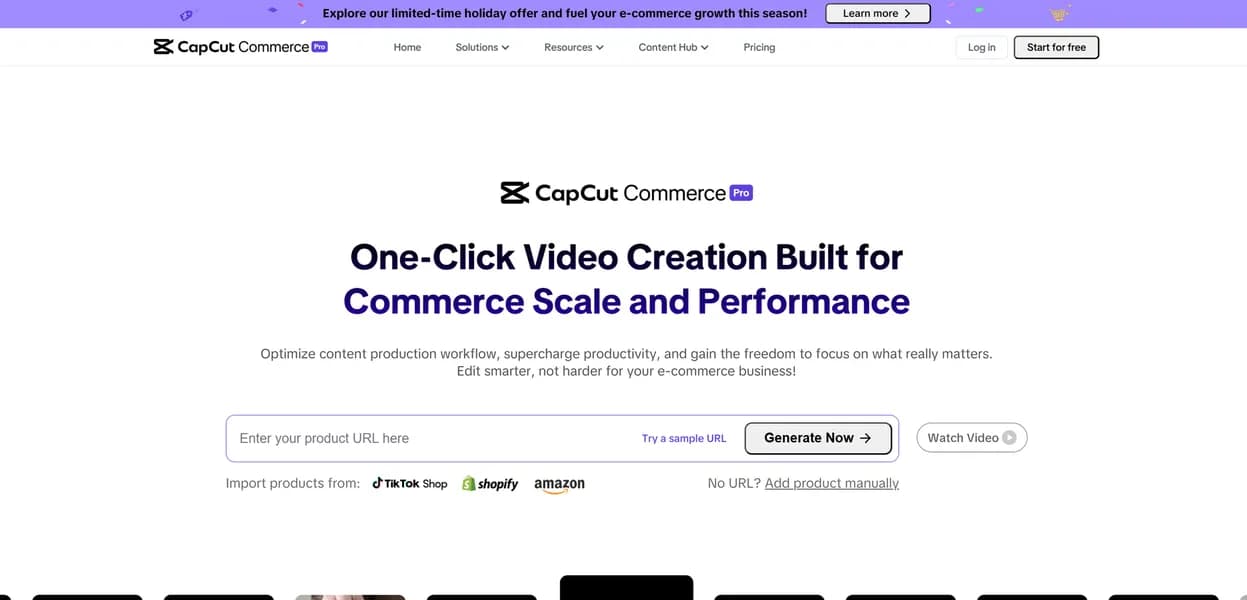

CapCut Commerce is an AI video generator built specifically for e-commerce sellers. It converts Shopify product URLs directly into ready-to-publish TikTok ads in under 60 seconds. While the URL-to-video feature saves hours of editing, the strict credit limits on the Commerce Pro plan restrict high-volume agencies.
What is CapCut Commerce?
The most surprising thing about CapCut Commerce is how little actual video editing it requires. Users paste a standard Shopify product link into the interface. The tool then generates a fully formatted TikTok ad with AI voiceovers and captions in under 60 seconds.
ByteDance Ltd created this AI video platform to solve a specific bottleneck for online sellers. E-commerce merchants struggle to produce enough video content to test different ad creatives. CapCut Commerce automates this process for dropshippers and brand owners.
- Primary Use Case: Converting e-commerce product URLs into formatted video ads.
- Ideal For: Solo Shopify merchants and TikTok Shop sellers.
- Pricing: Starts at $0/mo (Freemium) – The free tier works well for basic edits but restricts commercial AI features.
Key Features and How CapCut Commerce Works
Automated Video Generation
- URL-to-Video: Generates videos from Shopify, Amazon, or eBay product links. Limited to supported e-commerce platforms.
- Smart Scripting: Generates AI scripts based on product features. Limited by occasional repetitive phrasing that requires manual editing.
- Ad Script Analysis: Evaluates script effectiveness for conversion. Limited to basic marketing principles rather than niche audience insights.
Product Photography and Visuals
- AI Product Photos: Applies 40+ virtual background styles to product images. Limited to static image outputs.
- Batch Editing: Edits up to 50 videos simultaneously with consistent branding. Limited to 50 concurrent files per batch.
Audio and Localization
- AI Voiceovers: Provides 100+ natural-sounding voices in 20+ languages. Limited by monthly credit allowances on paid plans.
- Auto-Captions: Generates automatic subtitles with 95% accuracy. Limited to 20 supported languages.
- Commercial License: Grants access to 500,000+ royalty-free music tracks. Limited to use within the CapCut ecosystem.
CapCut Commerce Pros and Cons
Pros
- Direct TikTok integration allows users to post to TikTok Shop without leaving the editor.
- The URL-to-video feature reduces ad creation time from hours to under 60 seconds.
- AI background replacement is specifically optimized for product photography.
- The platform includes an extensive library of e-commerce templates designed for high conversion rates.
Cons
- The credit-based system for AI features restricts high-volume sellers and agencies.
- Occasional glitches in the Shopify sync process require manual product data re-entry.
- Commerce Pro features cost significantly more than the standard Pro version.
- AI-generated scripts often sound overly salesy without manual editing.
Who Should Use CapCut Commerce?
- Solo Shopify Sellers: Merchants who need to test multiple ad creatives quickly without hiring a video editor.
- TikTok Shop Owners: Sellers who want to publish directly to their storefronts using trending templates.
- High-Volume Agencies (Not Recommended): Agencies managing dozens of client accounts will quickly burn through the 1,800 monthly credits. These users should look for enterprise tools with unlimited generation.
CapCut Commerce Pricing and Plans
- Free: $0/mo. Includes basic editing, 1080p export, and minimal storage. This is a real free tier for basic users but lacks commercial AI tools.
- Standard: $9.99/mo (or $89.99/yr). Mobile only access, select AI tools, and 10-20GB storage.
- Pro: $19.99/mo (or $179.99/yr). All platforms, 4K export, full AI toolkit, and 1TB storage.
- Commerce Pro: $25.99/mo (or $20.84/mo billed annually). Includes 1,800 credits per month, AI video ads, and Shopify integration.
How CapCut Commerce Compares to Alternatives
Similar to Invideo, CapCut Commerce focuses heavily on template-based video creation. Unlike Invideo, CapCut offers direct integration with TikTok Shop and a specific URL-to-video feature for e-commerce platforms. Invideo provides more flexibility for general content creators who need stock footage. CapCut strictly targets product sellers who want to convert catalog items into fast advertisements.
Canva offers a broader suite of design tools for static images and basic video editing. CapCut Commerce provides superior automated video generation and AI voiceovers. Canva is better for general brand identity design and social media graphics. CapCut excels at producing high-converting short-form video ads with minimal manual input.
The Verdict for E-Commerce Sellers
CapCut Commerce delivers massive value for solo merchants who need to scale their ad testing quickly. High-volume agencies will find the credit limits too restrictive and should look elsewhere. If you need a general design tool rather than a dedicated ad generator, Canva remains a better alternative.
User Reviews
No reviews yet. Be the first to share your experience!
Sign in to write a review.
Related articles
Guides and articles related to CapCut Commerce.

One Product Photo, Full Fashion Campaign: AI Images and Video That Sell (2026)

Sell AI-Generated Short Films on TikTok Shop, Instagram & YouTube (2026)

How to Get an AI Model Wearing Your Clothes (Step by Step)

Best AI Fashion Model Generators for Clothing Brands (2026)

How to Make Money Selling AI UGC Content for Brands (2026)
