
What is ChatOn?
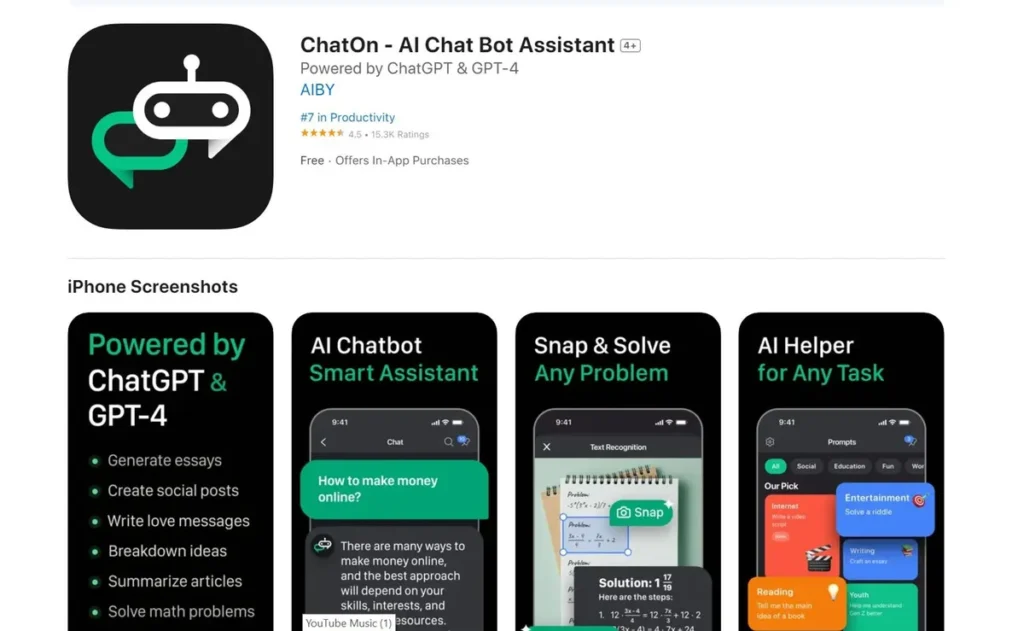
ChatOn is a multifaceted AI chatbot assistant engineered to augment productivity by leveraging OpenAI’s robust infrastructure, specifically the ChatGPT API and GPT-4 models. It functions as an application layer on top of these powerful large language models (LLMs), providing a structured user interface for a wide range of text and image generation tasks. For developers, professionals, and content creators, it serves as a high-level tool for interacting with advanced AI without requiring direct API integration. The platform is designed to handle diverse workloads, from generating boilerplate code and drafting technical documentation to creating marketing copy and summarizing complex PDF documents. Its primary function is to abstract the complexity of prompt engineering and API calls into a more accessible, task-oriented workflow.
Key Features and How It Works
ChatOn’s functionality is a direct result of its backend connection to OpenAI’s models. Each feature is essentially a pre-configured set of prompts and parameters sent to the API to achieve a specific outcome.
- AI Writing Assistant: This core feature accepts user input and context to generate text for various applications, such as emails, reports, or creative writing. It executes calls to the completion endpoints of the GPT-4 API to produce coherent and contextually relevant content.
- Text-to-Image Feature: By integrating with an image generation model like DALL-E (which is common in such applications), ChatOn translates textual descriptions into visual outputs. The process involves sending a descriptive prompt to the image API, which then returns a generated image based on the input parameters.
- PDF Master: This tool likely uses a combination of optical character recognition (OCR) for scanned documents and text extraction for native PDFs. The extracted text is then chunked and fed into the LLM for summarization, rewriting, or translation tasks, overcoming token limits by processing the document in segments.
- Grammar and Spelling Checker: A standard application for LLMs, this feature analyzes text for grammatical errors, spelling mistakes, and punctuation issues. It provides suggestions based on the model’s vast training data on linguistic structures.
- Social Media Posts Creator: This is a specialized implementation of the writing assistant, using prompts optimized for the tone, length, and format of platforms like Twitter, LinkedIn, or Instagram.
- AI Keyboard: An interesting integration, the AI Keyboard functions as a system-level extension on mobile devices. It intercepts text input fields across various applications and allows users to invoke ChatOn’s AI capabilities directly, streamlining the workflow without switching apps.
Pros and Cons
From a technical standpoint, ChatOn’s architecture presents distinct advantages and disadvantages.
Pros:
- Leverages Proven Technology: By building on the ChatGPT API and GPT-4, ChatOn inherits the power, reliability, and continuous improvements of one of the industry’s leading LLMs.
- High-Level Abstraction: The tool effectively removes the need for users to manage API keys, handle rate limiting, or construct complex prompts, making advanced AI accessible to a non-technical audience.
- Cross-Functional Utility: Its diverse feature set, from text to image generation, makes it a consolidated solution, reducing the need for multiple specialized AI tools.
- Efficient Workflow Integration: The AI Keyboard feature provides a seamless way to use the tool across any application on a supported device, demonstrating a solid understanding of user workflow.
Cons:
- Dependency and Latency: The tool is entirely dependent on OpenAI’s API uptime and performance. Any latency or outages from the provider will directly impact ChatOn’s functionality.
- Limited Customization: As a high-level application, it may not offer the granular control over model parameters (like temperature or top_p) that direct API access would provide for developers.
- Subscription Model: While abstracting API costs, the weekly or monthly subscription can become more expensive than pay-as-you-go API access for users with sporadic or low-volume needs.
Who Should Consider ChatOn?
ChatOn is a strong candidate for individuals and teams who require reliable, high-quality AI-generated content without the overhead of direct API management. Its utility is particularly high for:
- Content Creators & Marketers: Professionals who need to generate a high volume of diverse content, from blog posts to social media updates, can leverage the tool to accelerate their production pipeline.
- Business Professionals: For drafting emails, creating presentations, and summarizing reports, ChatOn serves as an efficient productivity enhancer.
- Developers & Technical Writers: Useful for generating code snippets, writing documentation, or explaining complex code, although it won’t replace a dedicated integrated development environment (IDE) with AI plugins.
- Students: A valuable resource for academic writing assistance, research summarization, and grammar correction, provided it is used ethically as a tool for support rather than replacement.
Pricing and Plans
ChatOn operates on a freemium model, providing tiered access to its features.
- Free Plan: This entry-level tier offers basic access with significant limitations, likely on the number of queries or access to advanced models. It is designed to let users evaluate the platform’s core functionality before committing.
- Pro Plan: Priced at $9.99 per month, this plan unlocks the full suite of features, offering higher usage limits and access to the most advanced capabilities like the GPT-4 model and expanded text-to-image generation. This plan is necessary for any user relying on the tool for professional or regular use.
For the most current pricing information, always consult the official ChatOn website or application store listing.
What makes ChatOn great?
ChatOn’s most powerful attribute is its direct implementation of OpenAI’s advanced ChatGPT API and GPT-4 models. This strategic decision provides a robust and scalable foundation, ensuring the quality and sophistication of the generated output are consistently high. Instead of developing a proprietary model, ChatOn focuses on building a superior user experience and a versatile feature set around a proven, state-of-the-art AI core. This focus on the application layer, particularly with integrations like the AI Keyboard, allows it to deliver a polished and highly functional product that effectively translates the raw power of a leading LLM into practical, everyday tools for a broad user base.
Frequently Asked Questions
- How does ChatOn ensure the quality of its output?
- ChatOn’s output quality is directly tied to the performance of the underlying OpenAI models it utilizes, namely GPT-4. These models are pre-trained on vast datasets, ensuring a high degree of accuracy, coherence, and contextual understanding in the generated content.
- Is my data secure when using ChatOn?
- ChatOn acts as an intermediary to the ChatGPT API. Users should review ChatOn’s privacy policy to understand how they handle data before it is sent to OpenAI, and also be aware of OpenAI’s data usage policies for their API.
- Can ChatOn function offline?
- No. As the tool relies on making API calls to external servers for all its processing, a stable internet connection is required for all features to function.
- What are the limitations of the text-to-image feature?
- The limitations are typically those of the underlying image generation model. This can include difficulty with rendering text, complex hands, or highly specific compositions. The quality and accuracy of the output are heavily dependent on the clarity and detail of the user’s text prompt.
- Can I use ChatOn for generating code?
- Yes, ChatOn can generate code snippets in various programming languages. However, it should be used as a starting point or for boilerplate code. All generated code must be carefully reviewed, tested, and validated by a developer for security, efficiency, and correctness before implementation in a production environment.