



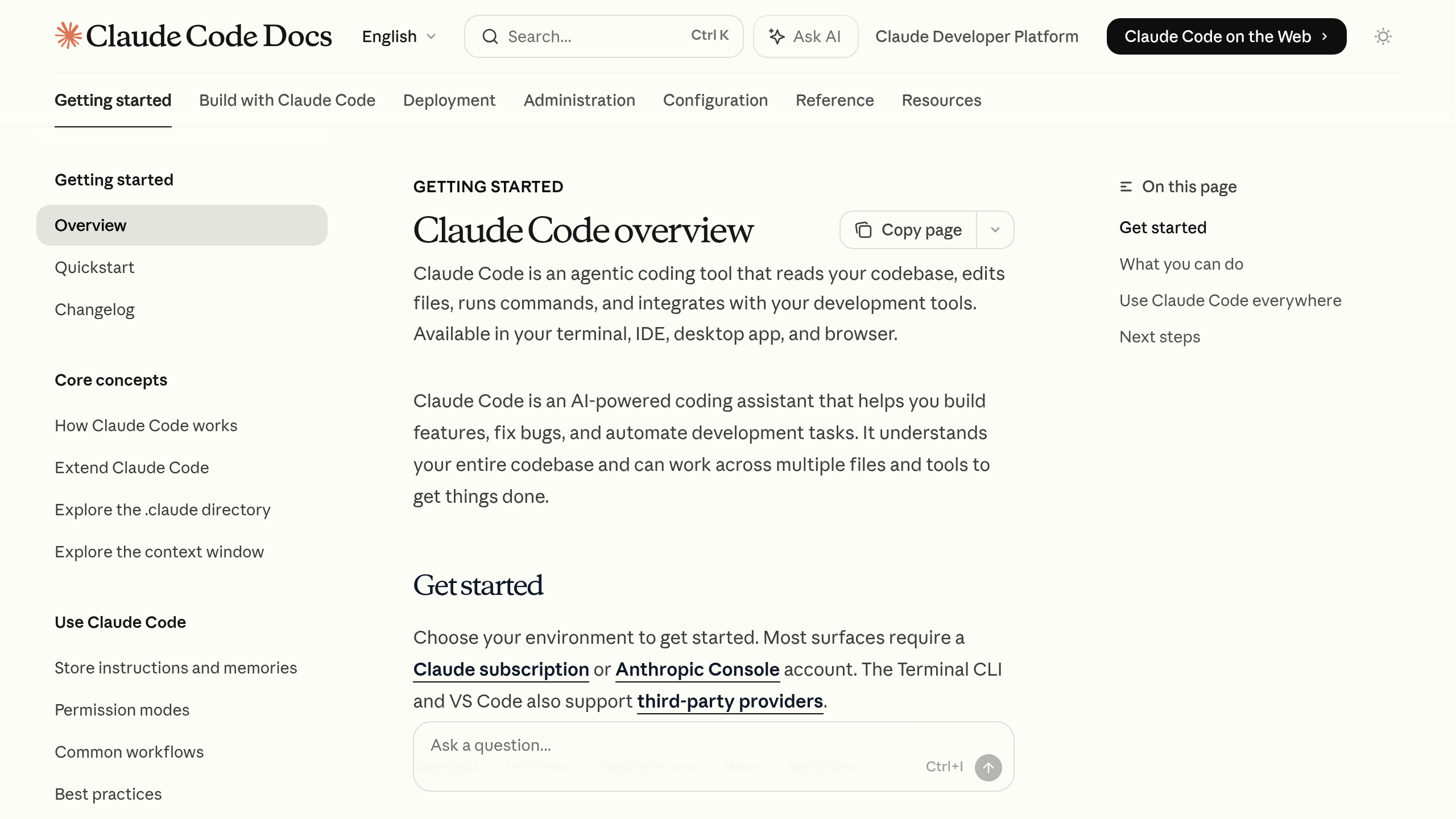
What is Claude Code?
Are you spending more time wiring up boilerplate than actually architecting software?
Claude Code answers this by moving AI assistance directly into the command line to handle the busywork. Anthropic built this agentic AI coding assistant to read, edit, and debug your files locally. The tool solves the copy-paste fatigue common with standard chat interfaces. Like prepping a complex seven-course meal, Claude Code handles the chopping and measuring in the background, executing entire refactoring jobs across multiple files without constant supervision. Senior engineers benefit most from its terminal-native approach.
- Primary Use Case: Executing multi-step, autonomous codebase refactoring and debugging directly from the terminal.
- Ideal For: Senior developers and engineering leads managing large, complex codebases.
- Pricing: Starts at $0.00 (Metered API) — Daily reliance on high-effort settings easily pushes monthly costs past $1,000.
Key Features and How Claude Code Works
Agentic Execution Loop
- Autonomous Task Handling: The CLI agent gathers context, takes action, and verifies results. The practical limit depends on the task complexity before it asks for human input.
- Adaptive Thinking: The underlying model decides when deeper reasoning is needed based on the prompt. This costs more tokens but improves accuracy on tricky architectural choices.
- Effort Controls: You choose among four effort levels to balance speed and API costs. Low effort saves money for simple scripts, while max effort handles deep debugging.
Context Management and Token Limits
- 1M Token Context Window: Utilizing the Opus 4.6 model, you can feed massive codebases into a single prompt. Very large projects will still require targeted scoping to avoid slow response times.
- 128k Output Tokens: The tool generates up to 128,000 tokens per output. This enables massive single-pass refactoring tasks that other assistants truncate.
- Context Compaction: It automatically summarizes and discards older context during long sessions. The catch: it occasionally forgets recent learnings if the session runs too long.
Security and Automation
- Auto Mode: Classifiers automate 93 percent of safe permission decisions. This reduces approval fatigue while blocking objectively malicious terminal commands.
- Security Scanner: It scans codebases for vulnerabilities like broken access controls. It suggests patches, though a human must review the fix before committing. On the flip side, running large security scans consumes massive token counts.
Claude Code Pros and Cons
Strengths
- Exceptional context management handles 1 million tokens, allowing the AI to ingest massive architectural documentation.
- High autonomy completes multi-step translations and codebase conversions without constant human oversight.
- Auto mode safely approves 93 percent of routine tool calls, keeping you focused on code instead of clicking to allow permissions.
- The underlying Opus 4.6 model provides strong reasoning for complex system design choices.
Limitations
- Metered API billing scales aggressively, potentially costing a daily user over $1,000 per month.
- Context compression leads to forgotten variables during marathon coding sessions.
- It frequently attempts bold, sweeping changes that can break the build if you do not monitor its actions closely. (Watching the agent propose a complete rewrite of a stable routing file reminds you why human oversight remains necessary.)
- Heavy terminal sessions sometimes crash connected editors like VSCode or drop the context entirely.
Who Should Use Claude Code?
- Senior Platform Engineers: The agentic loop handles tedious boilerplate migrations across hundreds of files, saving hours of manual labor.
- Security Researchers: Automated vulnerability scanning identifies logic flaws quickly, giving you a baseline before manual testing.
- Junior Developers: This tool is not a good fit for beginners. It requires solid programming fundamentals to catch subtle errors in the sweeping changes it proposes.
- Budget-Constrained Solo Founders: The metered API costs rack up too quickly for an unfunded solo developer experimenting with side projects.
Claude Code Pricing and Plans
Currently, Anthropic uses metered API billing for this tool rather than a flat monthly subscription.
You pay exactly for the tokens you send and receive.
Because it is an agentic tool, it makes multiple API calls to gather context and verify its own work. So, a single prompt can trigger a cascade of token usage. Daily reliance on max effort settings easily pushes monthly costs past $1,000 for a single heavy user. There is no traditional free tier, only the standard developer credits you might already have on your Anthropic API account. Here is where it gets interesting. You can set strict budget limits in your developer console to prevent accidental overages before they happen.
How Claude Code Compares to Alternatives
Cursor integrates AI directly into a fork of VSCode, offering a familiar graphical interface. Cursor focuses on fast inline completions and smaller file edits. Claude Code handles larger, autonomous tasks straight from the terminal. Plus, Cursor charges a flat monthly subscription, making it much cheaper for daily use. Which brings us to GitHub Copilot.
GitHub Copilot relies heavily on predictive text completions within your IDE. It excels at writing single functions and boilerplate syntax in real time. But it lacks the agentic loops needed to autonomously refactor a dozen files at once. If you need simple autocomplete, Copilot is better. If you need a virtual junior engineer to handle bulk file updates, Anthropic offers the superior terminal tool.
A Serious Terminal Tool for Senior Engineers
Claude Code offers exceptional autonomy for developers who want to manage complex codebases directly from the command line. The 1 million token context window and agentic loops make it highly capable for bulk refactoring. Still, the metered billing model creates a significant financial barrier for casual use. Senior engineers working on enterprise systems will extract the most value here. Junior developers or solo creators seeking a predictable monthly cost should look at Cursor instead.