

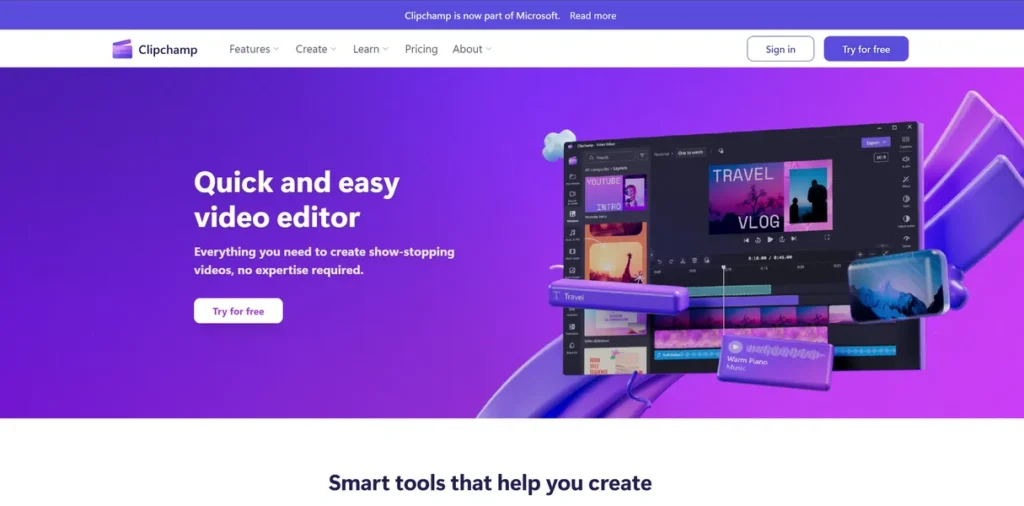
What is Clipchamp?
Clipchamp is a video editing platform designed to lower the barrier to entry for creating professional-grade video content. Acquired by Microsoft, it functions as an in-browser application, a desktop app for Windows, and a mobile app, providing flexibility for various workflows. For a small business owner, this means you can create marketing materials, training videos, or social media content without investing in complex, expensive software or specialized hardware. It aims to deliver a practical set of tools that balances powerful AI-driven features with an intuitive user interface, making it a viable option for teams without dedicated video production staff.
Key Features and How It Works
Clipchamp streamlines video creation through a combination of a traditional timeline editor and AI-powered assistance. Users upload their media (video clips, images, audio) and can then leverage a suite of tools to assemble their final product.
- Auto Compose: This AI feature analyzes your uploaded media and suggests a video structure, complete with music and transitions. For businesses needing to quickly generate content from event footage or product shots, this can significantly reduce production time.
- Autocaptions: With a single click, the platform generates captions from your video’s audio using speech-to-text technology in over 80 languages. This is crucial for accessibility (ADA compliance) and for reaching audiences who watch videos without sound, directly impacting engagement and reach.
- Text to Speech: For creating voiceovers without hiring talent, this tool converts written text into audio using a variety of voices and languages. This provides a cost-effective solution for explainer videos or internal training modules.
- Speaker Coach: An often-overlooked feature for business use, Speaker Coach analyzes your spoken delivery in a video, providing feedback on pace, pitch, and filler words. It’s a practical tool for improving the quality of presentations and corporate communications.
- Resize Video: This feature allows you to quickly change a video’s aspect ratio to fit different social media platforms (e.g., from a 16:9 YouTube video to a 9:16 TikTok video). This maximizes the utility of a single piece of content, saving time and resources.
Pros and Cons
Evaluating Clipchamp requires a pragmatic look at its operational benefits and potential drawbacks for a business environment.
Pros
- Low Barrier to Entry: The interface is straightforward, reducing the training time required for staff to become proficient. This translates to faster content turnaround.
- Cost-Effectiveness: The free tier is surprisingly robust, offering 1080p HD exports without watermarks. For businesses already subscribed to Microsoft 365, the premium features are included, providing significant value.
- Integrated Stock Library: Access to royalty-free video, audio, and image assets directly within the editor saves time and reduces the cost associated with sourcing third-party stock media.
- Cross-Platform Accessibility: The ability to start a project on a desktop and continue on the web offers workflow flexibility for remote or hybrid teams.
Cons
- Internet Dependency: As a primarily cloud-based tool, a stable and fast internet connection is essential. Workflow can be disrupted by poor connectivity, a key consideration for remote employees.
- Subscription Gate for Premium Features: While the free version is capable, advanced features like 4K exports, premium stock assets, and content backup are locked behind a Microsoft 365 subscription.
- Processing Demands: While web-based, editing high-resolution video can still be demanding on a computer’s processor and RAM, potentially slowing down older machines.
Who Should Consider Clipchamp?
Clipchamp is best suited for individuals and organizations that need an efficient, cost-effective tool for creating clean, professional videos without the complexity of traditional editing suites.
- Small Business Owners & Solopreneurs: Ideal for creating promotional videos, product demonstrations, and social media ads without a dedicated marketing budget.
- Marketing Teams: A valuable tool for rapidly producing content for multiple social media channels, email campaigns, and website landing pages.
- Corporate Trainers & HR Departments: Useful for developing internal training videos and onboarding materials efficiently.
- Content Creators: A solid starting point for YouTubers, bloggers, and social media managers who need a reliable editor for consistent output.
Pricing and Plans
Detailed pricing information for standalone plans was not available. The free version offers substantial functionality, including watermark-free 1080p exports. Premium features, such as 4K resolution and a more extensive stock library, are bundled with Microsoft 365 Personal and Family subscriptions. For the most accurate and up-to-date pricing, please visit the official Clipchamp website.
What makes Clipchamp great?
Clipchamp’s most powerful feature is its deep integration into the Microsoft 365 ecosystem, which effectively makes a competent video editor a no-cost addition for millions of existing subscribers. This strategic placement removes the purchasing decision for many businesses and positions Clipchamp as an immediately accessible tool for creating high-quality video content. The platform’s value isn’t just in its features, but in its availability. It democratizes video production for businesses by leveraging a subscription they likely already pay for, turning a standard office software package into a content creation suite. This combination of accessibility, robust core features, and a non-existent incremental cost for Microsoft users is its key differentiator in a competitive market.
Frequently Asked Questions
- Is the free version of Clipchamp sufficient for business use?
- Yes, for many small businesses, the free version is highly capable. It allows for unlimited watermark-free exports at up to 1080p (HD) resolution and provides access to a basic library of stock media and templates. It is a practical choice for creating professional-looking videos for social media and websites.
- Can I incorporate my company’s branding into videos?
- The premium version, included with Microsoft 365, offers a ‘brand kit’ feature where you can upload your company’s logos, fonts, and color palettes to ensure brand consistency across all video projects. The free version requires manual addition of these elements.
- How secure is my data when I upload proprietary company footage to Clipchamp?
- Clipchamp is a Microsoft product and adheres to Microsoft’s privacy and security standards. However, as with any cloud-based service, businesses should review the platform’s terms of service and data handling policies to ensure they comply with their own internal security protocols, especially when handling sensitive information.
- Does Clipchamp require a powerful computer to run effectively?
- Because it operates primarily within a web browser, Clipchamp is less demanding on local hardware than traditional software like Adobe Premiere Pro. However, editing video is an inherently resource-intensive task. While it will run on most modern computers, performance will be smoother on systems with more RAM and a better processor, especially when working with longer, higher-resolution files.