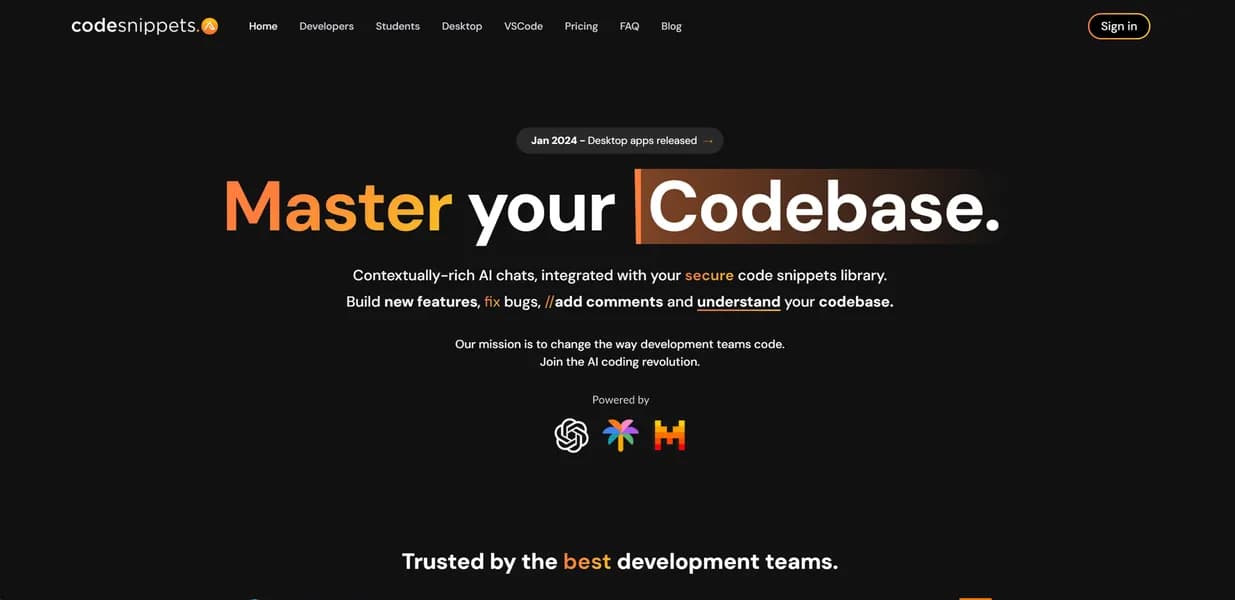

Code Snippets AI is a collaborative library for development teams to store, share, and generate code across multiple IDEs. It connects to cloud models like Claude 3.5 Sonnet or local LLMs via Ollama for privacy. However, it lacks the deep agentic project-creation capabilities found in dedicated AI editors like Cursor.
What is Code Snippets AI?
The most disappointing aspect of Code Snippets AI is its free tier. Limiting users to just five saved snippets makes the free version a glorified trial. However, the paid tiers offer a highly organized system for teams drowning in scattered boilerplate code.
Code Snippets AI Ltd developed this collaborative AI-powered code library to solve knowledge fragmentation. The tool helps development teams store, share, and generate code snippets across multiple IDEs and browsers. Users can connect cloud models like Claude 3.5 Sonnet or run local LLMs via Ollama. This flexibility appeals to both solo developers wanting a personal library and enterprise teams requiring strict data privacy.
- Primary Use Case: Storing and organizing frequently used boilerplate code in a searchable team-wide library.
- Ideal For: Development teams working across multiple IDEs who need to share reusable components.
- Pricing: Starts at $7.50/mo (Freemium) (A highly competitive rate for small teams compared to enterprise AI assistants).
Key Features and How Code Snippets AI Works
IDE and Browser Integration
- VS Code Extension: Generates and inserts snippets directly from the editor. It requires a supported IDE like VS Code or IntelliJ.
- Chrome Extension: Captures code directly from documentation sites. You need a Chromium-based browser to use this feature.
- Snippet Versioning: Tracks changes to saved code blocks automatically. Storage limits depend on your specific subscription tier.
AI Model Flexibility
- Multi-Model Chat: Accesses GPT-4o, Claude 3.5 Sonnet, and Gemini Pro. Usage is subject to the quotas of your plan.
- Local LLM Support: Connects to Ollama to run models like Llama 3 locally. This requires sufficient local hardware processing power.
- Codebase Indexing: Scans local files to provide project context to the AI. Massive repositories will slow down the initial indexing process.
Team Collaboration
- Team Folders: Creates shared workspaces with granular permissions. This feature is restricted to paid Pro and Enterprise tiers.
- Search and Tagging: Organizes thousands of snippets with custom tags. It requires manual tagging discipline from team members to stay organized.
- Security Controls: Uses end-to-end encryption for stored snippets. Enterprise-grade SSO is only available on the highest pricing tier.
Code Snippets AI Pros and Cons
Pros
- Multi-IDE support maintains a consistent workflow across VS Code, JetBrains, and Chrome.
- Local LLM integration via Ollama gives enterprise teams a strict privacy option for sensitive codebases.
- Team collaboration folders make sharing boilerplate code faster than searching through old Git repositories.
- The $7.50 monthly starting price is highly competitive compared to enterprise-only AI coding assistants.
Cons
- The free tier restricts users to just five saved snippets.
- Users experience occasional synchronization lag between the web dashboard and the IDE extensions.
- The tool lacks the deep agentic capabilities for full-project creation found in Cursor or GitHub Copilot Workspace.
Who Should Use Code Snippets AI?
- Cross-functional development teams: Teams using different editors can share a single source of truth for boilerplate code.
- Privacy-conscious enterprises: Companies with strict data policies can use the Ollama integration to keep all code generation on local machines.
- Solo developers on a budget: The $7.50 Pro plan offers an affordable way to organize personal code libraries across projects.
- Not for developers seeking autonomous agents: If you want an AI to build entire applications from scratch, you will find this tool too limited.
Code Snippets AI Pricing and Plans
The pricing structure includes three main tiers. The Free plan costs $0 per month but limits you to just five saved snippets. You can bring your own OpenAI API key or use local LLMs via Ollama on this tier. This strict five-snippet limit makes the free tier essentially a demo (a restriction that forces most serious users to upgrade immediately).
The Pro plan costs $7.50 per month. This tier unlocks the AI Chrome Extension, team member invites, and local codebase indexing. Pro users also receive standard email support.
The Enterprise plan costs $12.50 per month. This tier provides unlimited user accounts and unlimited saved snippets. It adds advanced security features and 24/7 priority support for large organizations.
How Code Snippets AI Compares to Alternatives
Similar to Pieces for Developers, Code Snippets AI focuses heavily on saving and retrieving specific code blocks. Pieces for Developers offers a more polished desktop application with deep OS-level integrations. Code Snippets AI relies more on its web dashboard and specific IDE extensions. Both tools support local LLMs, but Code Snippets AI makes team sharing slightly more intuitive through its folder system.
Unlike Tabnine, this tool does not focus primarily on inline code completion. Tabnine predicts your next keystrokes as you type. Code Snippets AI acts as a searchable knowledge base where you actively retrieve or generate specific functions. Teams often use Tabnine for speed and Code Snippets AI for structural consistency.
Best AI Code Library for Distributed Teams
Code Snippets AI provides immense value for teams struggling to standardize their codebases. The ability to sync a single library across VS Code, IntelliJ, and Chrome saves hours of repetitive typing. The Ollama integration ensures that security-focused teams can still benefit from AI generation.
Solo developers looking for an autonomous coding assistant should look elsewhere.
Tools like Cursor offer much deeper file editing capabilities.
Choose Code Snippets AI if your team wastes time rewriting the same utility functions. Choose Tabnine if you just want faster inline typing suggestions.
User Reviews
No reviews yet. Be the first to share your experience!
Sign in to write a review.
Related articles
Guides and articles related to Code Snippets AI.

The Personal AI Productivity Stack (2026): One Tool Per Job, Nothing Extra

Replit Pricing Explained (2026): Core vs Pro and Effort-Based Agent Billing

Perplexity AI Tutorial: Maximize Your Research Workflows
Claude Code Subagents That Save Context: 3 Patterns (2026)

Turn Any AI Agent Into a Superagent: The 12-Integration Stack (2026)