



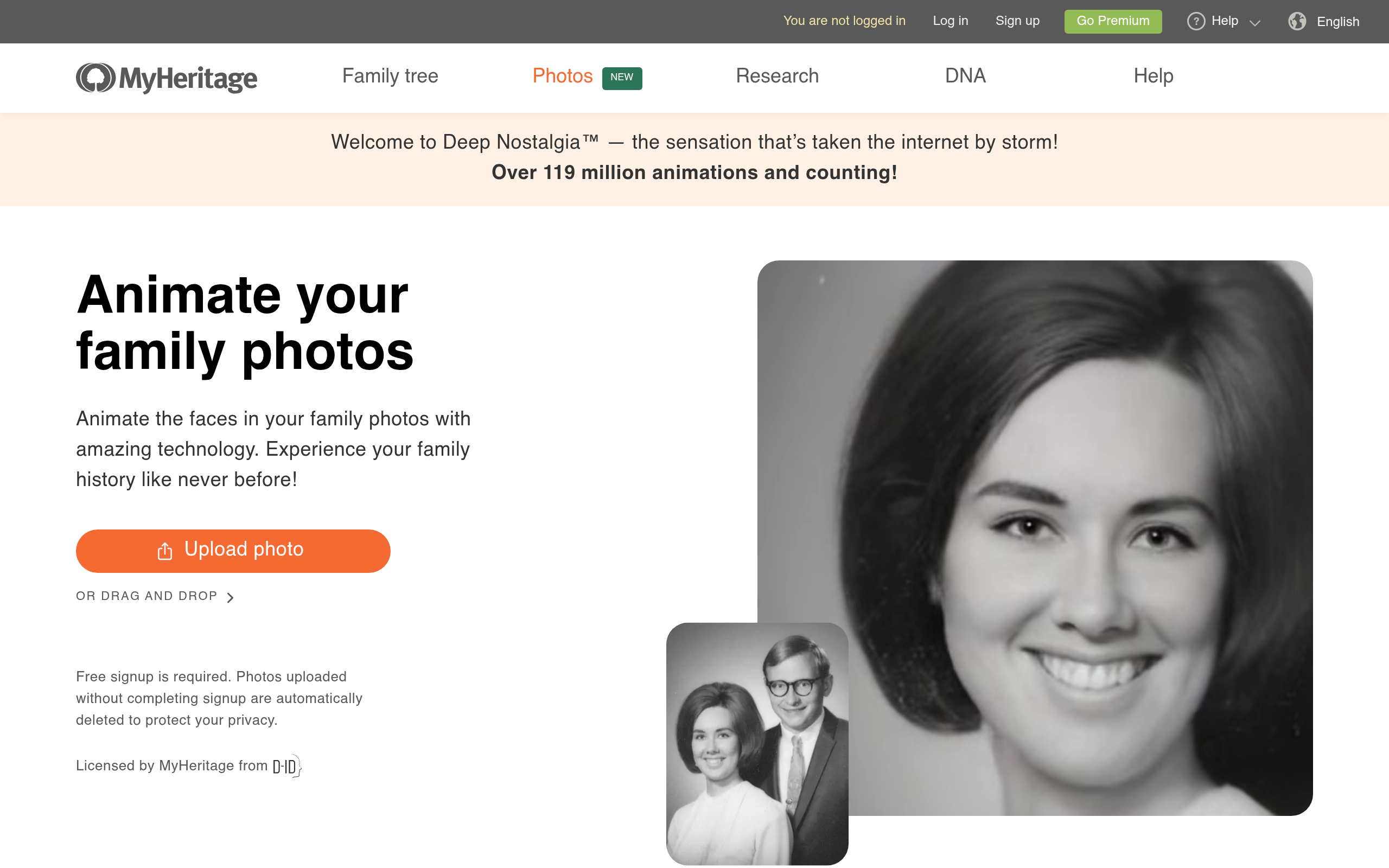
What is Deep Nostalgia?
You find a faded 1920s photograph of a great-grandmother you never met. You upload the scan, wait ten seconds, and watch her turn her head, blink, and smile. Deep Nostalgia (which relies on licensed D-ID technology) turns static historical portraits into moving video clips. MyHeritage Ltd. developed this AI photo animation tool.
MyHeritage built this application for genealogists and family historians. It solves the emotional distance of static archives by applying deep learning to facial features. The system maps a pre-recorded driver video onto the target face.
- Primary Use Case: Animating historical family portraits for genealogical storytelling.
- Ideal For: Family historians and amateur genealogists.
- Pricing: Starts at $14.90 (one-time) – Offers 50 video credits valid for one month.
Key Features and How Deep Nostalgia Works
Facial Reenactment Technology
- Live Portrait AI: Uses licensed D-ID algorithms to animate faces. Limit: Only animates the head and neck, leaving the torso frozen.
- Animation Drivers: Offers over 10 specific gesture sequences. Limit: Users cannot upload custom gestures or voice audio.
Image Enhancement and Processing
- Integrated Photo Enhancer: Increases resolution before animation. Limit: Heavy upscaling alters original facial characteristics.
- Colorization Compatibility: Works with MyHeritage InColor. Limit: Colorization requires a separate processing step before animation.
Export and Integration
- MP4 Export: Downloads animations as standard video files. Limit: Free tier exports include a prominent MyHeritage watermark.
- Mobile App Integration: Allows scanning physical photos via smartphone camera. Limit: Requires a stable internet connection to process the animation.
Deep Nostalgia Pros and Cons
Pros
- High realism achieved through specialized drivers that maintain original facial structure.
- Direct integration with the MyHeritage genealogy ecosystem aids family history projects.
- Mobile app allows users to animate physical photos using a smartphone camera.
- Integrated upscaling ensures small faces in old photos look sharp.
- Zero technical skill required for the one-click animation process.
Cons
- Animations appear unnatural or eerie to some viewers due to the uncanny valley effect.
- Free versions force a prominent MyHeritage logo onto the output video.
- Purchased credits for Basic and Pro plans expire after one or two months.
- Only the face and neck move while the rest of the body remains static.
Who Should Use Deep Nostalgia?
- Amateur genealogists: Bring family trees to life by animating ancestors for family reunions.
- Social media content creators: Generate engaging historical content from public domain vintage photography.
- Professional video editors (Not recommended): The lack of custom audio input and body movement makes this unsuitable for commercial video production.
Deep Nostalgia Pricing and Plans
The freemium model offers a restricted trial. The Free plan costs $0 and provides 1 video credit. Users sit in a shared queue and cannot download the result.
The Basic plan costs a one-time fee of $14.90. This tier grants 50 video credits generated at normal speed. These credits expire after one month.
The Pro plan costs $29.90. Users receive 150 video credits and access to a priority queue for fast generation. Pro credits remain valid for two months.
How does this compare to dedicated avatar generators?
How Deep Nostalgia Compares to Alternatives
Similar to D-ID, Deep Nostalgia uses facial reenactment technology. D-ID targets enterprise users with text-to-speech avatars and custom audio uploads. Deep Nostalgia focuses on silent historical photo animation. D-ID charges recurring monthly subscriptions, while Deep Nostalgia uses one-time credit packs.
Unlike Remini, which sharpens and restores old photos, Deep Nostalgia adds motion. Remini excels at fixing heavy blur and grain in vintage prints. Deep Nostalgia includes a basic upscaler but prioritizes the final video animation. Users process photos through Remini before uploading them to MyHeritage.
The Verdict for Family Historians
Deep Nostalgia delivers a specific emotional experience for amateur genealogists. The one-click interface makes it accessible for users who lack video editing skills. The integrated upscaling handles faded 19th-century portraits.
The strict credit expiration dates create unnecessary friction.
Users who buy the Basic plan must use all 50 credits within 30 days (a frustrating limit for casual users). This forces a rushed workflow for casual researchers.
Commercial creators should look elsewhere.
If you need speaking avatars for marketing, D-ID provides the necessary audio integration and commercial licensing. Deep Nostalgia remains a specialized novelty tool for family history projects. The honest limit is the static body; until AI can animate shoulders and torsos naturally, these videos will always look like moving masks.