


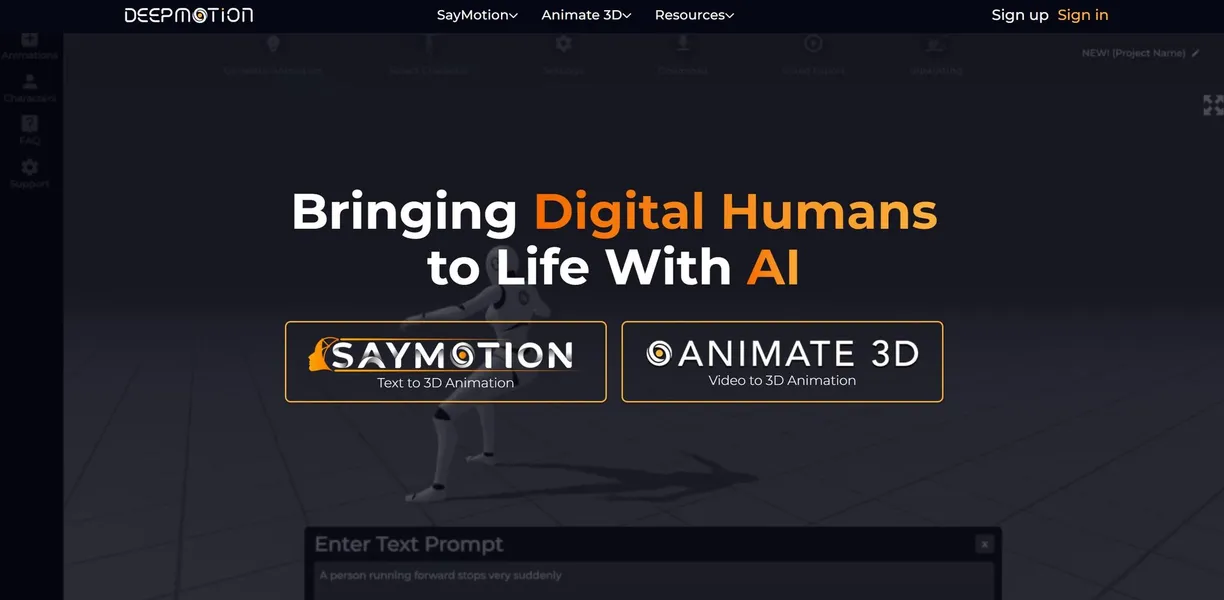
What is DeepMotion?
Over 80 percent of independent game developers cite animation as their most expensive production bottleneck. Creating realistic human movement traditionally requires expensive hardware and dedicated studio space.
DeepMotion, Inc. developed this AI motion capture tool to solve that exact problem. The platform converts standard 2D video files into 3D animations. Indie developers and digital artists use it to bypass expensive motion capture suits. The browser-based interface requires no local software installation.
- Primary Use Case: Converting smartphone video into .FBX animation files for Unreal Engine.
- Ideal For: Solo game developers and hobbyist animators.
- Pricing: Starts at $9 (freemium). The $9 Starter plan allows 180 credits monthly for commercial use.
Key Features and How DeepMotion Works
Video to 3D Conversion
- Animate 3D: Converts MP4, MOV, and AVI files into 3D animations. Limit: Videos cannot exceed 120 seconds on the Professional plan.
- Multi-Person Tracking: Captures motion from multiple subjects in a single frame. Limit: Processing multiple people consumes credits much faster than solo videos.
- Motion Brain: This AI engine optimizes motion data for realistic physics-based movement. Limit: Fast erratic movements confuse the AI and cause jittering.
Body and Facial Tracking
- Face Tracking: Captures facial expressions and lip-syncing data. Limit: Requires clear lighting and close-up visibility to work accurately.
- Hand Tracking: Extracts finger movements without specialized gloves. Limit: Fast hand movements often blur and cause tracking errors.
- Ready Player Me Integration: Provides direct access to create and animate stylized avatars. Limit: Custom mesh imports require a separate rigging process.
Physics and Exporting
- Physics Simulation: Adds ground contact constraints to prevent foot sliding. Limit: Complex movements like backflips still require manual cleanup.
- Export Formats: Supports .FBX, .GLB, .BVH, and .MP4 files. Limit: Exporting custom rigged characters requires the separate Rigger tool.
- Real-Time Body Tracking: An SDK is available for real-time integration into Unity and Unreal Engine. Limit: Real-time tracking requires a stable high-speed internet connection.
DeepMotion Pros and Cons
Pros
- Eliminates the need for expensive motion capture suits by using standard 2D video.
- The freemium tier gives hobbyists 60 credits monthly to test the engine.
- Direct plugins exist for major engines like Unity and Unreal Engine 5.
- Cloud processing means users do not need a high-end local GPU.
Cons
- High-resolution or multi-person videos consume credits quickly.
- Accuracy drops significantly if the subject blocks their own limbs.
- High-quality renders take several minutes to process depending on server load.
- The Professional plan caps individual video uploads at just 120 seconds.
Who Should Use DeepMotion?
- Solo game developers: You can animate background characters quickly using just a smartphone camera.
- Budget 3D animators: The $9 Starter plan provides enough credits to animate short commercial clips.
- Live streamers: You can generate real-time 3D body tracking for virtual performances.
- AAA studio animators: This tool is not a good fit for you. High-end studios still need the millimeter accuracy of physical motion capture suits.
DeepMotion Pricing and Plans
The Free plan costs $0 per month and provides 60 credits. You can only upload 20-second videos. This tier strictly prohibits commercial use.
The Starter plan costs $9 per month for 180 credits (which is enough for basic testing). It keeps the 20-second video limit but adds a commercial license.
The Innovator plan costs $17 per month for 480 credits. Video length increases to 30 seconds.
The Professional plan costs $39 per month for 1500 credits. Users can upload videos up to 120 seconds long.
The Studio plan costs $83 per month for unlimited credits. You get 7200 high-priority credits and a 360-second video limit.
Credit consumption scales with video complexity.
How DeepMotion Compares to Alternatives
Similar to Move.ai, DeepMotion extracts human movement from standard video files. Move.ai requires multiple camera angles to generate high-quality data. DeepMotion processes single-camera smartphone footage directly in the browser. Move.ai targets professional studios willing to set up multi-camera rigs. DeepMotion targets solo users who want fast results from a single video clip.
Unlike Rokoko Video, DeepMotion includes built-in facial and hand tracking without extra hardware. Rokoko Video integrates tightly with Rokoko physical motion capture suits. Rokoko offers a free browser-based video tool, but it lacks the physics simulation found in DeepMotion. DeepMotion corrects floor penetration automatically. Rokoko often requires manual foot locking in external software.
The Ideal Tool for Solo Game Developers
Solo developers get the most value from DeepMotion. The cloud-based processing saves hours of manual keyframe animation. You can record a reference video in your living room (we tested this with 1080p smartphone footage) and export an FBX file minutes later. AAA studios should look elsewhere for sub-millimeter tracking accuracy. If you need multi-camera precision without wearing a suit, Move.ai is a better alternative.
The technology still struggles with complex overlapping limbs.
The honest limit remains occlusion. We still do not know when AI will perfectly guess limb placement when a subject turns their back to the camera.