



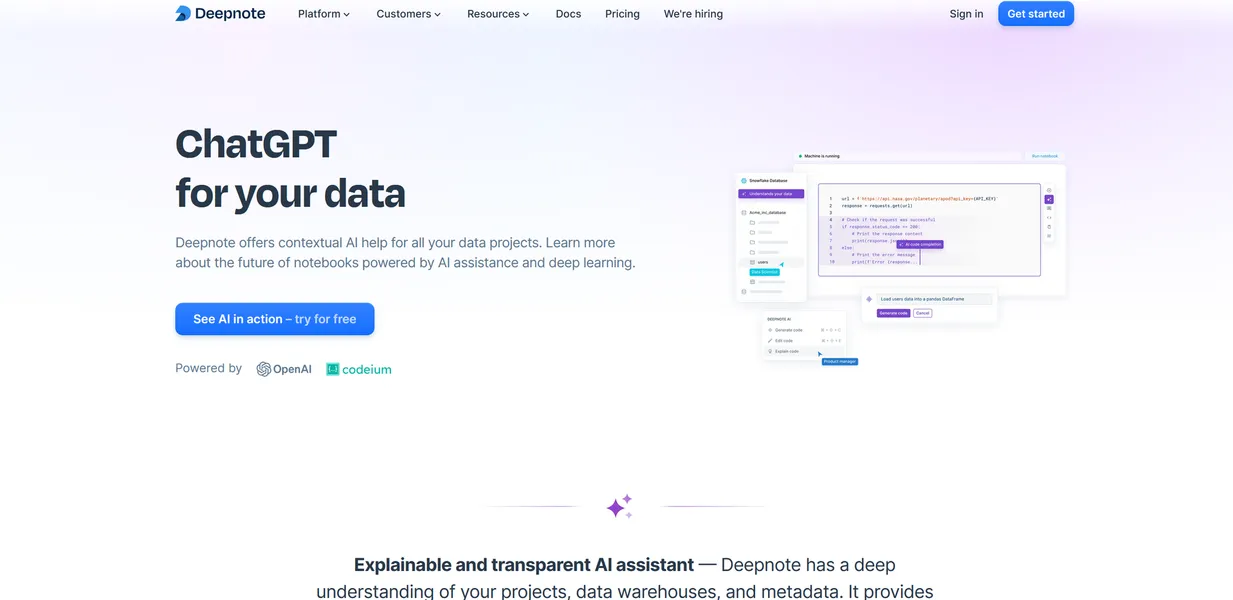
What is Deepnote?
Data scientists expect cloud notebooks to feel like local environments with better sharing links. Deepnote delivers a true multiplayer workspace, but it sacrifices offline capabilities to achieve that synchronization.
Developed by Deepnote, Inc., this platform solves the version control nightmare of emailing static notebook files. It targets data science teams who need to query databases, write Python, and publish dashboards in one place.
- Primary Use Case: Collaborative exploratory data analysis and dashboard publishing.
- Ideal For: Mid-sized data teams working closely with non-technical stakeholders.
- Pricing: Starts at $39 per month. This is expensive for solo users but justified for teams replacing multiple tools.
Key Features and How Deepnote Works
Workspace Collaboration
- Multiplayer Editing: Multiple users can type in the same code cell simultaneously. This requires a stable internet connection to prevent sync conflicts.
- Threaded Comments: Users can tag teammates on specific lines of code. Notifications only trigger if the user has email alerts enabled.
- Version History: The platform saves snapshots of your work on a set schedule. The free tier deletes this history after 7 days.
Data Integration and Querying
- Native Connectors: You can link to Snowflake, BigQuery, and PostgreSQL. Connection speeds depend on your warehouse performance.
- SQL Blocks: You can write SQL queries that output to pandas dataframes. Autocomplete struggles with complex, nested subqueries.
- Variable Explorer: A visual panel shows active dataframes and their memory usage. It truncates previews for tables exceeding 100 columns.
AI and Compute Infrastructure
- AI Copilot: The assistant generates Python code from text prompts. Free users hit a hard limit at roughly 10 calls per month.
- Managed Hardware: You can switch between standard CPUs and NVIDIA T4 GPUs. The Team plan restricts you to $50 of GPU credits monthly.
- Scheduled Runs: You can set notebooks to execute daily or weekly. Failed runs only send alerts if you configure the Slack integration.
Deepnote Pros and Cons
Pros
- Real-time collaboration functions like Google Docs, showing active cursors and allowing threaded comments on specific code cells.
- Native integrations eliminate boilerplate connection code for major data warehouses like Snowflake and BigQuery.
- The AI Copilot identifies syntax errors and suggests working fixes for complex pandas dataframe transformations.
- One-click publishing turns raw code into clean, interactive dashboards for stakeholders without requiring front-end development.
Cons
- The $49 monthly per-editor cost makes it an expensive choice for solo consultants or small startups.
- The browser-based interface experiences noticeable input lag when rendering dataframes with hundreds of thousands of rows.
- Dashboard layout options are rigid compared to open-source alternatives like Streamlit or Dash.
- The complete lack of an offline mode stops all work if your internet connection drops.
Who Should Use Deepnote?
- Data Science Teams: Multiple analysts can explore the same dataset simultaneously without merging conflicting Git branches.
- Data Analysts: The native SQL blocks allow analysts to query warehouses and visualize results without writing Python.
- Solo Consultants: This tool is a poor fit for independent workers. The high per-user cost outweighs the collaboration benefits.
Deepnote Pricing and Plans
The Free plan costs $0 per month. It supports up to 3 editors and 5 projects. This tier acts as an extended trial, limiting AI usage to 10 calls monthly and restricting revision history to 7 days.
The Team plan costs $49 per editor monthly, or $39 if billed annually. It provides unlimited viewers, unlimited notebooks, and unlimited AI usage. It includes $280 in CPU credits and $50 in GPU credits per month.
The Education plan provides free access and dedicated support for verified academic institutions.
The Enterprise plan requires custom pricing to add SSO, audit logs, and HIPAA compliance.
How Deepnote Compares to Alternatives
Similar to Hex, Deepnote focuses on team collaboration and publishing data apps. Hex offers a polished drag-and-drop interface for building dashboards. Deepnote provides a traditional notebook feel that Python developers find familiar. Hex charges $75 per author monthly, making Deepnote the cheaper option for small teams.
Unlike Google Colab, Deepnote prioritizes database integrations and project organization. Colab excels at providing cheap GPU access for training machine learning models. Deepnote targets data analysts querying Snowflake or BigQuery. Colab remains the better choice for solo researchers needing raw compute power on a budget.
The Best Cloud Notebook for Collaborative Data Teams
Deepnote delivers massive value to data teams working closely with business stakeholders. The ability to write SQL, transform data in Python, and publish a dashboard in one tab saves hours of context switching. (I built a working BigQuery dashboard in 15 minutes without touching a terminal.)
Solo developers and independent consultants should look elsewhere. The $49 monthly fee per editor is steep if you do not need multiplayer editing. Google Colab or a local JupyterHub setup makes more financial sense for individual work.
Deepnote will likely expand its AI capabilities to automate entire data cleaning pipelines within the next 12 months.