
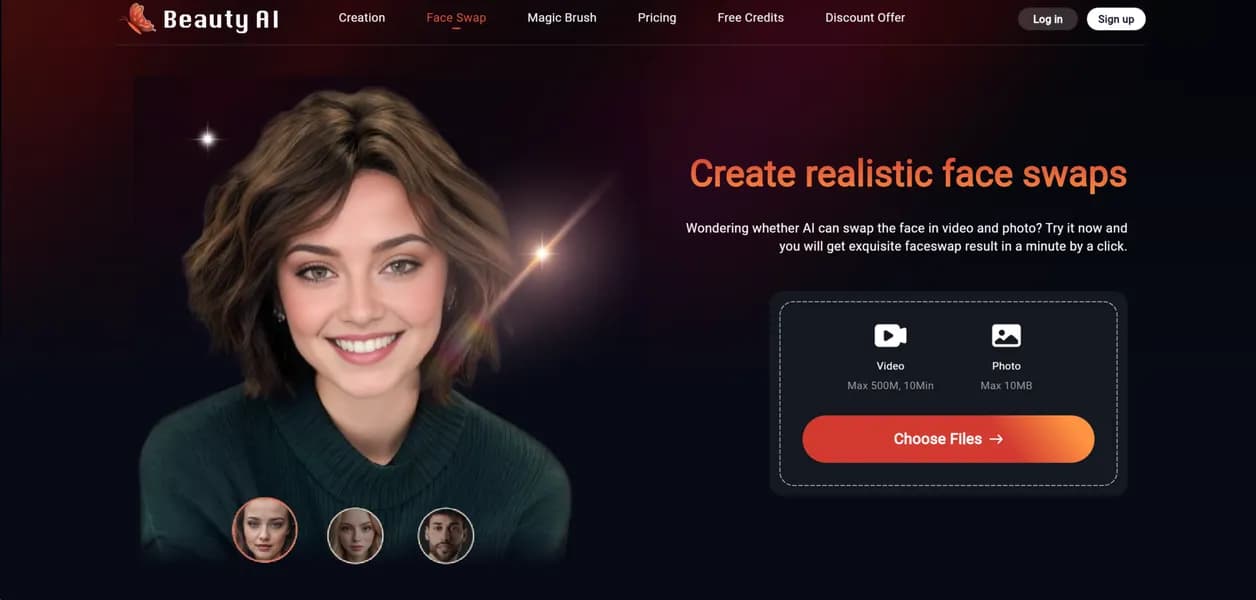

FaceSwap by BeautyAI replaces faces in images and short videos for casual content creators. The tool accurately maps up to 10 faces in group photos. However, the strict 20MB file upload limit prevents users from processing high-definition commercial video projects.
What is FaceSwap (BeautyAI)?
Over 50 free credits reset every month for basic users of FaceSwap by BeautyAI. This allowance lets casual creators test the AI image replacement engine without entering payment details. The tool processes standard JPG and PNG files alongside short MP4 clips under 20MB.
Developed by BeautyAI, this web application solves the problem of manual photo editing. Users upload a source face and a target image (usually a meme template) to generate new media. The platform targets social media managers building memes and casual users fixing group photos.
- Primary Use Case: Replacing faces in group photos or short social media video clips.
- Ideal For: Casual content creators and meme makers on a budget.
- Pricing: Starts at $8.25 (freemium), and the annual plan drops the monthly cost significantly.
Key Features and How FaceSwap (BeautyAI) Works
Image and Video Replacement
- Single Face Swap: Replaces one portrait face per image but requires clear lighting for accurate alignment.
- Multi-Face Swap: Detects and replaces up to 10 distinct faces in group shots.
- Video Face Swap: Processes MP4 files but strictly limits uploads to a 20MB file size.
Account and Asset Management
- Face Storage: Saves up to 10 source faces for quick access on Pro plans.
- Data Retention: Keeps generated files for 3 days on free tiers and 30 days for paid users.
Processing and Output
- Resolution Control: Restricts free users to standard definition while Pro users get HD output.
- Priority Queue: Moves paying subscribers to the front of the rendering line during peak hours.
FaceSwap (BeautyAI) Pros and Cons
Pros
- Permanent free tier provides 50 monthly credits without requiring a credit card.
- Multi-face detection accurately maps up to 10 distinct individuals in a single group photo.
- Pro plans include priority processing to reduce wait times for video rendering.
- Credit top-ups range from $9 to $45 for users who want to avoid subscriptions.
Cons
- Free tier results include a visible watermark and restrict downloads to lower resolutions.
- The 20MB maximum file upload size prevents users from processing long videos.
- Facial alignment fails frequently if the source image features extreme angles or heavy shadows.
Who Should Use FaceSwap (BeautyAI)?
- Social media managers: Create personalized memes quickly using viral templates and saved source faces.
- Casual users: Fix closed eyes in family photos by swapping in better expressions from other shots.
- Professional video editors (Not Recommended): The 20MB file limit makes this tool useless for high-definition commercial video projects.
FaceSwap (BeautyAI) Pricing and Plans
The free tier functions as a permanent plan rather than a temporary trial.
- Free: $0 per month. Includes 50 credits, a 3-face storage limit, 10MB upload cap, and 3-day file retention.
- Pro Monthly: $12.99 per month. Provides 800 credits, a 10-face storage limit, 20MB upload cap, 30-day retention, and priority processing.
- Pro Yearly: $8.25 per month. Billed annually at $99. Includes all Pro Monthly features.
- Credit Packages: $9 to $45 one-time purchases. Grants 300 to 2,000 credits for occasional users.
How FaceSwap (BeautyAI) Compares to Alternatives
Similar to Remaker AI, FaceSwap offers a generous free tier for basic image manipulation. Remaker AI provides better support for high-resolution video files exceeding 50MB. FaceSwap restricts all video uploads to 20MB across every pricing tier.
This strict file size limit creates a major friction point for video creators.
Unlike DeepSwap, BeautyAI includes a permanent monthly credit reset instead of a strict paywall. DeepSwap charges a premium for its advanced deepfake video rendering engine. FaceSwap targets casual users who need quick meme generation rather than cinematic video production.
The Best Face Swapper for Casual Meme Creators
FaceSwap by BeautyAI delivers consistent results for users making quick social media edits. Professional editors needing large video file support should look elsewhere. Remaker AI serves as a better alternative for handling high-resolution MP4 files.
User Reviews
No reviews yet. Be the first to share your experience!
Sign in to write a review.
Related articles
Guides and articles related to FaceSwap.

Best AI Fashion Model Generators for Clothing Brands (2026)

How to Get an AI Model Wearing Your Clothes (Step by Step)

AI Video Generator Prompting: The Filmmaker's Real Workflow

Undetectable AI Review (2026): What It Does, What It Costs, and 7 Alternatives

Wix Logo Maker Review (2026): Real Costs, the Edit Catch, and AI Alternatives
