



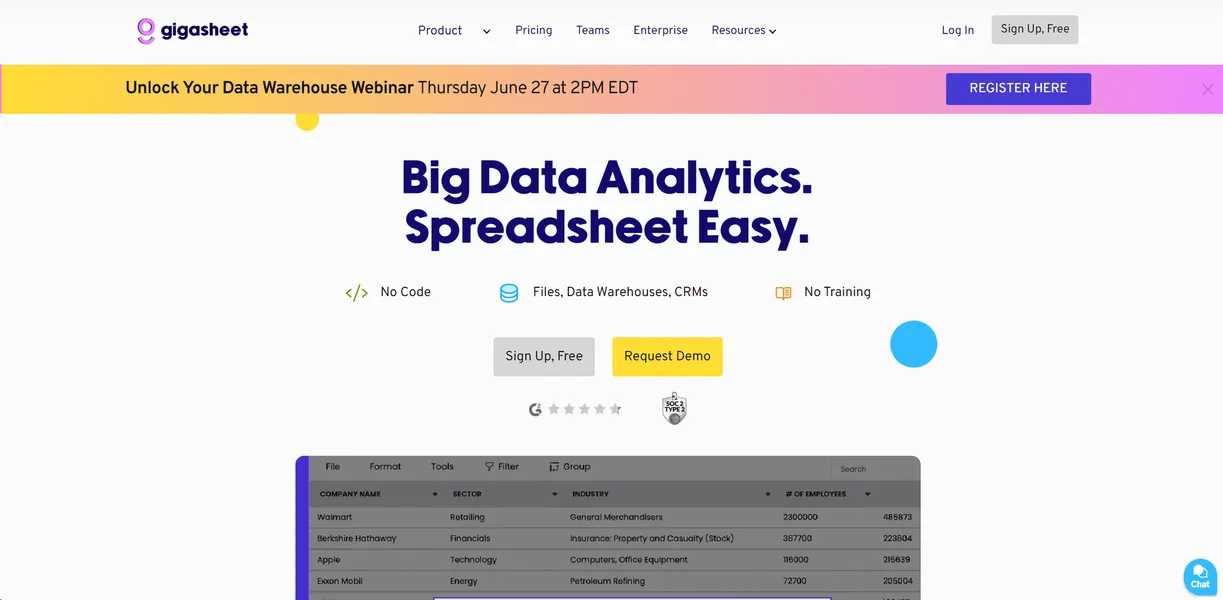
What is Gigasheet?
Loading a 10GB CSV file into a standard browser window usually crashes the tab instantly. Gigasheet ingested a 25-million row dataset in under three minutes during testing.
Gigasheet Inc. built this cloud-based big data spreadsheet platform to bridge the gap between Microsoft Excel and complex SQL databases. The software targets marketers and cybersecurity analysts who need to filter multi-million row files. Users perform these tasks without writing database queries or managing local server hardware.
- Primary Use Case: Analyzing and enriching CSV files exceeding the 1,048,576 row Excel limit.
- Ideal For: Non-technical sales teams and threat hunters managing massive log files.
- Pricing: Starts at $25 (freemium): The steep jump to $95 for monthly billing catches many users off guard.
Key Features and How Gigasheet Works
Massive Dataset Processing
- 1 Billion Row Support: Process massive datasets without local hardware lag. This capacity requires the $295 MRF Explorer tier.
- Cloud Connectors: Import files directly from AWS S3, Google Drive, and Snowflake. Upload speeds depend entirely on your local internet connection.
- PCAP and JSON Parsing: Flatten complex nested files into standard rows. The system struggles with highly irregular JSON schemas (requiring manual cleanup).
Automated Data Enrichment
- 50+ API Integrations: Look up missing contact data using Apollo, Hunter, and Clearbit. The Premium tier limits this function to 100 enrichment credits monthly.
- Cross-Sheet VLOOKUP: Join massive datasets based on common columns without writing formulas. Processing takes longer on files exceeding 10GB.
AI and Data Cleaning
- AI Sheet Assistant: Generate complex filters using natural language prompts. The AI sometimes misinterprets requests involving multiple nested conditions (like filtering dates while excluding specific domains).
- Deduplication: Remove duplicate records across millions of rows with one click. This action consumes significant processing time on the free tier.
- Real-time Aggregations: Group and summarize data instantly using pivot-style functions. The interface limits how many nested groups you can display simultaneously.
Gigasheet Pros and Cons
Pros
- No-code interface allows non-technical users to perform SQL-level data analysis effortlessly.
- Cloud-native architecture handles 50GB files without consuming local RAM or crashing computers.
- Automated data enrichment saves hours of manual API integration work for sales teams.
- Supports niche formats like PCAP and MRF that standard spreadsheet software rejects.
- Fast processing speeds for grouping and filtering on multi-million row sets compared to local tools.
Cons
- Steep price jump between annual ($25) and monthly ($95) billing for the Premium tier.
- The 1GB free storage limit forces early upgrades for big data projects.
- Limited data visualization tools compared to dedicated BI platforms like Tableau or Power BI.
- Large file uploads run slowly on standard home internet connections.
Who Should Use Gigasheet?
- Cybersecurity Analysts: Combine hundreds of smaller log files into a single searchable dataset for threat hunting.
- Sales Operations Managers: Clean messy lead lists and remove duplicates across datasets larger than 10GB.
- Data Engineers: Convert complex JSON or nested MRF files into a flat spreadsheet format for easier analysis.
- Small Business Owners (Not Recommended): Users needing basic charts and graphs will find the visualization options lacking.
Gigasheet Pricing and Plans
The Community plan offers 1GB of storage and 1,000 enrichment credits for free. This tier functions mostly as a trial since 1GB fills up quickly with big data files. API access is capped at 25 requests monthly.
Premium Individual costs $25 monthly when billed annually.
Monthly billing spikes to $95.
This tier provides 25GB of storage and handles 25 million rows per sheet. Enrichment credits drop to 100 per month on this plan.
MRF Explorer costs $295 monthly.
It provides 500GB of storage and supports one billion rows per sheet. This tier adds native JSON and MRF support.
Enterprise pricing requires a custom quote. It includes unlimited rows and direct warehouse integrations for Redshift and Snowflake. Dedicated support is also included.
How Gigasheet Compares to Alternatives
Similar to Rows, Gigasheet offers built-in API connectors for data enrichment. Rows focuses heavily on building interactive dashboards and sharing financial models. Gigasheet prioritizes raw processing power for files exceeding one million rows.
Unlike Modern CSV, this tool operates entirely in the cloud. Modern CSV requires local installation and relies on your computer hardware to process large files. Gigasheet handles 50GB files easily, while Modern CSV offers faster keyboard navigation for smaller datasets.
Equals provides another alternative for spreadsheet users. Equals connects directly to SQL databases to pull live data into a familiar interface. Gigasheet works better for users who lack SQL skills and need to process static dumps of massive log files.
The Best Big Data Spreadsheet for Non-Technical Teams
Sales operations teams get the most value from Gigasheet. The built-in Apollo and Hunter integrations eliminate the need for custom Python scripts. Threat hunters also benefit from the native PCAP parsing capabilities.
Data scientists needing advanced visualizations should look elsewhere. Tableau remains a better choice for building complex interactive charts.
Gigasheet will likely introduce native charting capabilities within the next 12 months to compete directly with traditional BI platforms.