

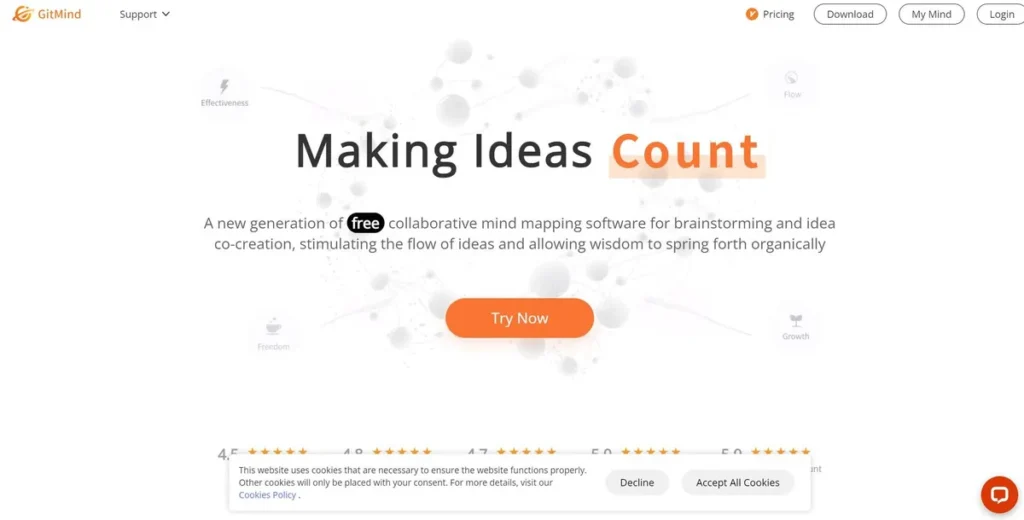
What is GitMind AI?
GitMind AI is a software-as-a-service platform designed for visual knowledge management. From a technical standpoint, it functions as a centralized hub for creating, sharing, and collaborating on diagrams such as mind maps, flowcharts, and organizational charts. The platform is engineered for both individual developers and larger technical teams, aiming to reduce the friction in transforming abstract concepts and unstructured data into coherent visual structures. Its architecture supports real-time collaboration and leverages artificial intelligence to automate aspects of the diagramming process, positioning it as a tool for rapid ideation and project blueprinting before moving to more code-intensive phases of development.
Key Features and How It Works
GitMind AI’s feature set is built around a core of AI-driven automation and collaborative tools. Understanding its operational mechanics is key to evaluating its fit within a development workflow.
- AI-Powered Mind Mapping: This core feature functions as a text-to-diagram generation engine. Users input textual prompts, and the system’s AI model parses this information to build a hierarchical mind map. This is particularly useful for quickly structuring brainstorming notes, meeting minutes, or initial feature requirements without manual node creation.
- Collaborative Whiteboards: The platform provides a shared digital canvas where multiple users can edit diagrams concurrently. This functionality is likely powered by WebSockets for low-latency, real-time updates. It allows distributed teams to engage in synchronous design sessions, code reviews, or architectural planning. The performance of this feature is critical for maintaining a fluid collaborative environment.
- File to Mind Map Conversion: This utility allows users to upload documents, which the tool then parses to generate a mind map. This process automates the extraction of key concepts and their relationships from dense text, which can accelerate the analysis of technical documentation or research papers. The efficacy of this feature depends on the robustness of its parsing algorithms.
- YouTube Video Summarizer: By processing a YouTube URL, GitMind can extract and summarize key points. This leverages transcription and natural language processing to create concise textual summaries, which is highly efficient for digesting technical tutorials, conference talks, or product demos.
Pros and Cons
From a software development perspective, GitMind AI presents a distinct set of advantages and limitations.
Pros
- Efficient UI/UX: The interface is intuitive, minimizing the onboarding time required for a technical team. A shallow learning curve means engineers can adopt the tool and become productive quickly without extensive training.
- Cross-Platform Compatibility: With clients available for both web and mobile, the tool supports teams operating in heterogeneous environments (macOS, Windows, Linux), ensuring accessibility regardless of a developer’s preferred operating system.
- Low Adoption Cost: The availability of a functional free tier provides a zero-cost entry point for evaluation. This allows teams to validate its utility within their specific workflows before committing to a paid subscription.
Cons
- Limited API and Integrations: The most significant drawback is the lack of a robust, publicly documented API. This severely restricts its integration into automated CI/CD pipelines or custom workflows. Without hooks into tools like Jira, GitHub, or Slack, it remains a siloed component in the development toolchain.
- Configuration Overhead: While simple to use, establishing team-wide standards, templates, and best practices can require a notable initial investment of time. This can be a barrier for agile teams looking for immediate, out-of-the-box utility.
Who Should Consider GitMind AI?
GitMind AI is best suited for technical professionals and teams who require a high-velocity tool for ideation and visualization.
- Software Architects & System Designers: Ideal for rapidly sketching out system components, data flows, and infrastructure layouts during initial design phases.
- Development Teams: Useful for sprint planning, visualizing user stories, mapping out bug-fix strategies, and conducting collaborative retrospectives.
- Technical Project Managers: Can be employed to create visual timelines, map task dependencies, and communicate project structure to both technical and non-technical stakeholders.
- DevOps and SRE Teams: Effective for diagramming CI/CD pipelines, mapping incident response playbooks, and visualizing network topologies.
However, teams that rely heavily on deep integration with established ecosystems like Atlassian or Microsoft may find the tool’s limited connectivity a significant constraint.
Pricing and Plans
GitMind AI operates on a freemium model, making its core functionality accessible while reserving advanced features for paid subscribers.
- Free Plan: This tier offers basic mind mapping and diagramming features, suitable for individual users or small teams conducting an initial evaluation.
- Pro Plan: Starting at $4.99 per month, this plan unlocks the platform’s full capabilities, including enhanced AI features, more extensive export options, and priority support. This price point positions it as a cost-effective solution compared to some enterprise-grade diagramming platforms.
For the most current pricing data, refer to the official GitMind AI website.
What makes GitMind AI great?
GitMind AI’s most powerful feature is its ability to automatically generate structured mind maps from unstructured text prompts. This AI-driven capability fundamentally changes the dynamic of brainstorming and technical planning. Instead of manually dragging and connecting nodes—a process that can interrupt the flow of thought—a developer or architect can simply outline ideas in text and let the system handle the visualization. This reduces the cognitive load associated with diagramming and significantly accelerates the process of transforming raw concepts into a structured, shareable format. It serves as an excellent intermediate tool for rapid prototyping of ideas before they are formalized in more rigorous platforms like Lucidchart or coded into existence.
Frequently Asked Questions
- Does GitMind AI offer an API for programmatic access?
- Currently, GitMind AI has limited to no publicly available API for third-party developers. This is a critical consideration for teams looking to integrate it into automated workflows or custom toolchains.
- How does the platform handle data privacy and security?
- GitMind outlines its security measures on its official website. For enterprise use, especially with proprietary code or sensitive project data, a thorough review of their data handling, encryption, and compliance policies is essential.
- What export formats are supported for diagrams?
- GitMind supports exporting diagrams to various standard formats, including PNG, JPG, PDF, and SVG. The vector-based SVG format is particularly useful for high-resolution inclusions in technical documentation or presentations.
- Can GitMind be self-hosted for enhanced security?
- As a SaaS platform, GitMind AI does not currently offer a self-hosted option. All data is processed and stored on their cloud infrastructure.