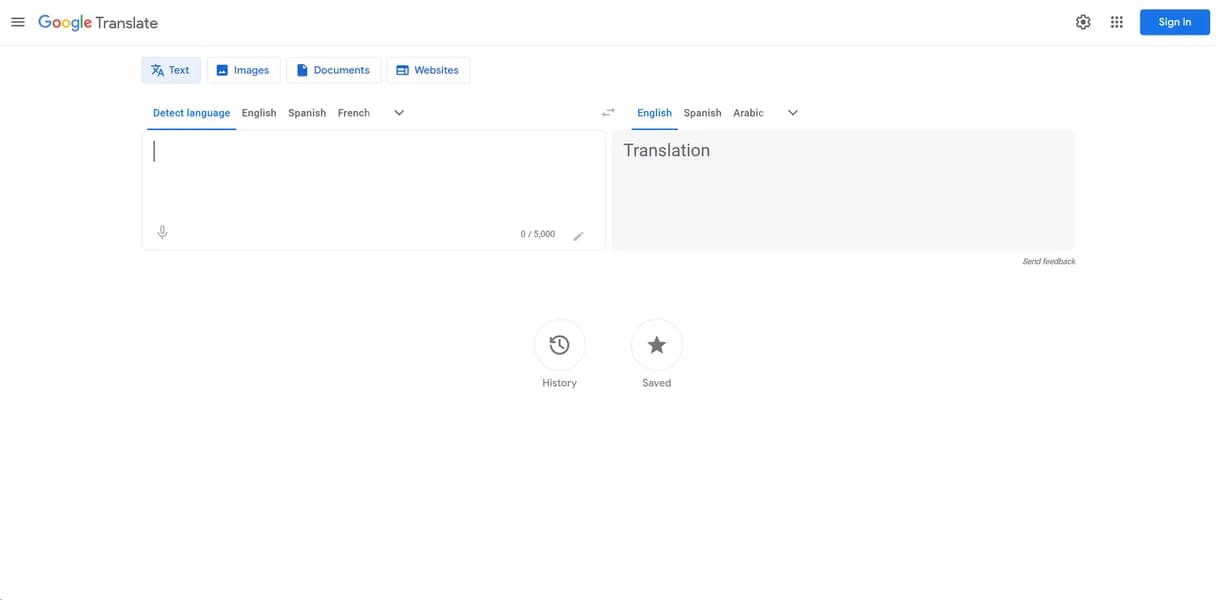

Google Translate is a neural machine translation service for individuals and developers. It processes text across 133 languages and handles 10MB documents. Complex technical formatting often breaks during document processing.
What is Google Translate?
Google Translate operates as a neural machine translation engine that processes text, voice, and images across 133 distinct languages. Users paste text into a web interface or send bulk translation requests through a dedicated developer API. The system applies artificial intelligence to predict sentence structure and output localized phrasing. This approach replaces older statistical translation methods that often produced disjointed sentences.
Developed by Google LLC, this software solves basic multilingual communication barriers for both individual consumers and large enterprise teams. Casual travelers rely on the mobile application (which requires a 50MB download per language pack) for real-time voice translation during international trips. Enterprise developers integrate the Cloud Translation API to localize complex software interfaces for global audiences. The platform processes billions of words daily across its consumer and enterprise tiers.
- Primary Use Case: Translating short text strings and casual conversations across 133 languages.
- Ideal For: Casual travelers and developers needing broad language API support.
- Pricing: Starts at $20 per million characters. The API offers 500,000 free characters monthly before charging.
Key Features and How Google Translate Works
Text and Document Processing
- Text Translation: Supports 133 languages with a strict 5,000 character limit per single web request.
- Document Translation: Handles .docx, .pdf, .pptx, and .xlsx files up to 10MB in size.
- Website Translation: Browser extension translates entire URLs into a target language instantly.
Mobile and Visual Translation
- Image Translation: Uses Google Lens technology to overlay translated text on images in 94 languages.
- Voice Translation: Provides real-time speech-to-text and text-to-speech for bilingual conversations.
- Offline Mode: Downloadable language packs require 30 to 50MB of storage each for offline use.
Developer API and Customization
- Cloud Translation API: RESTful API supports batch translation and glossary management for enterprise users.
- Adaptive Translation: Custom model training uses AutoML for domain specific terminology.
Google Translate Pros and Cons
Pros
- Massive language support covers 133 languages, beating most competitors.
- The API provides a generous 500,000 character monthly free tier.
- Advanced Neural Machine Translation considers whole sentences rather than word-for-word mapping.
- Integration with Google Workspace and Android OS requires zero setup.
Cons
- Contextual inaccuracies in complex literary texts lead to robotic phrasing.
- The free consumer version uses user data to train future models.
- Complex document layouts often break after processing 10MB PDF files (especially those containing nested tables).
Who Should Use Google Translate?
- Casual Travelers: The mobile app translates physical signs and menus using the smartphone camera.
- Enterprise Developers: The Cloud Translation API integrates automated translation into third party applications.
- Budget Conscious Users: The 500,000 free monthly API characters cover basic personal projects.
- Legal Professionals (Not Recommended): The free consumer version lacks data privacy guarantees required for sensitive client documents.
Google Translate Pricing and Plans
- Free Tier: $0 per month. Users get the first 500,000 characters per month for NMT and Custom Translation.
- Cloud Translation Basic and Advanced: $20 per million characters. This covers standard neural machine translation after the free limit.
- Custom Translation: $80 per million characters. This tier uses AutoML trained models after the free limit.
- Document Translation: $0.08 per page. This translates PDF, DOCX, and PPT files with no free tier available.
- Translation Hub Basic: $0.15 per page. This provides an enterprise document translation platform.
How Google Translate Compares to Alternatives
Similar to DeepL, Google Translate uses advanced neural networks to process text and generate localized output. DeepL supports only 32 languages compared to the 133 languages available through the Google platform. DeepL produces more natural phrasing for complex European languages during side-by-side benchmark testing. Google Translate wins on sheer volume and regional dialect coverage for global applications. Users translating niche regional dialects will find Google Translate provides superior dictionary coverage.
Unlike Microsoft Translator, Google Translate offers a different approach to developer API limits and pricing structures. Microsoft Translator provides two million free characters monthly for developers building custom localization tools. Google Translate integrates with Android devices and the broader Google Workspace ecosystem. Microsoft Translator excels within the Office 365 ecosystem for enterprise teams managing internal corporate documents. Both tools charge similar rates once users exceed their respective free monthly character limits.
The Best Translation Tool for Broad Language Coverage
Google Translate delivers the highest value for developers needing access to 133 different languages. The 500,000 free monthly characters make this API accessible for solo builders testing new applications. Enterprise teams translating basic software strings will find the twenty dollar per million character rate competitive. Legal and medical professionals handling sensitive client data should look elsewhere for their document translation needs. The free consumer version poses data privacy risks because it uses input data to train future models. If you need accurate translations for complex legal documents, choose DeepL Pro instead.
User Reviews
No reviews yet. Be the first to share your experience!
Sign in to write a review.
Related articles
Guides and articles related to Google Translate.

Amazon Translate Review (2026): Pricing, Accuracy, and When to Pick an Alternative

Google Vision AI Explained (2026): Pricing Per 1,000 Units, Free Tier, and Alternatives
Build a 70-Language Live Voice Agent With GPT-Realtime-Translate (2026)

Perplexity AI Tutorial: Maximize Your Research Workflows

Undetectable AI Review (2026): What It Does, What It Costs, and 7 Alternatives