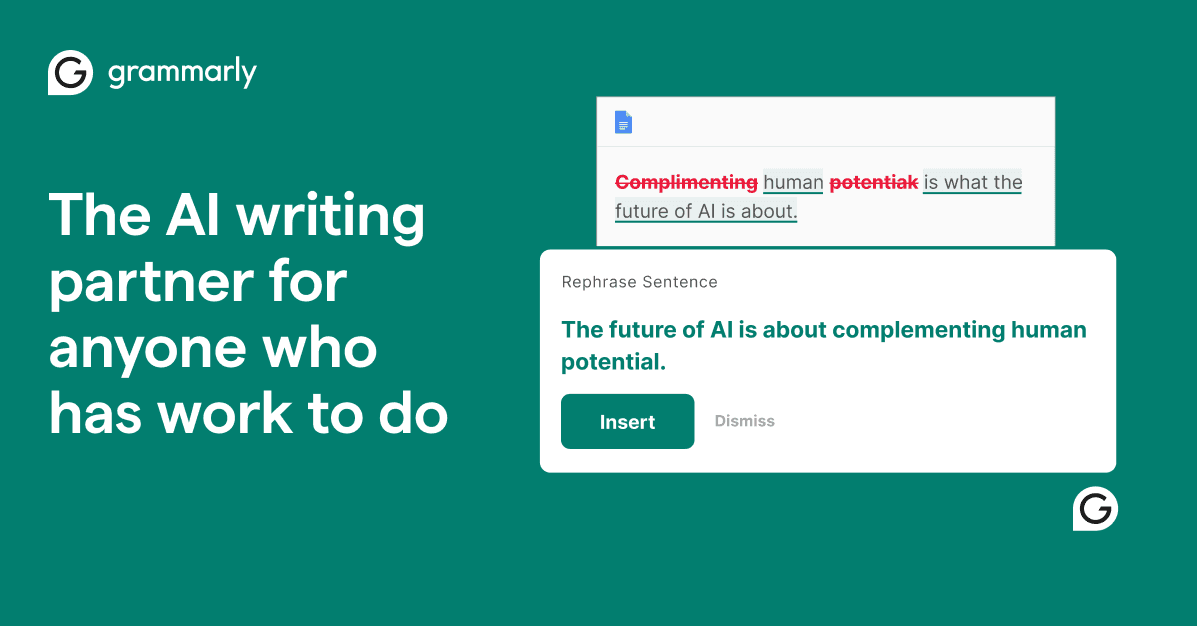

Grammarly catches real errors across 500,000+ apps in real time, but it also flags intentional style choices as mistakes, struggles to match ChatGPT or Claude for deep editing, and its parent company just disabled a feature that faked expert reviews without consent.
We pasted a 500-word professional email draft into Grammarly Pro, confident, direct tone, two instances of intentional passive voice, three em-dash asides, one deliberate sentence fragment for emphasis. It flagged 23 issues. Seven were legitimate: a missing comma, two pronoun-antecedent ambiguities, one redundant phrase, and three passive constructions where active voice genuinely improved clarity. The remaining 16 were suggestions we rejected, both intentional passives flagged as errors, all three em-dashes flagged for removal, the fragment marked incomplete, and word-choice swaps that would have stripped appropriate register. GrammarlyGO's full rewrite was grammatically clean and tonally dead. That 30-to-70 signal-to-noise split is Grammarly's defining tension in April 2026.
What Grammarly catches (and what it misses) in April 2026
Grammarly's core strength is always-on, passive error detection across nearly every surface you write on. The browser extension alone covers Gmail, Google Docs, Notion, Slack, LinkedIn, and over 500,000 apps, no copy-paste required. It catches the categories that slip past writers who know their subject but not their syntax: missing commas before coordinating conjunctions, pronoun-antecedent mismatches, redundant phrases, article errors (a/an/the, especially valuable for non-native English speakers), and passive-voice overuse in functional prose.
The free tier covers grammar, spelling, and basic punctuation, plus 100 AI prompts per month. Pro adds sentence rewrites, tone adjustment, fluency suggestions for non-native speakers, plagiarism detection, AI-generated text detection, and 2,000 GrammarlyGO prompts per month.
What it misses is roughly everything that makes prose interesting: intentional fragments, rhythm-based sentence length variation, dialect-appropriate idioms, and rule-breaking that creates effect. Grammarly's model optimizes for short, active, unambiguous sentences. That is correct behavior for internal reports and customer support emails. It is counterproductive for personal essays, literary fiction, and any writing where personality is the point. The tool has no way to distinguish a stylistic choice from a mistake, and it treats them identically.
Its AI generation layer. GrammarlyGO, has been available since 2023 but has not meaningfully closed the gap with ChatGPT or Claude. For short rewrites of one or two sentences, it performs acceptably. For anything longer, user consensus in 2025–2026 is consistent: the output is grammatically correct and contextually flat.
A real test: professional email draft before and after
Here is the kind of change Grammarly makes on professional writing, drawn directly from our April 2026 test. The original sentence read: "We've been patient, arguably too patient, and the situation, frankly, needs to resolve itself before Q3 or we'll be forced to escalate." Grammarly's top suggestion was to replace the em-dashes with commas, remove "frankly" as a filler word, and rewrite "needs to resolve itself" as "must be resolved" for active voice. The suggested version: "We've been patient, arguably too patient, and the situation must be resolved before Q3 or we'll be forced to escalate."
The rewrite is grammatically tidier. It is also noticeably less human. The em-dashes created a pause that communicated controlled frustration. "Frankly" was doing register work, signaling candor in a formal context. "Needs to resolve itself" was deliberate, implying the problem's resolution wasn't entirely in the writer's hands. All of that intent was edited out. Whether that is a bug or a feature depends entirely on what you are writing and why.
This is the trade-off Grammarly presents on nearly every draft: more consistent, less yours.
The complaints that keep showing up
The loudest recurring complaint across Reddit, writing forums, and review sites in 2025–2026 is the overreach-to-paywall loop. Grammarly's free tier surfaces every issue it detects, then locks the fix behind a paywall. The interface cannot be configured to hide locked suggestions, so free users stare at a document full of yellow and red highlights they cannot act on. Critics describe this as "making you doubt your own writing to sell you a subscription." In August 2025, Grammarly pushed a forced upgrade to its "new experience" that increased suggestion frequency across all users with no opt-in, triggering a visible backlash in r/Grammarly and an early wave of cancellations.
"When you use Grammarly to correct mistakes, you're not improving your grammar, you're killing your voice making it sound like a robot.". Medium writer (ILLUMINATION, 2025)
The voice-flattening complaint is structural, not fixable with a settings adjustment. Grammarly's clarity model treats any deviation from short, active, unambiguous prose as a problem. Writers who use longer sentence structures for rhythm, or fragments for emphasis, or passive constructions to shift focus, will reject a majority of Grammarly's suggestions every session, or they will watch their writing become uniform.
"More than half of Grammarly's suggestions get incorrectly placed when used.". MakeUseOf writer documenting six months of a comma-placement bug (makeuseof.com, 2025)
The placement bug is separate and technical: when accepted, some Grammarly comma and punctuation suggestions insert the character one position before or after the correct location, creating a new error. This was persistent enough over six months of documented use to be a documented dealbreaker for at least one writer who switched tools.
The Expert Review scandal is a trust issue, not a usability one. In early 2026, Grammarly launched a feature that presented AI-generated feedback as if authored by real, named experts, journalists, authors, professionals, without their consent. Tech journalist Julia Angwin filed a class-action lawsuit, stating the company was "selling an imposter version of my hard-earned expertise." Grammarly disabled the feature on March 11, 2026. CEO Mehrotra admitted: "the feature was not a good feature." For long-term users, it was a credibility injury that no apology fully repairs.
Privacy, training data, and your drafts
Grammarly's browser extension processes every word you type through Amazon Web Services servers. There is no offline mode. Once installed, the extension has access to your text across every site and app in your browser, and that text is transmitted to Grammarly's infrastructure for processing. By default, text snippets are used to improve Grammarly's AI models, this can be disabled in account settings, but the default is opt-in to training.
Grammarly's own documentation acknowledges that Grammarly employees can access user content under certain circumstances. For professionals handling confidential legal drafts, medical notes, HR documents, or proprietary business strategy, this is a meaningful risk. It is the most cited reason users in regulated industries do not install the browser extension on work machines.
Enterprise users receive enhanced protections: BYOK (bring your own key) encryption, SAML SSO, SCIM provisioning, and data loss prevention controls. These features are unavailable below the Enterprise tier and require a custom sales quote.
LanguageTool, a primary privacy-forward alternative, offers a self-hosted deployment option for users who need text processing to stay entirely on-premises. Grammarly has no equivalent. If data sovereignty is a requirement, Grammarly is not the right tool.
Grammarly in your workflow, when it helps vs. when it hurts
Grammarly works best as a passive safety net, not an active editor. Running quietly while you write emails and short documents, it catches the errors that native speakers write on autopilot, the missed comma, the passive construction, the repeated word. For non-native English speakers in particular, the free tier alone reduces the polish gap materially, catching approximately 40% of common learner errors according to a 2024 ResearchGate study.
It works worst when you invite it to edit prose you have already made intentional decisions about. Accepting suggestions in bulk is the fastest path to homogenized output. Users who accept maybe one in four suggestions get genuine value. Users who accept everything lose their voice within a page.
One underused workflow: the weekly performance report. Rather than accepting individual suggestions, experienced users treat the pattern data, recurring error types, passive voice frequency, sentence length distribution, as a long-term writing diagnostic. One freelance writer described realizing they "wrote comma-heavy, complex sentences with a lot of passive verbs" only after months of Grammarly data made the pattern visible. Used this way, Grammarly is a coach rather than a crutch, and it eventually makes itself less necessary.
Free vs. paid: is Pro worth it?
The free tier is genuinely useful for basic error-catching: grammar, spelling, punctuation, and 100 AI prompts per month. It is hobbled by the paywall interface, flagged issues with locked fixes are shown but unresolvable, but the underlying catches are real and the extension works across all surfaces.
Pro at $12/month (annual billing) adds sentence rewrites, tone adjustment, fluency suggestions for non-native speakers, plagiarism detection, AI-generated text detection, and 2,000 GrammarlyGO prompts per month. For writers who use Grammarly daily across professional email, documents, and content production, the rewrite and tone suggestions alone justify the price. For casual or infrequent writers, the free tier is sufficient and the paywall UX is annoying but workable.
The Business tier, formerly $15/user/month for teams of up to 149, has been discontinued. Teams now must contact sales for Enterprise pricing, which requires 150+ users and includes BYOK encryption, SSO, and dedicated account management. The removal of the Business tier created friction for small and mid-size teams who now face a gap between a $12/month individual plan and an enterprise quote process.
Annual billing matters: $12/month on an annual plan vs. $30/month on monthly means a three-year subscription paid monthly costs 2.5x more. Grammarly auto-renews annually with no default reminder, and its refund policy is officially non-refundable, though customer service has historically granted exceptions on first contact. Cancellation requires desktop access; it cannot be done from mobile.
Grammarly vs. ChatGPT/Claude vs. ProWritingAid
The real comparison in 2025–2026 is not Grammarly versus another grammar checker, it is Grammarly versus pasting your draft into ChatGPT or Claude. The difference is friction: Grammarly is always on, always in your document. ChatGPT and Claude require you to leave the document, paste, prompt, and interpret a response. For passive error-catching across email and short-form writing, Grammarly wins on convenience. For substantive editing, voice preservation, structural feedback, handling intentional stylistic choices. ChatGPT and Claude are meaningfully better. One widely-cited Reddit summary: "Grammarly feels like a tool, ChatGPT feels like a collaborator." Many writers use both: Grammarly for passive catches while drafting, ChatGPT or Claude for deliberate editing passes when the draft is done.
ProWritingAid is the dedicated alternative for writers who find Grammarly too shallow or too expensive. Its annual plan at roughly $30/year undercuts Grammarly Pro's $144/year dramatically. It offers 25+ specialized analysis reports, pacing, dialogue, repetition, clichés, sentence length variance, that Grammarly does not match. ProWritingAid is slower and less polished as a real-time tool, but for long-form fiction and narrative nonfiction, its depth is unmatched. Writers tend to settle by use case: Grammarly for everyday professional writing, ProWritingAid for manuscripts.
User Reviews
No reviews yet. Be the first to share your experience!
Sign in to write a review.
Related articles
Guides and articles related to Grammarly.
Undetectable AI Review (2026): What It Does, What It Costs, and 7 Alternatives

The Personal AI Productivity Stack (2026): One Tool Per Job, Nothing Extra
Replit Pricing Explained (2026): Core vs Pro and Effort-Based Agent Billing

Google Vision AI Explained (2026): Pricing Per 1,000 Units, Free Tier, and Alternatives
Turn Any AI Agent Into a Superagent: The 12-Integration Stack (2026)