

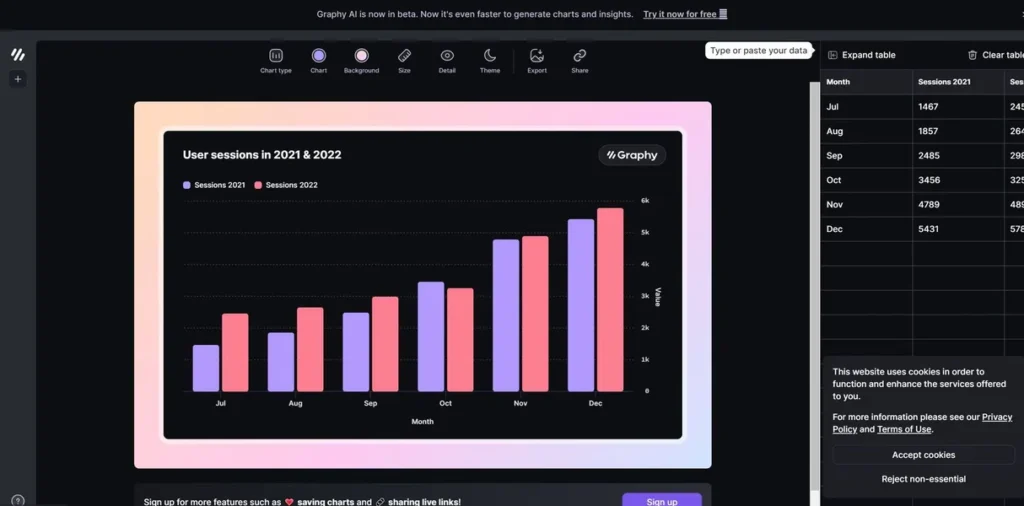
What is Graphy?
In the fast-paced world of marketing, data is king, but presenting it effectively is the entire kingdom. Graphy emerges as a critical tool for marketing managers who need to move from raw spreadsheet data to compelling, decision-driving visuals without the typical friction. It’s designed for professionals who don’t have time for a steep learning curve but demand professional, presentation-ready output. Graphy streamlines the process of data storytelling, enabling you to quickly build interactive graphs that clearly communicate campaign performance, highlight key trends, and ultimately, help you make smarter, data-backed decisions to optimize your marketing funnel.
Key Features and How It Works
Graphy packs powerful features into an intuitive interface, focusing on speed and clarity for marketing workflows.
- Accelerated Graph Creation: Go from a raw Google Sheet or pasted data to a polished, shareable graph in minutes. The platform is engineered for speed, cutting down the time spent on reporting so you can focus more on strategy.
- AI-Powered Insights: Let the platform do the initial heavy lifting. Graphy’s AI can automatically analyze your dataset to suggest relevant visualizations and surface key insights, highlighting trends or anomalies in your campaign data you might have otherwise missed.
- Intuitive, No-Code Interface: You don’t need to be a data scientist to use Graphy. Its clean design ensures anyone on your team can create beautiful charts, fostering a data-literate culture without extensive training.
- Rich Storytelling Capabilities: This feature is like having a GPS for your data. A simple chart shows the map, but Graphy’s annotations, goal lines, and trend markers provide the turn-by-turn directions, guiding your stakeholders directly to the most important conclusions. It transforms a static visual into a persuasive narrative.
- Seamless Data Integration: Directly connect to Google Sheets to keep your charts synced with your latest campaign data. You can also copy and paste data from virtually any source, including Excel and CSV files.
- Versatile Sharing Options: Embed interactive graphs directly into Notion campaign docs, add them to Canva designs for social media, or push them to Slack for real-time team updates. This flexibility ensures your data lives where your team works.
Pros and Cons
Pros
- Rapid Reporting: Drastically reduces the time required to generate and share high-quality reports for weekly meetings or stakeholder updates.
- Enhanced Collaboration: Easy sharing to platforms like Slack and Notion ensures your entire team is aligned on campaign performance and goals.
- Professional Aesthetics: Creates visually impressive graphs that elevate the quality of your presentations, proposals, and marketing materials.
- Actionable Insights: The AI features and storytelling tools help transform raw numbers into clear, actionable next steps for your campaigns.
Cons
- Limited Advanced Customization: Data visualization experts seeking highly granular control over every chart element may find the options more streamlined than tools like Tableau.
- Niche Integrations: While it covers major platforms, direct integrations with specific marketing automation or ad platforms are still developing.
Who Should Consider Graphy?
Graphy is an ideal fit for professionals who need to communicate data insights quickly and effectively. Its core audience includes:
- Marketing Managers: Perfect for tracking campaign KPIs, building performance dashboards, and presenting clear, compelling results to leadership or clients.
- Digital Marketing Agencies: A powerful tool for streamlining client reporting, creating visually rich case studies, and enhancing proposals with data-backed visuals.
- Content & Social Media Marketers: Excellent for visualizing audience engagement, tracking content ROI, and creating data-driven graphics for blog posts and social media.
- Startup Founders: Enables rapid creation of charts for investor updates, pitch decks, and internal dashboards to monitor crucial growth metrics.
Pricing and Plans
Graphy operates on a freemium model, making it accessible for individuals while offering robust features for professional teams.
- Free Plan: A great starting point for individuals and small teams to explore the core features and experience the platform’s speed and ease of use.
- Pro Plan: Starting at $10 per month, this plan unlocks advanced features, more integrations, and greater capacity, making it the go-to choice for marketing professionals and teams who rely on data for daily decision-making.
Disclaimer: Pricing is subject to change. Please visit the official Graphy website for the most current and detailed plan information.
What makes Graphy great?
Tired of spending hours wrestling with complex spreadsheet software just to create a single, uninspiring chart for your weekly report? What makes Graphy exceptional is its relentless focus on bridging the gap between raw data and a persuasive narrative, all while respecting your time. It’s more than just a charting tool; it’s a communication platform designed for the speed of modern marketing. Its AI-powered insights act like a junior analyst, pre-screening your data for interesting trends so you can jump straight to strategic thinking. This combination of speed, simplicity, and intelligent assistance empowers marketers to not only report on the past but to use data to effectively shape the future of their campaigns.
Frequently Asked Questions
- Can I customize the graphs to match my company’s branding?
- Yes, Graphy offers customization options, including color palettes and styling, allowing you to align the visuals with your brand guidelines for consistent and professional reports and presentations.
- How steep is the learning curve for my team?
- The learning curve is minimal. Graphy is designed with a user-friendly, intuitive interface, meaning your team can start creating professional-looking graphs within minutes without needing any special training or technical background.
- Can Graphy connect directly to data sources like Google Analytics or HubSpot?
- Currently, Graphy’s primary direct integration is with Google Sheets, which serves as a powerful hub for your marketing data. For other sources, you can easily copy and paste data directly into the tool. The platform is continuously expanding its integration capabilities.