



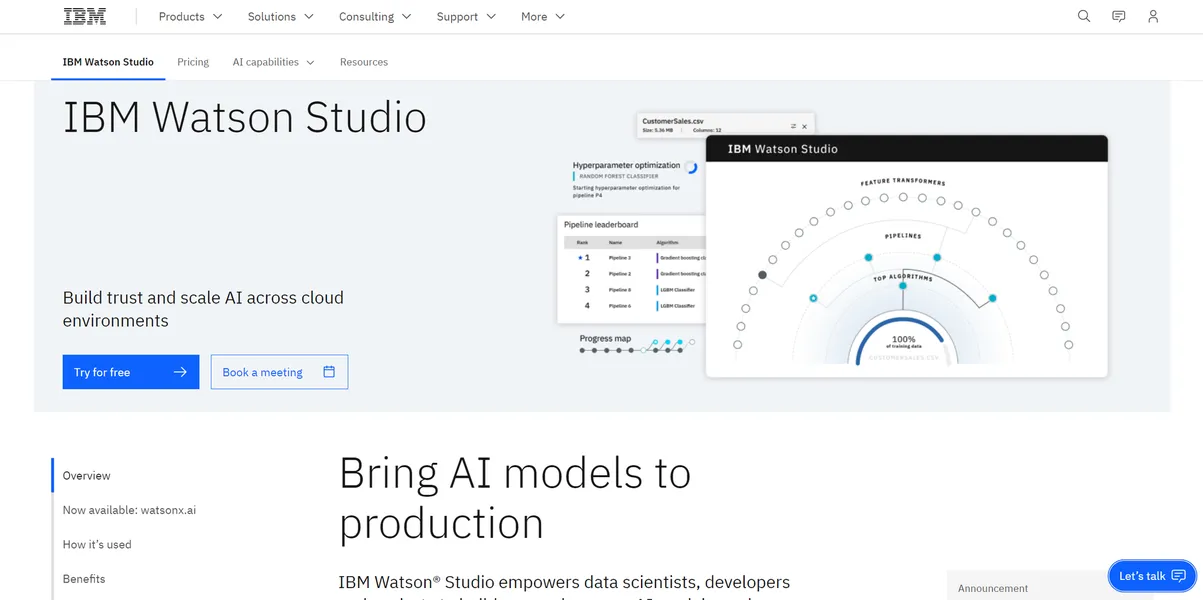
What is IBM Watson Studio?
Many enterprise teams expect a simple plug-and-play environment for data science, but they get a fragmented collection of cloud services. IBM Watson Studio attempts to solve this by placing open-source tools and visual modeling interfaces into one unified workspace. Users get Jupyter notebooks, drag-and-drop pipelines, and automated model selection in a single browser tab.
Developed by IBM, Watson Studio is a collaborative data science platform. It helps developers and data scientists build, train, and deploy machine learning models across hybrid cloud environments. The primary audience includes large enterprise teams in regulated industries like banking and healthcare.
- Primary Use Case: Automating model selection and feature engineering for tabular datasets.
- Ideal For: Enterprise data science teams requiring strict governance.
- Pricing: Starts at $1050 (freemium) – High entry cost restricts access to well-funded organizations.
Key Features and How IBM Watson Studio Works
Visual Modeling and Automation
- AutoAI: Automates data preparation and hyperparameter optimization for structured data. It requires tabular datasets.
- SPSS Modeler: Builds machine learning pipelines via a drag-and-drop interface. It lacks the flexibility of custom Python scripts.
Code-Based Development
- Jupyter Notebooks: Provides a managed environment for Python, R, and Scala. Large datasets cause occasional web interface lag.
- Decision Optimization: Solves mathematical programming models using CPLEX engines. This requires specialized knowledge of constraint programming.
Data Preparation and Deployment
- Data Refinery: Cleans enterprise data using 100 built-in visual operations. Processing is limited by the compute hours available in your plan.
- Watson Machine Learning: Generates REST API endpoints for real-time model scoring. It requires separate configuration for complex deployment pipelines.
IBM Watson Studio Pros and Cons
Pros
- Enterprise-grade security certifications meet strict compliance requirements for banking and healthcare sectors.
- AutoAI reduces predictive model development time by automating feature engineering and algorithm selection.
- Native support for TensorFlow and PyTorch prevents vendor lock-in for custom model code.
- Dynamic Capacity Unit-Hours allocation lets teams scale compute resources based on exact workload demands.
Cons
- The $1,050 monthly starting price for the Standard plan excludes most small startups and solo developers.
- Using the IBM Cloud console presents a steep learning curve for new users.
- Fragmented documentation across multiple IBM services makes troubleshooting specific deployment errors difficult.
Who Should Use IBM Watson Studio?
- Enterprise Data Teams: Large organizations benefit from role-based access control and integrated Git versioning for shared projects.
- Citizen Data Scientists: Business analysts can build predictive models using the SPSS Modeler without writing code.
- Solo Developers and Startups: This tool is not a good fit for small teams. The high cost and complex cloud architecture create unnecessary friction for simple projects.
IBM Watson Studio Pricing and Plans
IBM uses a freemium model with usage-based metrics. The Free tier provides up to 300,000 tokens per month and 20 Capacity Unit-Hours (CUH). This free tier functions as a permanent sandbox rather than a disguised trial.
The Essentials plan introduces pay-as-you-go pricing. Users pay for specific models and tools based on usage, such as $0.52 per CUH.
The Standard plan costs $1,050 per month. It includes a monthly allowance of compute hours and resources designed for production workloads.
The Enterprise plan requires custom pricing. It adds advanced features, dedicated support, and custom licensing agreements.
How IBM Watson Studio Compares to Alternatives
Amazon SageMaker provides a similar managed notebook environment for data scientists. Similar to Watson Studio, SageMaker supports popular frameworks like PyTorch and TensorFlow. Unlike IBM, Amazon integrates its tool into the broader AWS ecosystem. This makes SageMaker cheaper for teams hosting their data on AWS S3.
Google Vertex AI offers another alternative for enterprise machine learning. Vertex AI excels at processing unstructured data like images and text using Google models. IBM Watson Studio focuses on tabular data and visual pipeline building. Vertex AI uses a strict pay-as-you-go model, whereas IBM pushes users toward its $1,050 monthly Standard plan.
The Final Verdict for Enterprise Data Teams
IBM Watson Studio delivers immense value to large organizations with strict compliance needs. Teams managing sensitive data in healthcare or finance will appreciate the rigid governance features. The visual tools help analysts contribute to machine learning projects alongside experienced Python developers.
Small teams should look elsewhere.
The steep learning curve and high monthly cost make IBM Watson Studio impractical for startups. The fragmented documentation leaves new users confused about basic deployment steps (we spent hours configuring the initial cloud storage connection).
Budget-conscious teams should consider Amazon SageMaker.
The honest limit remains the platform interface. IBM struggles to unify its various cloud services into a cohesive user experience.