

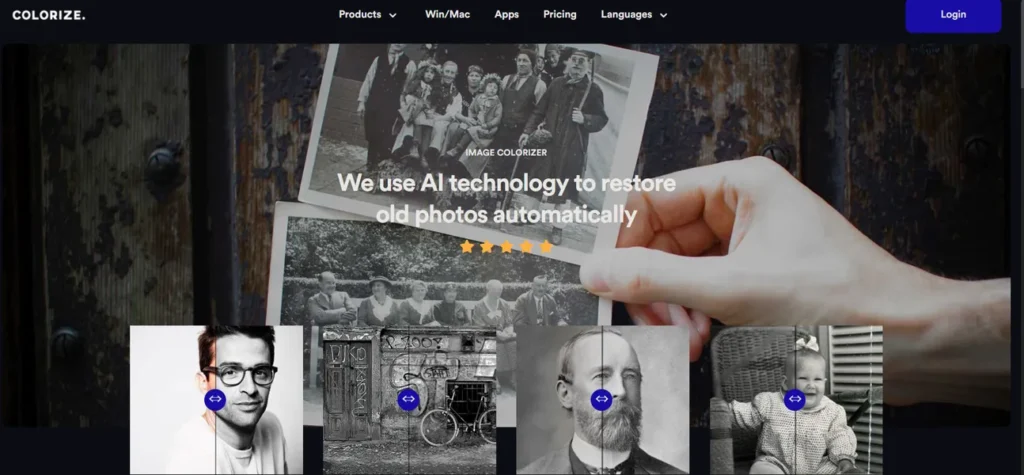
What is Imagecolorizer?
In the fast-paced world of digital marketing, assets are king, and speed is the currency. Imagecolorizer emerges as a crucial AI-powered platform for any marketing manager looking to tap into a brand’s visual history. It’s an online suite of tools designed to automatically restore and add vibrant, realistic color to black and white photographs. For teams needing to create compelling ‘throwback’ campaigns, populate a brand heritage website, or simply generate unique social media content, Imagecolorizer bypasses the time-consuming manual work typically handled by graphic designers. It transforms dusty archival photos into high-impact, campaign-ready visuals in a matter of clicks, directly within your browser.
Key Features and How It Works
Imagecolorizer integrates several AI-driven functions to deliver a comprehensive photo revitalization workflow, enabling marketing teams to repurpose historical assets efficiently.
- AI-Powered Colorization: At its core, the tool employs sophisticated neural networks trained on millions of images to intelligently apply color to monochrome photos. This allows for rapid A/B testing of different historical images in modern campaigns without waiting on design queues.
- Photo Restoration and Enhancement: The platform can automatically upscale faces and refine details in old, blurry photos. This is invaluable for cleaning up low-resolution scans of past advertisements or historical company events, ensuring they meet today’s digital clarity standards.
- Damage Repair: Scratches, folds, and water damage on old print materials can be fixed with a single click. This feature saves countless hours of manual retouching in Photoshop, turning previously unusable assets into viable content.
- Photo Cleanup: Think of its Magic Eraser feature as a digital ‘white-out’ for your images, but infinitely more precise. It lets you instantly remove a distracting person, an outdated product, or an old logo from an otherwise perfect archival photo, extending its usable life for new marketing contexts.
Pros and Cons
While a powerful asset, it’s essential to understand its capabilities and limitations within a professional marketing workflow.
Pros
- Workflow Acceleration: The intuitive interface and automated processes mean anyone on the marketing team can generate assets, reducing dependency on specialized design staff.
- Batch Processing: A critical feature for large-scale projects, allowing you to upload and process an entire archive of historical photos for a major brand campaign simultaneously.
- Cost-Effective Content Generation: Offers a free tier for quick tests and one-off tasks, providing an accessible way to create unique visual content without a dedicated budget.
- High-Quality Digital Output: The results are generally crisp and vibrant, making them perfectly suitable for social media, email newsletters, and web content.
Cons
- Print-Quality Limitations: While excellent for digital, the highest-stakes, large-format print campaigns may still require a final review and touch-up by a professional designer.
- Artistic Interpretation: The AI’s color choices are based on data, not historical fact or brand guidelines, which may sometimes require manual correction for 100% accuracy.
- Requires Connectivity: As a cloud-based service, its performance is tied to your internet connection, which could be a factor when working against tight deadlines with large files.
Who Should Consider Imagecolorizer?
Imagecolorizer is a strategic tool for a variety of professionals focused on visual storytelling and brand engagement.
- Marketing Managers: Ideal for quickly developing assets for heritage campaigns, content marketing, and increasing audience engagement through nostalgia.
- Social Media Managers: A go-to for creating a steady stream of unique #ThrowbackThursday content and visually rich historical posts.
- Brand Strategists: Useful for visualizing a brand’s history and evolution for internal presentations or public-facing anniversary campaigns.
- Content Creators and Bloggers: A great resource for sourcing and enhancing public domain images to create visually unique articles and features.
- Real Estate Marketers: Perfect for restoring and colorizing historical property photos to showcase a location’s rich history in listings and brochures.
Pricing and Plans
Imagecolorizer operates on a paid subscription model after its initial free offerings. The structure is designed to be straightforward for teams and individuals who need consistent access to its full suite of features. The primary paid offering is the Pro plan, which starts at $9 per month. This plan typically unlocks higher resolution outputs, batch processing capabilities, and access to all the advanced restoration tools. For the most accurate and up-to-date plan details, it is always recommended to visit the official Imagecolorizer website.
What makes Imagecolorizer great?
Imagecolorizer’s greatest strength is its sheer speed and accessibility in transforming historical assets into campaign-ready visuals. The platform effectively removes the technical barriers and time delays associated with professional photo restoration. By consolidating colorization, repair, and enhancement into a single, user-friendly interface, it empowers marketing teams to be more agile and creative. This ability to instantly unlock the value hidden in a company’s archives gives brands a powerful tool for authentic storytelling, enabling them to connect with audiences on a deeper, more emotional level without over-extending design resources.
Frequently Asked Questions
- Can Imagecolorizer handle batch processing for an entire campaign’s worth of historical photos?
- Yes, its subscription plans include batch processing capabilities, which are essential for marketing teams looking to efficiently revitalize a large volume of archival images for a campaign or website overhaul.
- Is the image quality high enough for professional marketing materials?
- The output is excellent for all digital channels, including social media, websites, and email marketing. For very large, high-resolution print materials like billboards, a final quality check by a graphic designer is advisable.
- How does the AI handle brand-specific colors in old logos or products?
- The AI makes an educated guess based on its training data and may not perfectly match specific brand color codes. For brand-critical assets, minor color adjustments in a separate editing tool might be necessary after the initial AI colorization.
- Can we use the images processed by Imagecolorizer for commercial purposes?
- Yes, you can use the final, processed images for commercial campaigns. However, you must ensure you own the rights to the original black and white photograph you are processing. The tool alters the image, but it does not grant you new copyright ownership.