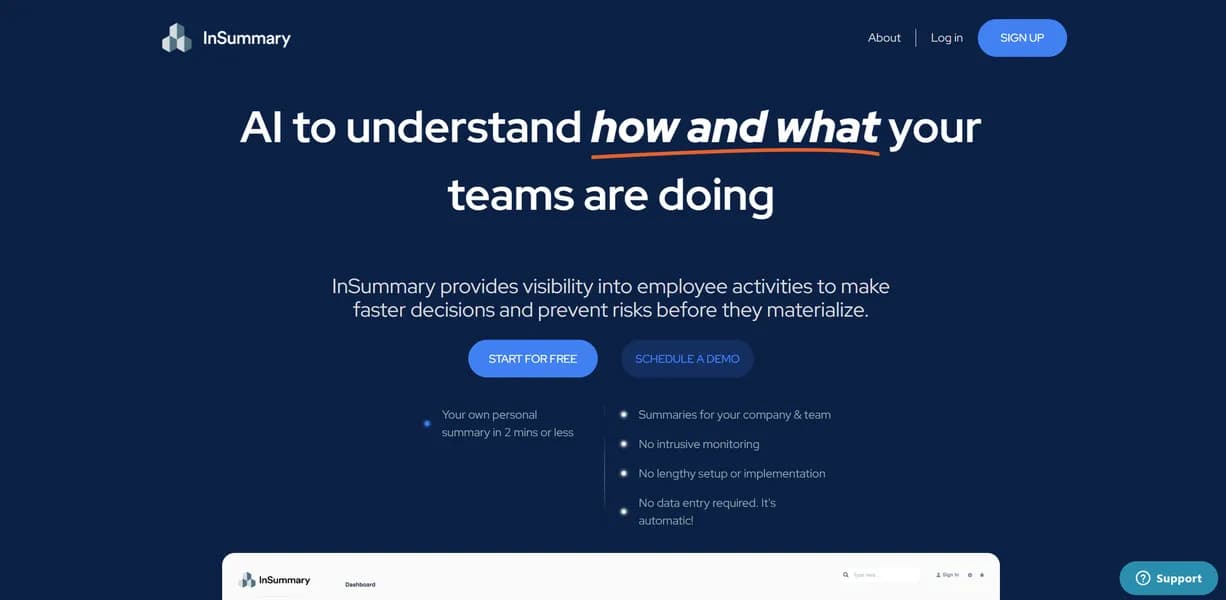

InSummary is an AI meeting assistant that records, transcribes, and summarizes video calls for professional teams. It automatically extracts action items and syncs them to CRMs like Salesforce. The free tier restricts daily AI queries, pushing most users toward paid plans.
What is InSummary?
InSummary is an automated meeting assistant that joins your video calls, records the audio, and generates structured text summaries. It replaces manual note-taking by identifying speakers and extracting specific action items.
You connect it to your calendar, and the bot handles the rest.
Developed by InSummary Inc., this tool targets sales teams, project managers, and consultants who spend hours in Zoom, Google Meet, or Microsoft Teams. It solves the problem of lost meeting context by creating a searchable database of every conversation.
You can find what a client promised three months ago in seconds.
- Primary Use Case: Automating meeting notes and CRM data entry for sales and project teams.
- Ideal For: Sales professionals and project managers handling multiple daily client calls.
- Pricing: Starts at $16.67 per month (Freemium model). The Pro plan offers unlimited AI summaries and file uploads.
Key Features and How InSummary Works
Automated Recording and Transcription
The core functionality revolves around capturing accurate audio data across different communication platforms.
- Multi-Platform Integration: Connects to Zoom, Google Meet, and Microsoft Teams. It only works with platforms that have active calendar invites.
- Multi-Language Support: Transcribes audio in over 50 languages. Accuracy drops with heavy regional accents.
- Speaker Identification: Separates dialogue by speaker. It requires clear audio without excessive overlapping chatter.
AI Summarization and Extraction
The tool uses GPT-4 to turn raw transcripts into readable notes, saving hours of manual formatting.
- Action Item Extraction: Pulls tasks and assigns them to participants. It relies on explicit verbal commitments during the call.
- Custom Templates: Formats notes based on meeting type. You must configure this on the desktop app (the mobile app lacks this feature).
Data Management and Syncing
InSummary moves your data out of silos and into your existing workflow, keeping your team aligned.
- CRM Synchronization: Pushes notes to Salesforce and HubSpot. Your CRM tier API rate limits dictate the sync volume.
- Global Search: Indexes all past transcripts for keyword retrieval. It only searches meetings recorded after you create your account.
InSummary Pros and Cons
Pros
- High transcription accuracy for standard business English beats built-in Zoom captions.
- Fast processing times deliver full transcripts and summaries in under five minutes.
- Calendar sync joins scheduled meetings without requiring manual bot invitations.
- The clean user interface requires almost zero technical training for new employees.
Cons
- The Max plan costs $200 per month, making it more expensive than direct competitors.
- The AI misinterprets specialized industry jargon or niche scientific acronyms.
- The free tier restricts daily AI searches, making it unusable for users with heavy meeting loads.
- The mobile application lacks the advanced template customization features found on the desktop version.
Who Should Use InSummary?
- Sales Teams: Reps can focus on the client while the tool pushes call notes into Salesforce.
- Project Managers: Teams can track verbal commitments and assign tasks after weekly syncs.
- Budget-Conscious Freelancers: This is not a good fit. The restrictive free tier and expensive upper tiers make it cost-prohibitive for solo users.
InSummary Pricing and Plans
InSummary uses a freemium model. The Free plan costs $0 per month but restricts daily Pro searches. This makes it a trial in disguise rather than a viable long-term option. Users with back-to-back meetings will hit the limit by noon.
The Pro plan costs $20 per month, or $16.67 if billed annually. It includes unlimited Pro searches, access to all AI models, and file uploads. Most standard users will need this tier to get real value from the platform.
The Max plan jumps to $200 per month. It removes all restrictions for heavy users. Enterprise Pro costs $40 per user per month and adds SSO and admin controls. Enterprise Max costs $325 per user per month for dedicated support.
How InSummary Compares to Alternatives
Similar to Otter.ai, InSummary joins calls and provides live transcripts. But InSummary offers deeper CRM integrations out of the box. Otter.ai focuses more on collaborative transcript editing. InSummary prioritizes automated data entry for sales teams. (I found the Salesforce sync saved me about twenty minutes per call). Both tools offer reliable speaker identification.
Unlike Fireflies.ai, InSummary struggles with niche scientific jargon. Fireflies.ai offers a more generous entry-level pricing structure. Yet InSummary provides a cleaner user interface that non-technical team members adopt faster. Both tools process summaries in under five minutes.
The Best AI Meeting Assistant for Sales Teams
InSummary is an accurate meeting assistant that saves hours of manual CRM data entry. Sales teams and agency account managers get the most value from its automated workflows.
Budget-conscious solo users should look elsewhere.
If you need a cheaper alternative with similar core features, Fireflies.ai is a better starting point.
User Reviews
No reviews yet. Be the first to share your experience!
Sign in to write a review.
Related articles
Guides and articles related to InSummary.

The Personal AI Productivity Stack (2026): One Tool Per Job, Nothing Extra
NotebookLM Sales Call Prep: 5 Sources, 6 Questions, 60 Seconds (2026)

AI SDR vs Human SDR: The Real Cost, Performance, and What Nobody Tells You

Claude Plus Notion: Turn Meeting Transcripts Into Tasks Automatically (2026)
AI Agents for Business: What They Actually Are and 12 Things You Can Automate Today