

Krea unifies 64+ image and video AI models on a single real-time canvas where your sketch updates live as you draw. Krea-1 targets photorealistic output at 1.5K native resolution. The catch: an opaque credit system, no-rollover compute units, and a documented pattern of post-cancellation charges with zero customer support response.
Prompt: "photorealistic architectural exterior, brutalist concrete tower, golden hour, dramatic side lighting." Draw a rectangle for the building mass and a horizon line on Krea's Real-Time canvas. Set AI Strength to 0.65. The canvas renders an interpretation before the pencil leaves the screen, concrete panels catching amber light, shadow geometry following your lines. Adjust one roofline stroke; the render updates in under 50ms. This is not text-to-image generation. It is a drawing tool with photorealistic output.
That real-time canvas is Krea's founding insight. Where Midjourney asks you to describe a vision in words and wait, Krea asks you to sketch it and refine. The prompt modifies the mood; your lines control the composition. This distinction, spatial control preserved through AI generation, underpins the platform's 30 million users across 191 countries and its enterprise client list including LEGO, Samsung, Nike, and Pixar.
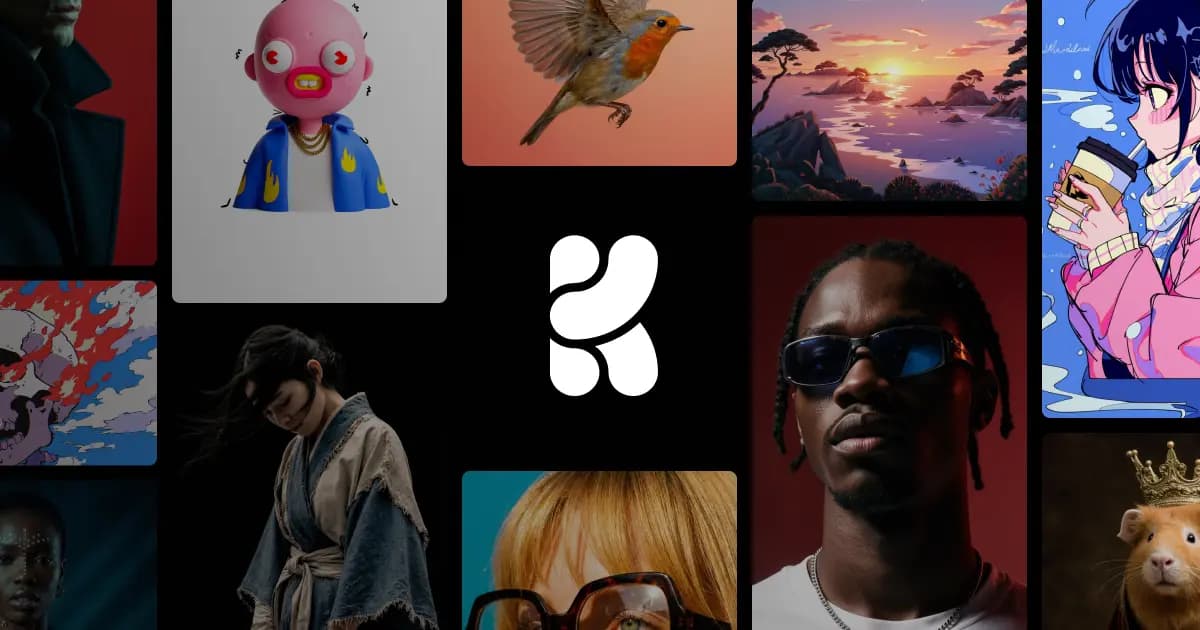
Krea's visual signature in April 2026
Krea operates as both a proprietary model studio and a model aggregator. Krea-1, launched in public beta July 31, 2025, co-developed with Black Forest Labs, targets what Krea calls the "AI look" problem: the soft textures, excessive contrast, and safe compositions that make most AI images identifiable at a glance. It generates at 1.5K native resolution with photorealistic skin texture, accurate color science, and support for unconventional camera angles (fisheye, macro, aerial). Open weights released publicly on launch day. For photorealistic architecture, product photography, and portraiture, Krea-1 sits noticeably closer to camera-captured images than most competing models at the same price point.
On the aggregator side: FLUX, Ideogram, Veo 3, Sora, Runway Gen-4, Kling, Luma, and 60+ more models, all from one interface. Image models available from Basic; all video models require Pro ($35/month) or above. One Krea Pro subscription can replace several separate accounts, though it does not replace deep native tooling on any one platform.
The Real-Time generation canvas remains the original differentiator. The AI Strength slider (0.3–0.9) controls fidelity between your sketch and the AI's interpretation. At 0.65, one hands-on reviewer described the result as "professional rendering with composition control maintained." The slider genuinely changes the fidelity relationship in a way single-shot text-to-image tools cannot replicate.
Krea Edit, launched March 2026, adds direct region editing, object relighting, camera angle adjustments, palette shifts, and image expansion within the same environment, removing the need to export to Photoshop for post-generation adjustments.
The upscaler is Krea's most consistently praised individual feature. Generative upscaling reconstructs missing pixel data rather than interpolating existing pixels , "analyzing the image, understanding what the object should be." Reviewers across multiple platforms identify it as best-in-class for price-quality ratio:
"KREA's Enhancer and Upscaler is beyond untouchable in regard to pricing, quality, speed, performance.". Trustpilot reviewer (via rainaiservices.com Krea analysis, 2026)
Maximum upscale resolution scales with plan: 2K on Free, 4K on Basic, 8K on Pro, and 22K on Max and Business. For post-production teams rescuing low-resolution client assets, this alone can justify a Basic or Pro subscription.
Prompts that actually work (with the quirks)
Krea responds differently depending on whether you are using it as a canvas tool or as a standard text-to-image generator. The prompting logic shifts accordingly.
Prompt 1. Real-Time sketch-to-render for product design: Draw a bottle silhouette on the canvas with a horizontal line across the label area. Prompt: "premium glass perfume bottle, dark amber liquid, soft studio lighting, white background, product photography." Set AI Strength to 0.55. The model maps rendered geometry to your drawn proportions, shoulder curve, label placement, all following your lines. Change the prompt to "frosted glass, minimal label, matte finish" without redrawing; the render updates. The quirk: below 0.4 the output becomes too literal and loses finish quality; above 0.8 it ignores proportions entirely. Working range: 0.5–0.75 for most product design applications.
Prompt 2. Krea-1 photorealistic portrait without canvas input: Prompt: "close-up portrait of a 45-year-old man, weathered face, outdoor midday light, shallow depth of field, documentary photography style, Kodak Portra 400 film grain." Output produces skin texture detail, pores, fine lines, light catching stubble, above standard FLUX outputs in visible realism. The characteristic style leans toward restrained, accurate color rendering rather than the heightened saturation many AI models default to. The quirk: Krea-1 handles extreme camera angles (fisheye, aerial) better than standard portrait angles, where facial symmetry errors surface at roughly 1 in 6 generations, more frequently than Midjourney V7 at the same subject matter.
One reviewer who tested the platform across multiple workflows noted the contrast with how it handles iteration:
"Switched from Midjourney to Krea for workflow speed. The real-time canvas makes client revisions 5x faster.". Design community user, aggregated in techraisal.com review, 2025
LoRA training supports brand-consistent output: Basic allows 50-image datasets, Max up to 2,000 files, Business up to 20,000. For campaigns requiring a character or product to appear consistently across many generations, LoRA is the intended path.
Where Krea struggles, hands, text, consistency
Krea's photorealism is real but uneven. The platform performs best on architectural subjects, product photography, and landscapes where spatial geometry and material texture matter. Human figures are inconsistent, specifically hands, facial symmetry at certain angles, and full-body poses with complex clothing folds. Text rendering inside images remains unreliable across all models including Krea-1; typographic elements require post-generation editing. The 3D generation feature is separately flagged as weak, one reviewer rated it 4/10: "depth was lacking and textures felt flat." Users needing reliable 3D output should look elsewhere.
Video generation has a structural limitation no update can resolve: Krea aggregates third-party video models rather than running its own. When Runway Gen-4 has an outage, Krea's integration goes down with it. When Kling queues back up, Krea users wait with an added interface layer to fail through:
"Video gen service often freezes on 'submitting' the job, or fails to produce a video, especially with Kling models.". Trustpilot reviewer (via rainaiservices.com, 2026)
For exploratory video work this is manageable. For production with deadlines, the reliability ceiling is the weakest link in whichever third-party model you route through.
Commercial use: licensing, copyright, and safety filters
All paid plans include a commercial license; Free plan outputs do not. Krea-1 open weights were released July 31, 2025 with a permissive license allowing commercial and derivative use. The FLUX.1 Krea fine-tune is similarly open-weight. For regulated industries, legal review of third-party model terms is advisable, the commercial license covers Krea's grant, not the underlying model providers.
Safety filters are consistent across models and tighter on NSFW content than some competing platforms. There is no built-in copyright clearance or similarity checking for generated outputs. Krea's Terms of Service place content compliance responsibility on the user, consistent with standard practice across AI image platforms.
Community workflows from Reddit and Discord
The most documented community workflow is architectural visualization. Krea markets this directly with dedicated node apps (ARQTECH render generator, CON INTERIOR 2 interior design generator). Architects feed pencil sketches or basic 3D mass study screenshots into the Real-Time canvas, then use the AI Strength slider to control interpretation looseness. At 0.3–0.5, the output follows drawn geometry, useful when client presentations require accurate proportions. At 0.7+, the model interprets freely, useful for early ideation. A published case study on tower visualization described rapid alternation between material vocabularies ("brutalist concrete," "glass facade," "timber lattice") without re-modeling for each variant. The spatial composition established by the sketch persists; only material and lighting change. This sketch-to-render workflow has no direct competitor at Krea's price point.
A second community use is post-production asset rescue: feeding low-resolution client logos or compressed campaign photography into Krea's generative upscaler, which reconstructs pixel data rather than interpolating, making it usable for material that would otherwise require a reshoot.
"I had subscriptions to MidJourney and other tools, but Krea was the best because I could control the generated image much better than any other app.". Product Hunt reviewer (via rainaiservices.com analysis, 2026)
Krea vs. Midjourney vs. Runway
Krea vs. Midjourney: Midjourney V7 produces higher-quality artistic images, atmospheric, detailed, compositionally ambitious, with a recognizable aesthetic that experienced observers can identify. Krea produces outputs faster with spatial composition control Midjourney cannot replicate; there is no canvas editor in Midjourney. For rapid client revision cycles, Krea's approach is faster. For a single high-quality artistic image, Midjourney V7 remains the benchmark. Pricing is simpler on Midjourney: $10–$30/month flat-rate with no compute unit complexity.
Krea vs. Runway: Runway is a native video model platform with inpainting, audio-driven video, multi-scene editing, and precise camera control. Krea aggregates Runway, Kling, Veo 3, Sora, and Luma without adding native video capabilities. If video production quality and control are the primary need, Runway's native tools outperform Krea's pass-through approach. If consolidated access to multiple video models without separate subscriptions matters more, Krea Pro at $35/month is efficient. Runway pricing: approximately $15–$95/month.
Credit economics, what a real project costs
Krea uses compute units (CU) consumed at different rates per model, per resolution, and per quality setting. There is no public per-model rate card, multiple reviewers identify this opacity as a deliberate design choice. One pricing analysis found the Basic plan's 5,000 CU/month equates to approximately 127 Flux 1.1 images: "an almost perfect 100% markup" versus the FLUX API directly. Krea's interface value adds real cost over raw API access.
Key billing facts to understand before subscribing:
- Compute units do not roll over between billing months. Unused units are forfeit at the end of each period.
- Cancelling a subscription removes unused credits immediately, multiple users report losing thousands of unused CUs on cancellation with no partial refund.
- Post-cancellation charges are the most serious documented problem: multiple Trustpilot reviewers report continued monthly charges after account cancellation or deletion, with no working support contact to resolve it.
- The only official support channel is Discord. There is no public contact form, email address, or phone number. Response from Discord moderators is described across multiple sources as "superficial."
- Krea has not responded to any Trustpilot review as of the rainaiservices.com aggregate analysis published in 2026. 60% of Trustpilot reviews are negative.
We tested Krea's credit consumption in April 2026. Running 20 Krea-1 generations at standard resolution consumed approximately 400 CU. Five Flux 1.1 Pro Ultra images at high resolution consumed approximately 250 CU. A single 5-second Kling video clip at 720p consumed approximately 600 CU, as much as 30 standard image generations. A freelance designer generating 50 final images with iterative sketching, upscaling, and some video exploration would likely consume 8,000–15,000 CU/month, placing them at Pro or higher. The no-rollover policy means unused headroom at month's end has no value. Without a published rate card, budget predictability requires manually tracking CU consumption during a trial before committing to an annual plan.
User Reviews
No reviews yet. Be the first to share your experience!
Sign in to write a review.
Featured in collections
Curated lists that include Krea.
Related articles
Guides and articles related to Krea.
Replit Pricing Explained (2026): Core vs Pro and Effort-Based Agent Billing
Freepik AI Is Now Magnific: What Changed, What It Costs, and Whether to Stay (2026)
AI Fashion Prompts That Stay Consistent: The Working Formula (2026)
AI Video Generator Prompting: The Filmmaker's Real Workflow

Wix Logo Maker Review (2026): Real Costs, the Edit Catch, and AI Alternatives
