



What is Lumiere 3D?
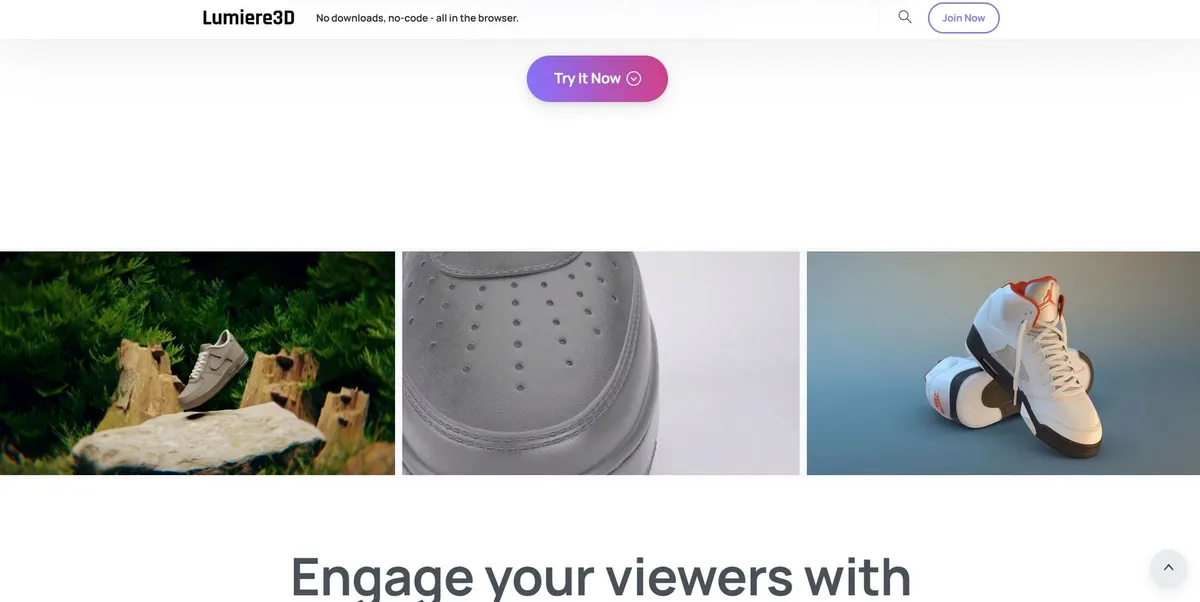
You shoot a flat product photo of a new sneaker on a white background. Five minutes later, that same shoe spins through a neon-lit 3D studio environment. The camera pans around the heel while realistic shadows track across the floor. Traditional 3D modeling requires expensive software and hundreds of hours of training. Marketers skip the complex 3D modeling process entirely with this tool. The software handles the lighting and camera work. Users upload a single flat image. The AI extrudes that image into a workable 3D object. You select a template, adjust the camera angle, and hit render. The platform outputs a polished commercial ready for social media distribution.
Developed by Lumiere 3D, this AI video creation platform replaces expensive physical production sets. E-commerce brands use it to generate professional commercials from 2D images.
- Primary Use Case: Converting static product photos into 3D cinematic videos for Instagram Reels.
- Ideal For: E-commerce brand owners selling footwear or cosmetics.
- Pricing: Starts at $22 (Monthly) – The free tier restricts users to public deployments.
Key Features and How Lumiere 3D Works
How does this platform handle complex rendering?
AI Photogrammetry and Scanning
The core engine relies on image-to-3D conversion.
- AI 3D Scanner: Converts 2D images into 3D models using photogrammetry, though complex glass textures fail.
- Cloud Rendering: Processes complex 3D lighting calculations on remote servers, requiring a stable internet connection.
Scene Construction and Templates
Users place their generated models into virtual studios.
- Cinematic Templates: Provides access to 50 pre-built 3D scenes, restricting custom environment creation.
- Camera Path Editor: Controls orbit, zoom, and tracking shots within predefined boundaries (the camera editor requires some trial and error).
Export and Distribution
The final step involves formatting the video for social media.
- 4K Export: Generates high-resolution video output for professional marketing materials.
- Code Export: Generates HTML and CSS for embedding 3D viewers on websites, restricted to paid plans.
High-resolution video exports burn through your monthly resource points.
Lumiere 3D Pros and Cons
Pros
- Studio-quality lighting simulates realistic reflections without manual setup in software like Blender.
- Creates professional-grade commercials in under ten minutes.
- Specialized templates for footwear provide superior results compared to generalist video generators.
- Costs $22 per month, which beats hiring a professional video production crew.
Cons
- Complex surfaces like glass or fine jewelry show visible AI artifacts.
- High-quality 4K renders deplete the 10,000 resource points in minutes.
- Lack of a dedicated mobile app prevents on-the-go content creation.
- Cloud-based rendering requires a stable high-speed connection for large file exports.
Who Should Use Lumiere 3D?
- Solo E-commerce Founders: Generate professional shoe commercials using pre-built 3D scene templates without hiring an agency. The low monthly cost fits tight startup budgets.
- Social Media Marketers: Export 3D product animations in 9:16 aspect ratios for TikTok marketing campaigns. The dynamic camera movements capture user attention better than static images.
- Jewelry Retailers (Not Recommended): The AI struggles with fine metallic details and transparent glass, producing unusable artifacts. These merchants need traditional 3D rendering software for accurate reflections.
Lumiere 3D Pricing and Plans
The Free plan costs $0 per month and includes 5 daily chat credits and 500 monthly tool credits. This tier forces public deployment (which functions as a restricted trial). Users cannot remove the platform watermark on this tier. The Pro plan costs $25 monthly and provides 100 chat credits alongside 10,000 resource points. Paying annually drops the Pro plan to $22 per month. This tier unlocks custom domains and code export features. Enterprise plans offer custom pricing for specialized business needs. Large teams receive dedicated support and custom API access.
How Lumiere 3D Compares to Alternatives
Similar to Flair AI, Lumiere 3D targets e-commerce product photography. Flair AI focuses on generating static 2D lifestyle backgrounds for product shots. Users drag and drop props around a flat canvas. Lumiere 3D builds actual 3D environments with moving camera paths. Flair AI costs $10 per month, making it cheaper for users who need static images. The learning curve for Flair AI feels shorter due to its 2D nature.
Unlike Mokker AI, this tool emphasizes video output over high-volume static image replacement. Mokker AI excels at batch-processing hundreds of product photos into different background templates at once. Merchants use Mokker AI to update entire product catalogs in minutes. Lumiere 3D requires more manual input for camera paths but delivers cinematic video files instead of flat JPEGs. Mokker AI charges $19 per month for its starter tier.
Verdict: Best for Footwear and Cosmetic Brands
E-commerce marketers selling opaque products get the most value from this platform.
The tool turns boring product shots into engaging social media assets.
Brands selling transparent goods should look elsewhere.
Flair AI remains a better alternative for merchants who need static lifestyle images.