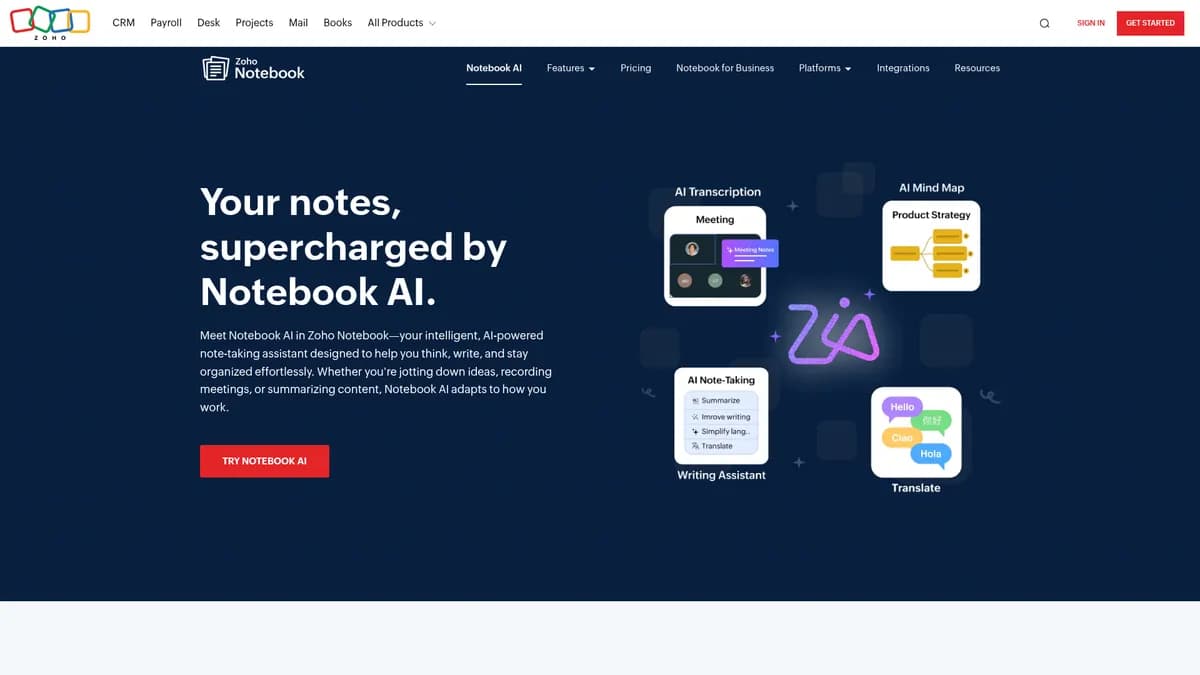

Notebook AI by Zoho Corporation is a cross-platform note-taking application that uses artificial intelligence to summarize text and generate checklists. It helps students and professionals organize unstructured data into actionable formats. While the free tier offers basic features, the $249.99 monthly Ultra plan prices out most solo users.
What is Notebook AI?
Notebook AI is a digital workspace that applies artificial intelligence to your raw notes. It reads your text, extracts action items, and rewrites paragraphs to change their tone.
Zoho Corporation built this tool to fix the problem of disorganized meeting transcripts and scattered research. It targets professionals and students who need to turn long documents into short bulleted lists quickly.
- Primary Use Case: Summarizing long meeting transcripts into concise bulleted lists.
- Ideal For: Business users already operating within the Zoho software ecosystem.
- Pricing: Starts at $9.00/mo (Premium) – A massive price jump exists between the $14 Plus plan and the $249.99 Ultra tier.
Key Features and How Notebook AI Works
Text Processing and Generation
- AI Summarization: Condenses long notes into key takeaways. This is limited by the maximum character count of the source note.
- Smart Rephrasing: Rewrites text to adjust tone or clarity. This function is limited to processing one text block at a time.
- Checklist Generation: Identifies tasks in text and converts them to checkboxes. It is limited to sentences containing clear action verbs.
Audio and Search Capabilities
- AI Transcription: Converts voice recordings to text. Users are limited to 100 minutes per month on the Plus plan.
- Chat with Notes: Uses natural language to answer questions about stored content. Query speed is limited by slower processing times during peak hours.
Organization and Security
- Smart Cards: Formats links, recipes, and documents visually. This feature is limited to specific supported URL types and file formats.
- Multi-device Sync: Updates notes across iOS, Android, Windows, macOS, and Linux. Sync speed is limited by your active internet connection.
- Zia Integration: Provides context-aware suggestions using Zoho proprietary AI. Access is limited to users operating within the Zoho ecosystem.
Notebook AI Pros and Cons
Pros
- Integrates directly with the Zoho ecosystem for unified business workflows.
- Works natively across iOS, Android, Windows, macOS, and Linux devices.
- Protects sensitive data using AES-256 encryption and two-factor authentication.
- Uses visual Smart Cards to organize content faster than standard text lists.
Cons
- AI response times lag behind dedicated LLM interfaces during peak usage hours.
- The $249.99 monthly Ultra plan costs significantly more than Evernote or Notion.
- Transcription accuracy drops sharply when background noise or multiple speakers are present.
- Lacks deep third-party integrations for users outside the Zoho software suite.
Who Should Use Notebook AI?
- Zoho Power Users: Teams already using Zoho CRM or Projects will find the Zia integration highly useful.
- Students on a Budget: The free Starter plan provides enough basic organization for class notes.
- Solo Professionals: Freelancers needing advanced AI writing tools should look elsewhere due to the steep Ultra plan pricing.
Notebook AI Pricing and Plans
- Starter: Free. Includes 100 notebooks and 50 sources per notebook with basic features.
- Premium: $9.00 per month. Unlocks full access to core AI features.
- Plus: $14.00 per month. Increases limits to 200 notebooks, 100 sources per notebook, and 100 minutes of AI transcription.
- Ultra: $249.99 per month. Provides 500 notebooks, 600 sources per notebook, and video overviews.
How Notebook AI Compares to Alternatives
Similar to Notion AI, Notebook AI offers text summarization and tone adjustment. Unlike Notion (which uses a block editor), Zoho relies heavily on its visual Smart Cards rather than a blank canvas approach. Notion provides better third-party database integrations for complex project management.
Compared to Google NotebookLM, Zoho focuses more on daily task extraction and audio transcription. Google NotebookLM excels at synthesizing massive research documents into study guides. Zoho wins on mobile accessibility with native apps across all major platforms.
The Best Fit for Zoho Ecosystem Loyalists
Notebook AI delivers strong value for teams already invested in Zoho software. The native Zia integration makes pulling context from other apps easy.
Solo users might find the pricing structure frustrating.
If you need heavy AI writing assistance without a $250 monthly bill, Notion AI is a better choice. Notebook AI will likely expand its third-party plugin support within the next 12 months to attract users outside its current ecosystem.
User Reviews
No reviews yet. Be the first to share your experience!
Sign in to write a review.
Related articles
Guides and articles related to Notebook AI.

The Personal AI Productivity Stack (2026): One Tool Per Job, Nothing Extra

NotebookLM Sales Call Prep: 5 Sources, 6 Questions, 60 Seconds (2026)

Perplexity AI Tutorial: Maximize Your Research Workflows

Claude vs Microsoft Copilot in Word, Excel and Outlook: Which Should You Actually Use (2026)

Google Vision AI Explained (2026): Pricing Per 1,000 Units, Free Tier, and Alternatives