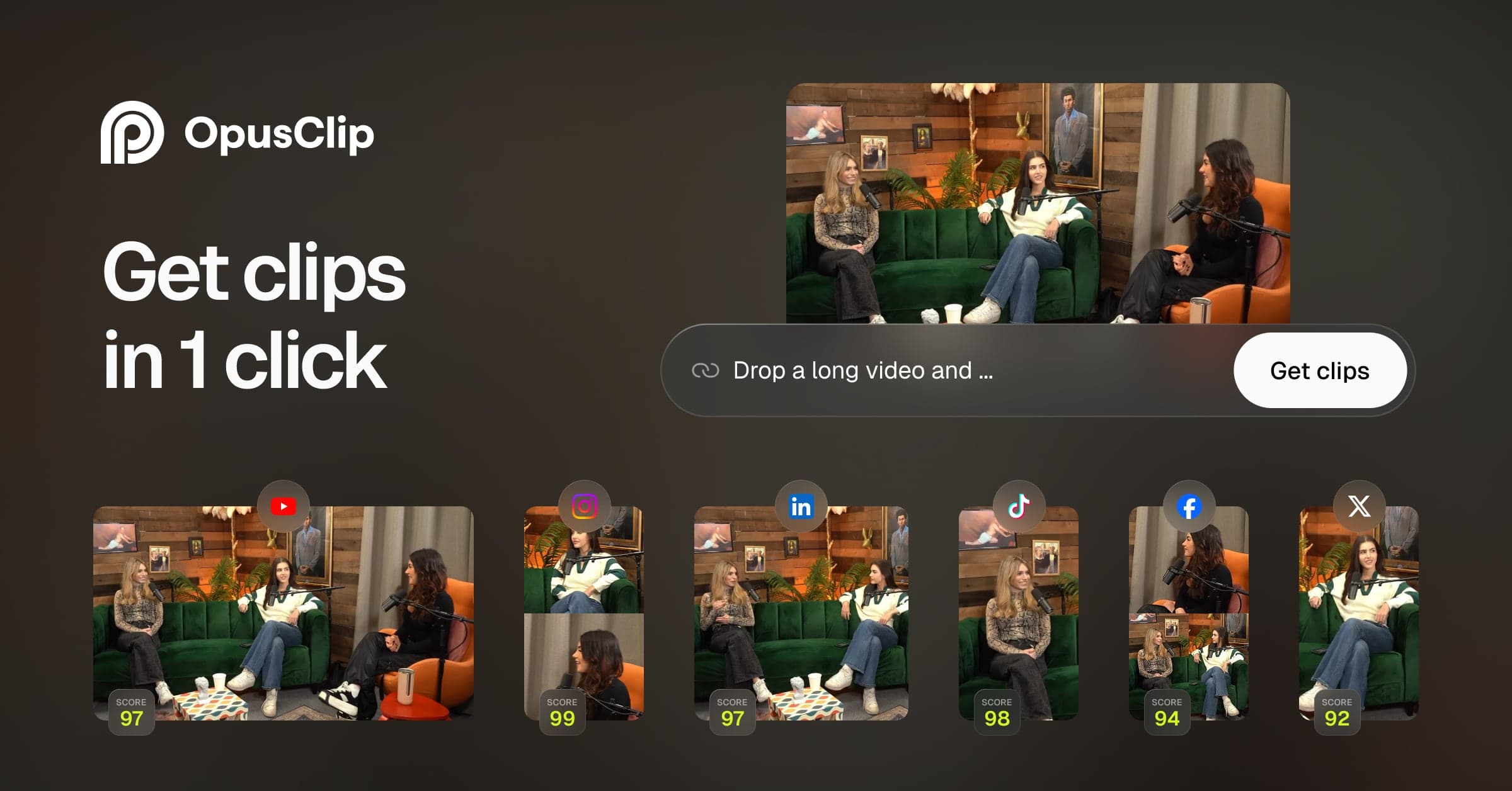

OpusClip is the leading AI tool for turning long-form video into short social clips. Used by 16M+ creators and major brands, it auto-identifies engaging moments, adds animated captions, and schedules to TikTok, Reels, and YouTube Shorts. Freemium, starting at $9/mo.
OpusClip (opus.pro) is an AI-powered video repurposing tool built by Opusclip Inc., co-founded by Young Zhao and Grace Wang in 2022. It solves a specific problem: turning long recordings, whether a 90-minute podcast, a YouTube interview, or a webinar, into short vertical clips formatted for TikTok, Instagram Reels, and YouTube Shorts, without manual editing. The company reached 16M+ creators and businesses by early 2026 and raised a $30M Series A in August 2024, one of the larger funding rounds in the AI video tools category that year.
The core workflow is upload-and-select. You paste a YouTube URL or upload a video file directly, the AI identifies the most engaging moments, scores each clip's viral potential from 0 to 99, and outputs vertical-format clips with animated captions already added. Beyond basic clipping, the platform includes AI Reframe for automatic aspect ratio conversion, AI B-Roll generation, a social media scheduler that posts directly to TikTok/Reels/Shorts, brand template support, and an XML export for finishing clips in Adobe Premiere Pro or DaVinci Resolve. For scale, it also integrates with HeyGen in creator workflows where talking-head overlays are needed, and creators often combine it with Runway when they need generative B-roll rather than the AI-sourced variety OpusClip provides natively.
What OpusClip outputs in April 2026
OpusClip processes video at up to 1080p resolution on Starter and Pro plans. Clips export in 9:16 (vertical), 1:1 (square), or 16:9 (horizontal) aspect ratios, with auto-reframe repositioning the speaker frame-by-frame during aspect ratio conversion. Caption accuracy is claimed at 97%+, with animated caption styles and support for 20+ languages on Starter plans. The free plan applies a watermark and limits project storage to three days.
The August 2024 ClipAnything model is the most significant capability update since launch. Where earlier versions analyzed spoken transcripts to find clip-worthy moments, ClipAnything processes visuals, audio tone, facial expressions, and dialogue simultaneously. The company describes it as "the world's first multimodal AI clipping" and trained it on engagement data from all 6M users, incorporating actual social performance metrics, not just internal quality signals. This means it can surface engaging moments from vlogs, sports, and gaming clips, not just interview-format content where a speaker is consistently on screen and talking.
The Virality Score (0-99) is assigned to each output clip and factors in hook strength (does the first three seconds create a reason to keep watching?) and narrative flow (does the clip have a coherent arc?). It draws on patterns from thousands of clips that actually performed well on social platforms. The score is a guide, not a guarantee, but it gives creators a ranked list to work from rather than a flat grid of 20 equal-weight suggestions.
Agent Opus, listed as a new feature on the website as of April 2026, appears to be an agentic layer for more autonomous repurposing workflows, though detailed documentation was limited at time of research. The social scheduler supports direct auto-posting to YouTube Shorts, TikTok, and Instagram Reels without leaving the platform, which distinguishes it from pure clip-generation tools like 2short.ai that require a separate scheduling tool.
Where OpusClip sits versus 2short.ai and Submagic
The two closest competitors in the long-to-short niche are 2short.ai and Submagic, but both take meaningfully different architectural approaches.
2short.ai is narrower by design. It accepts YouTube links only, not direct uploads, which limits it to content already published on YouTube. Its AI relies primarily on transcript text rather than multimodal analysis, so it performs well on dialogue-heavy content but has no equivalent to ClipAnything's ability to read visual and emotional context. 2short.ai uses a pay-per-hour pricing model rather than a subscription, which works out cheaper at high volumes (a 10-hour monthly upload workload may cost less on 2short.ai), but it lacks a virality scoring system, built-in social scheduler, or brand template support. For a solo YouTuber repurposing existing library content, 2short.ai is a credible alternative at lower cost. For teams or creators managing cross-platform scheduling, OpusClip's feature surface is broader.
Submagic is a different product category despite the surface similarity. Submagic starts from captions, not clip selection. Its core proposition is: take a short video you already have, and make it look polished with animated captions, Strategic Zoom (which analyzes audio sentiment to apply motion effects at emotionally charged words), and over 2x the caption style variants OpusClip offers. Submagic supports 50+ languages, 4K/60fps export, and 30-minute video inputs. It does not automate the extraction of clips from long videos; that is OpusClip's job. The comparison is roughly: use OpusClip to decide which 90 seconds of a 60-minute podcast to post, then optionally use Submagic to add final-touch caption styling. Many creators use both in sequence.
"OpusClip is a rare instance where I was a customer first, then had the chance to invest. I have no doubt that OpusClip is on its way to becoming the next billion-dollar company!" - Jason Lemkin, SaaStr founder/CEO, OpusClip blog, August 2024
The virality score is also a genuine differentiator from both rivals. Neither 2short.ai nor Submagic assigns a pre-publish engagement prediction to clips. Whether the score's predictions actually correlate with performance in a given creator's audience is something individual results vary on, but it provides a decision-making scaffold that the alternatives do not. Creators who make high volumes of clips (10+/week) consistently report the score helps prioritize the editing queue. Pairs well with tools like Visla when a full production workflow is needed beyond short-form repurposing.
The real cost of generating clips with OpusClip
The free plan gives 60 processing minutes per month with a watermark on all exports. At an average clip-generation ratio of roughly 1 minute of input equaling 3-4 minutes of processing time, 60 minutes covers about 15-20 minutes of raw video per month. That is enough to trial the product but not enough for any regular publishing cadence.
The Starter plan at $15/month (monthly billing) provides 150 processing minutes, covering roughly 35-45 minutes of source video. No annual billing option is listed for Starter. Pro at $29/month or approximately $14.50/month on annual billing ($174/year) includes 3,600 credits per year, 100GB storage, 2 brand templates, AI B-Roll, and two team member seats. The annual Pro plan is where the cost-per-clip becomes defensible for weekly publishers.
The credit mechanics create friction. OpusClip subscriptions operate on both processing minutes and credits simultaneously. Deleting an unsatisfactory clip does not automatically refund the credit used. A refund mechanism exists but, per multiple Trustpilot reviewers, it is deliberately non-obvious within the interface. Monthly plan credits expire in 60 days; annual plan credits expire in 13 months. Projects created under a subscription that has since lapsed become inaccessible. API access is Business-tier only, at custom pricing via sales.
"Their subscription is based on time AND credits at the same time, so you are buying AND subscribing to a product simultaneously. There IS a way to delete a video AND receive a refund. This option is very hidden." - Aramis, Trustpilot, March 2026
For comparison, Pika's credit-based model is simpler to track because it does not combine a time-based quota with a separate credit pool. High-volume users at agencies or media companies should request Business pricing directly and negotiate credit carry-over terms before committing.
Where OpusClip consistently breaks
The most common complaint across Trustpilot, Product Hunt, and Reddit in 2025-2026 is processing reliability. Videos stall mid-process or fail silently, and the support team response rate is poor. Kyle Hislop on Trustpilot (March 2026, 1-star): "Been using Opus Clip for well over a year doing the same style videos but lately the system is really slow and so many failed projects." Justin Bennet (Trustpilot, February 2026, 1-star): "Videos hang for hours, and often never finish processing. What's worse is that their support team seems either unwilling or unable to help." The 22% one-star rate on Trustpilot across 302 reviews is notable for a well-funded product at this scale.
The AI has a structural weakness with nuance. It reads words and sentiment signals, but it does not understand comedic timing, sarcasm, or the one sentence that recontextualizes everything said before it. A Reddit user in r/podcasting put it plainly: "It's pretty good at giving me ideas.. but I'm always like you didn't use the good parts." The AI optimizes for hook and flow signals it can measure; it cannot understand why a setup matters to the punchline.
Gaming content is a specific dead zone. ClipAnything's improvement here is real but limited. The AI still optimizes for speech pause patterns, which means it will clip a calm loadout explanation over an intense in-game moment. The tool is fundamentally better suited to talking-head and interview formats.
The social media scheduler fails intermittently. TikTok connections drop and require re-authentication. Posts sometimes fail silently, never publishing, with no error notification. The built-in editor is slow and imprecise enough that many creators download clips and do caption corrections in a separate tool rather than within OpusClip itself.
Best use cases versus skip-this scenarios
Where OpusClip earns its place: Podcasters publishing 1-3 episodes per week who want a consistent short-form output without hiring a video editor. Marketers repurposing webinar recordings and executive interviews into social content. YouTube creators doing regular commentary, education, or interview content where the AI's speech-pattern detection works well. Teams who want a single tool for clipping, captioning, branding, and scheduling rather than a stack of separate tools.
Where to skip it: Gaming channels and action-sport content where gameplay, not commentary, is the draw. Creators requiring 4K export, which is not available below Business tier. Any workflow that requires API access at sub-Business pricing. Creators who need zero-edit output: most clips require at least minor caption corrections and timing adjustments before posting. If the primary need is caption styling on content you are already cutting manually, Submagic or CapCut's caption tools are simpler and cheaper.
OpusClip sits alongside HeyGen and Runway in the professional video content stack. It is not a replacement for either: HeyGen handles avatar and talking-head generation, Runway handles generative video. OpusClip's role is specifically repurposing existing footage for short-form distribution, and within that role it remains the most fully featured option available at consumer price points in April 2026.
User Reviews
No reviews yet. Be the first to share your experience!
Sign in to write a review.
Featured in collections
Curated lists that include OpusClip.
Related articles
Guides and articles related to OpusClip.

Sell AI-Generated Short Films on TikTok Shop, Instagram & YouTube (2026)

AI Instagram Reels Factory: 30 Reels/Day on Autopilot (2026)

How to Repurpose One Blog Post Into 30 Pieces With AI (The Step-by-Step System)

GPT-5.5 Instant vs Claude Opus 4.7: 2026 Routing Matrix

Replit Pricing Explained (2026): Core vs Pro and Effort-Based Agent Billing