

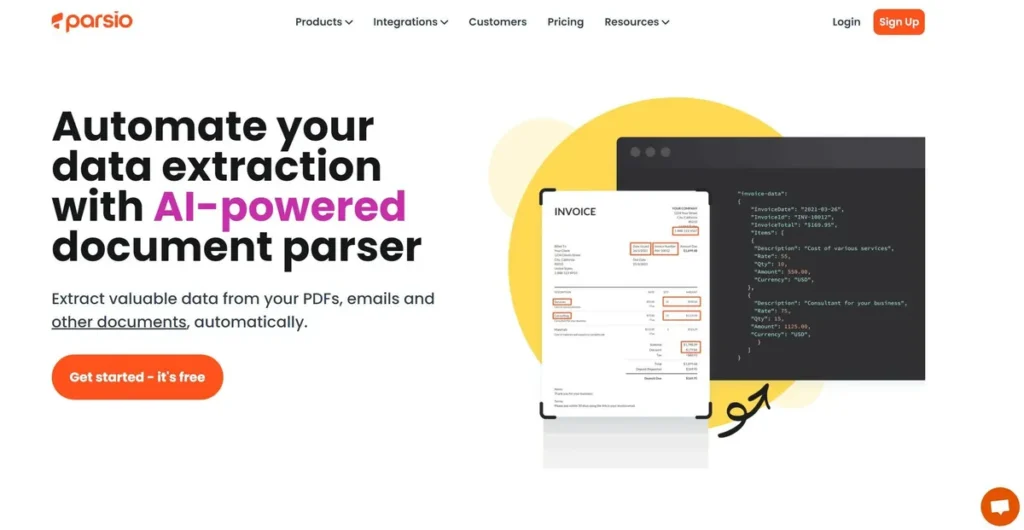
What is Parsio?
In any small business, time is money. Countless hours are lost to the mundane task of manually transferring information from emails, PDFs, and other documents into spreadsheets, CRMs, or accounting software. Whether it’s processing invoices, logging sales leads, or capturing order details, this administrative drag is a direct hit to productivity. Parsio enters the market as a potential solution, offering an AI-powered platform designed to automate this exact process. It acts as a digital middleman that reads your documents, understands the content, and exports the key information into a structured, usable format. For a business owner, the promise is simple: reduce manual data entry to free up your team for work that actually grows the bottom line.
Key Features and How It Works
Parsio isn’t just a simple data scraper; it employs a suite of tools to handle different types of documents and data formats. From a business perspective, understanding its core functions is key to evaluating its potential ROI.
- AI PDF Parser: This feature allows you to create templates to extract specific data points from structured PDFs like invoices or purchase orders. Once a template is set, Parsio can automatically process any similar document, pulling details like invoice numbers, dates, and line items.
- Invoice OCR: Specifically tailored for accounts payable, this tool uses Optical Character Recognition (OCR) to read and digitize invoice data. It reduces the risk of costly manual entry errors and can significantly speed up payment processing workflows.
- GPT Parser for Unstructured Files: This is arguably the platform’s most powerful feature. Think of the GPT Parser as a highly trained administrative assistant who can read a long, rambling email from a potential client and instantly pick out their name, phone number, and specific request, then neatly log it into your CRM. It understands context, not just fixed positions on a page, making it ideal for extracting data from human-written text that doesn’t follow a rigid format.
- Broad Integration Capabilities: Extracting data is only half the battle. Parsio’s value is amplified by its ability to send that data where it’s needed. Direct integrations with tools like Google Sheets, Slack, QuickBooks, and thousands more via webhooks or platforms like Zapier mean the entire workflow, from receiving a document to acting on its data, can be automated.
Pros and Cons
No tool is a perfect fit for every business. Here’s an objective look at where Parsio shines and where it may fall short.
Pros
- Significant Time Savings: By automating repetitive data entry, Parsio can reclaim hours of administrative work each week, a direct and measurable boost to team productivity.
- Improved Data Accuracy: Automation eliminates the typos and copy-paste errors inherent in manual data entry, leading to cleaner data in your financial and operational systems.
- Scalable Automation: The system is designed to handle an increasing volume of documents as your business grows, without a proportional increase in manual effort.
Cons
- Initial Setup Time: Parsio is not a zero-effort solution. Users must invest time upfront to create parsing templates and configure integrations. The long-term time savings must outweigh this initial investment.
- Performance Depends on Document Quality: The tool’s accuracy is directly tied to the clarity of the source documents. Poorly scanned, low-resolution, or handwritten files will likely yield unreliable results.
- Language Limitations: The platform is optimized for Latin and European languages, which could be a significant limitation for businesses operating in other global markets.
Who Should Consider Parsio?
Parsio is most valuable for businesses where employees are consistently transferring data from a digital document into another system. If this describes a core bottleneck in your operations, the tool is worth investigating.
- E-commerce Businesses: Automate the extraction of order details from confirmation emails to update inventory systems or shipping manifests.
- Real Estate Agencies: Capture and route leads from platforms like Zillow or from direct email inquiries into a central CRM without manual intervention.
- Accounting and Bookkeeping Firms: Streamline accounts payable by automatically processing client invoices and feeding the data directly into QuickBooks or other accounting software.
- Marketing Agencies: Consolidate lead data from various campaign sources (e.g., contact form emails) into a single database for efficient follow-up.
Pricing and Plans
Parsio operates on a freemium model, allowing businesses to test its capabilities before committing to a paid plan. The cost primarily scales with the volume of documents you need to process.
- Free Plan: A ‘try before you buy’ tier that includes a limited number of documents per month. This is ideal for very low-volume users or for fully evaluating the platform’s fit for your workflow.
- Pro Plan (starting at $19/month): The entry-level paid tier designed for small businesses. It offers a significantly higher document processing limit and access to more advanced features and integrations. Additional tiers are available for higher-volume needs.
Disclaimer: Pricing and plan details are subject to change. Please visit the official Parsio website for the most current information.
What makes Parsio great?
What makes Parsio a compelling tool for business owners is its GPT-powered parser, which can intelligently understand and extract data from unstructured, human-written text. While many tools can parse a structured PDF invoice, few can reliably interpret a conversational email from a customer to pull out key details. This ability to handle variability is what sets it apart. It moves beyond simple template-based extraction into the realm of cognitive automation. When you combine this intelligent parsing with its seamless integration into the software you already use, Parsio becomes more than just a data entry tool—it becomes a central hub for automating entire information workflows, which is where the real ROI is found.
Frequently Asked Questions
- How much technical skill is needed to set up Parsio?
- Basic technical comfort is required. While you don’t need to be a developer, you should be prepared to spend some time learning the interface, creating your first few parsing templates, and connecting your other applications. Parsio provides tutorials to guide you through the process.
- Is my business data secure with Parsio?
- Data security is a critical consideration. Parsio, like other SaaS providers handling business data, implements security measures to protect user information. For specific details on their data handling, privacy policies, and compliance, it’s always best to review the documentation on their official website.
- Can Parsio extract data from handwritten notes or poor-quality scans?
- No, this is a key limitation. Parsio’s OCR and AI models rely on clear, machine-readable text. It is not designed to interpret handwriting and will struggle with blurry, skewed, or low-resolution scanned documents. For best results, use high-quality digital documents.
- How is Parsio different from the built-in email parser in Zapier?
- While both can extract data, Zapier’s parser is generally rule-based, requiring you to define specific text markers to find the data. Parsio’s GPT-powered parser can understand the context of the document, allowing it to extract data from unstructured emails and complex documents where the data’s location might vary. This makes Parsio more powerful for handling variable, human-generated content.