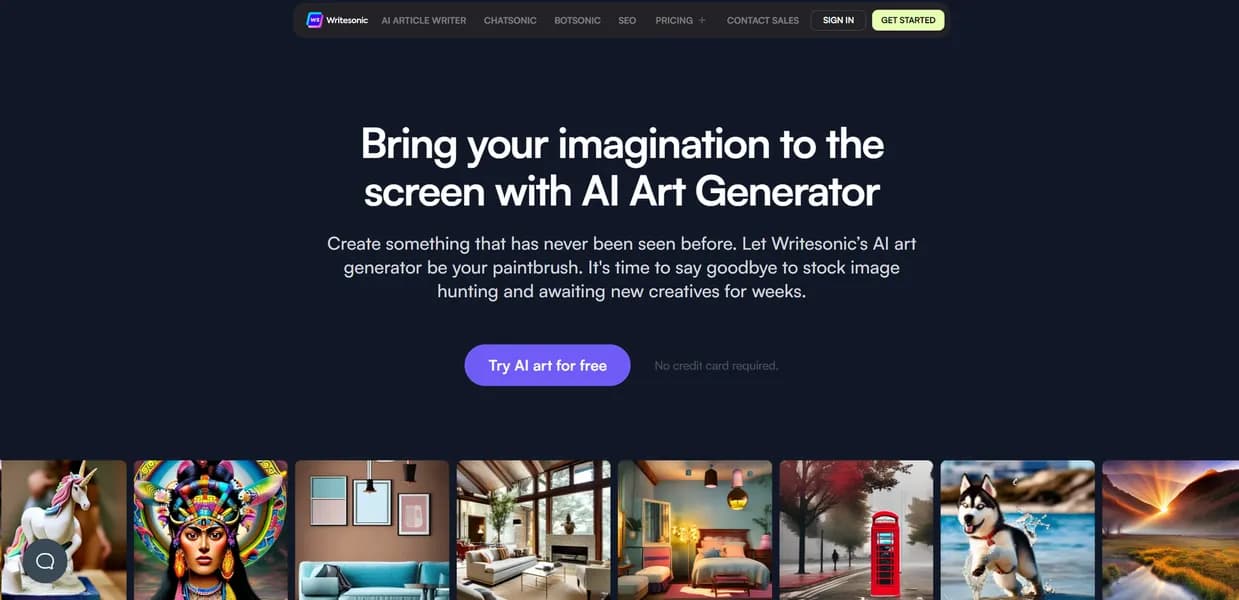

Photosonic AI generates digital images and illustrations from text prompts for marketers and bloggers. It integrates with the Writesonic text editor to create blog graphics. The platform lacks advanced parameter controls like negative prompts, making precise image adjustments difficult for advanced users.
What is Photosonic AI?
Users expect AI image generators to act like magic wands, producing perfect art on the first try. Instead, they get a steep learning curve filled with confusing parameters and endless prompt tweaking. Photosonic AI takes a different approach by removing complex settings. It trades deep customization for speed, giving users a simple text box that generates images in under 30 seconds.
Writesonic, Inc. developed this tool for marketers, bloggers, and content creators who need fast visual assets. The platform solves the problem of sourcing expensive stock photos by generating custom illustrations inside a text editor. If you write articles and need matching header images, this tool keeps you in one browser tab.
- Primary Use Case: Generating custom blog post illustrations to match specific article themes.
- Ideal For: Content marketers and bloggers who use Writesonic for text generation.
- Pricing: Starts at $16/mo (Individual). A reasonable entry point for solo creators needing basic image generation.
Key Features and How Photosonic AI Works
Image Generation and Control
- Text-to-Image Generation: Converts descriptive text prompts into visual art across 10 distinct styles. Users cannot add custom style weights.
- Aspect Ratio Control: Choose between Square (1:1), Horizontal (16:9), and Vertical (9:16) outputs. Custom pixel dimensions are not supported.
- Auto-prompting: An AI-assisted tool improves basic user descriptions. It limits suggestions to a predefined set of descriptive keywords.
Editing and Enhancement
- Resolution Upscaling: Enhances generated images to 2K resolution for print and web use. Upscaling costs additional generation credits.
- Face Restoration: Fixes distorted facial features to improve portrait realism. It struggles with side profiles or extreme angles.
- Background Removal: Isolates subjects from generated backgrounds with one click. Complex edges like hair require manual cleanup in external software.
Workflow Integration
- Writesonic Integration: Inserts generated images into AI-written articles. This requires an active session in the Writesonic document editor.
- Bulk Generation: Creates up to 5 unique image variations in one batch. This feature is restricted to paid professional plans.
- Prompt History: Stores previous prompts and generated assets in the cloud. Free accounts lose access to history after 30 days.
Photosonic AI Pros and Cons
Pros
- Connection with Writesonic writing tools accelerates the content creation workflow for bloggers.
- The minimalist dashboard allows beginners to generate art in under 30 seconds without technical knowledge.
- The Autocomplete feature helps users who struggle with descriptive prompt engineering get superior results.
- Users on paid plans retain full ownership and commercial usage rights for all generated images.
- The platform offers a wide range of artistic filters from photorealistic photography to abstract surrealism.
Cons
- High-quality generations and upscaling consume high credit volumes, making heavy use expensive.
- The AI model struggles with rendering realistic human hands and complex limb positions.
- The tool lacks deep parameter controls like seed numbers or negative prompts found in Midjourney.
- The generator fails to render specific text strings or typography within images.
These limitations force users to rely on trial and error.
Who Should Use Photosonic AI?
- Content Marketers: You need quick, relevant images to break up long blocks of text in blog posts. The Writesonic integration saves you from downloading and uploading files across different apps.
- Social Media Managers: You require a steady stream of unique graphics for Instagram and Pinterest campaigns. The preset aspect ratios fit standard social media dimensions.
- Professional Digital Artists: This tool is not for you. The lack of negative prompts and seed control makes it impossible to achieve the exact composition required for client work.
Photosonic AI Pricing and Plans
The pricing structure ties image generation to Writesonic word counts.
- Free: $0/mo. Includes 10,000 words per month and basic GPT-3.5 access for 1 user. This acts as a trial to test the interface before paying.
- Individual: $16/mo (billed annually). Provides 100,000 words per month, GPT-4 access, and the AI Article Writer 4.0.
- Small Team: $19/mo. Offers a choice between 100,000 words or 1,000 images, suitable for collaborative projects.
- Standard: $79/mo (billed annually). Delivers 1,000,000 words per month, GPT-4 Turbo, and Bulk Generation features.
- Enterprise: Custom pricing. Includes custom word limits, API access, SSO, and a dedicated account manager.
Credit consumption remains a significant friction point for active users.
Generating a standard image costs one credit, but upscaling that same image to 2K resolution drains additional credits (a frustrating surprise for new users).
How Photosonic AI Compares to Alternatives
Similar to Midjourney, Photosonic generates high-quality art from text prompts. Unlike Midjourney, Photosonic operates inside a standard web browser rather than requiring a Discord account. Midjourney produces superior photorealism and offers deep parameter controls like aspect ratio weighting and stylize values. Photosonic wins on accessibility but loses on overall image fidelity and artistic control.
DALL-E 3 integrates into ChatGPT, much like Photosonic integrates into Writesonic. DALL-E 3 processes complex, multi-sentence prompts with higher accuracy than competing models. Photosonic requires shorter, keyword-heavy prompts to function. If you need text rendered inside an image, DALL-E 3 handles typography with higher accuracy than Photosonic.
Verdict: The Ideal Tool for High-Volume Bloggers
Photosonic AI serves a specific audience. If you use Writesonic to draft articles and need fast header images, this tool fits your workflow. The integration saves time and keeps your assets organized in one place. Solo bloggers and small marketing teams will get the most value from the $16 per month Individual plan.
If you need precise artistic control or photorealistic human subjects, choose a different platform. Professional designers should skip Photosonic. Midjourney remains the better choice for users who need high-end commercial art and are willing to learn complex prompt engineering.
User Reviews
No reviews yet. Be the first to share your experience!
Sign in to write a review.
Related articles
Guides and articles related to Photosonic AI.

How to Get an AI Model Wearing Your Clothes (Step by Step)

Best AI Fashion Model Generators for Clothing Brands (2026)

AI Fashion Prompts That Stay Consistent: The Working Formula (2026)

AI Video Generator Prompting: The Filmmaker's Real Workflow

Wix Logo Maker Review (2026): Real Costs, the Edit Catch, and AI Alternatives