



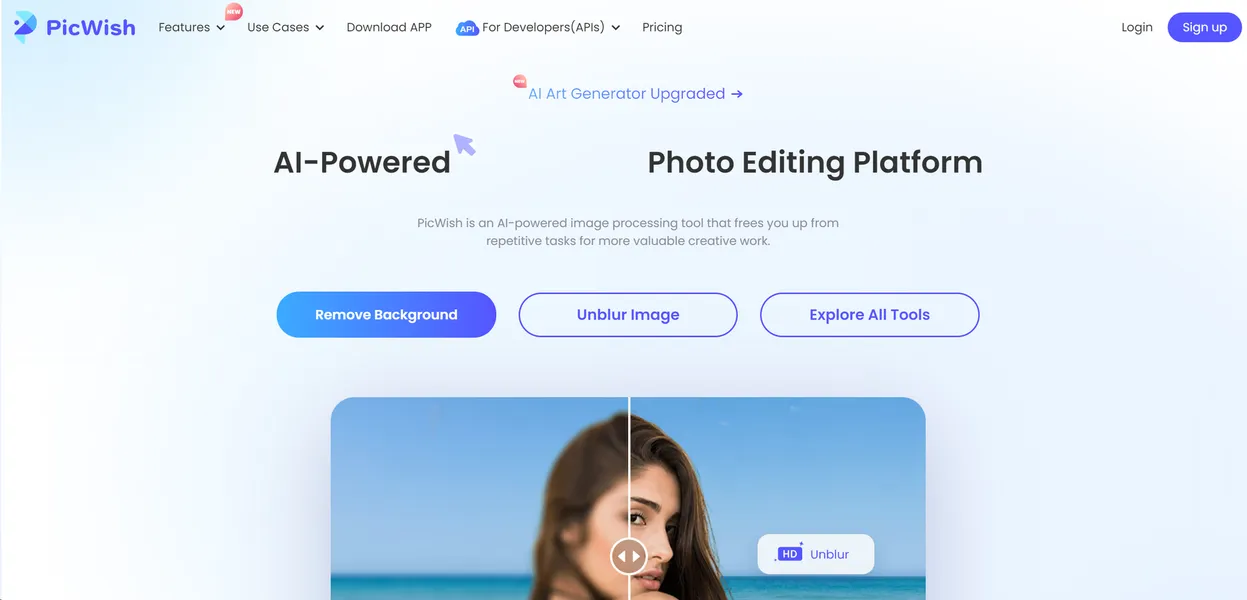
What is PicWish?
PicWish functions as an automated photo editor that strips backgrounds and upscales low-resolution images. Users upload files and the software isolates the subject in seconds. The platform replaces manual clipping paths with artificial intelligence.
Wangxu Technology developed this platform to solve repetitive image editing tasks for e-commerce sellers and designers. The tool targets online merchants who need clean Amazon or Shopify listings. Users achieve professional results without hiring a graphic designer. The interface requires zero technical skill.
- Primary Use Case: Removing backgrounds from product photos for e-commerce listings.
- Ideal For: Solo merchants and small design teams.
- Pricing: Starts at $9.99 (Monthly Subscription). Users get full access to Pro features and higher processing limits.
Key Features and How PicWish Works
Background and Object Removal
- AI Background Removal: Isolates subjects and handles complex edges like hair. Limit: The web version processes one image at a time.
- Object Removal: Erases unwanted elements using a brush tool. Limit: Large objects often leave visible smudges on the final image.
- ID Photo Maker: Creates passport photos with specific background colors. Limit: Users must verify exact sizing requirements for their specific country.
Image Enhancement
- Photo Enhancer: Increases image resolution up to 400 percent. Limit: Maximum output size depends on the original file dimensions.
- Photo Colorizer: Adds color to monochrome images. Limit: Results depend on original photo contrast and lighting.
Bulk Processing and Automation
- Batch Processing: Edits multiple images at once. Limit: Capped at 100 images per batch on the desktop app.
- API Integration: Connects background removal to custom apps. Limit: Billed per API call using a separate credit system.
- Web Extension: Removes backgrounds inside the Chrome browser. Limit: Requires a stable internet connection to function.
PicWish Pros and Cons
Pros
- Background removal takes less than five seconds per image.
- The desktop app processes up to 100 images at once.
- Edge detection isolates difficult subjects like fur and glass.
- The platform works across web, Windows, macOS, iOS, and Android.
Cons
- High-resolution downloads deplete paid credits fast.
- The text-to-image generator produces noticeable artifacts compared to Midjourney.
- Mobile app users report frequent issues when canceling subscriptions.
- The web version lags during large file uploads.
Who Should Use PicWish?
- E-commerce sellers: Merchants can standardize product photos for Amazon listings in minutes.
- Casual photographers: Users can erase tourists from travel photos using the mobile app.
- Freelance designers: Creators can upscale low-resolution client assets for print materials.
- High-volume agencies: Teams processing thousands of images daily will find the credit system too expensive. This tool is not a good fit for massive operations.
PicWish Pricing and Plans
The Free Tier costs $0 per month.
This plan acts as a trial. Users can test the tools, but downloading high-resolution results requires credits.
This credit system creates real friction for heavy users.
The Monthly Subscription costs $9.99 per month. This tier provides Pro features and a monthly allotment of credits for high-quality downloads. Users must monitor their credit balance.
The API Service uses custom pay-per-call pricing. Developers buy credit packs specifically for API usage. These API credits remain separate from the main subscription.
How PicWish Compares to Alternatives
Similar to Remove.bg, PicWish excels at isolating subjects from complex backgrounds. Remove.bg focuses on background removal and charges $9.00 for 40 credits. PicWish includes extra tools like image upscaling and object removal within its base subscription. Users get more utility from a single PicWish account. Both tools struggle with low-contrast images.
Unlike Photoroom, PicWish offers a dedicated desktop application for batch processing. Photoroom targets mobile users with built-in templates for social media and marketplace listings. PicWish provides better bulk editing for users sitting at a computer. (I found the 100-image batch limit practical for large catalogs). Photoroom wins on mobile template variety.
The Verdict for E-commerce Merchants
PicWish delivers fast background removal for small online sellers. Solo merchants get the most value from the desktop batch processing feature. High-volume design agencies should look elsewhere due to the restrictive credit system. Teams needing unlimited high-resolution exports should consider Adobe Express instead.