


What is PlanTrips?
Most AI travel planners promise a ready-to-book vacation. They usually deliver a generic list of tourist traps you could easily find on a quick internet search. PlanTrips sets lower expectations and actually meets them. It functions strictly as an organizational engine rather than a complete travel agent.
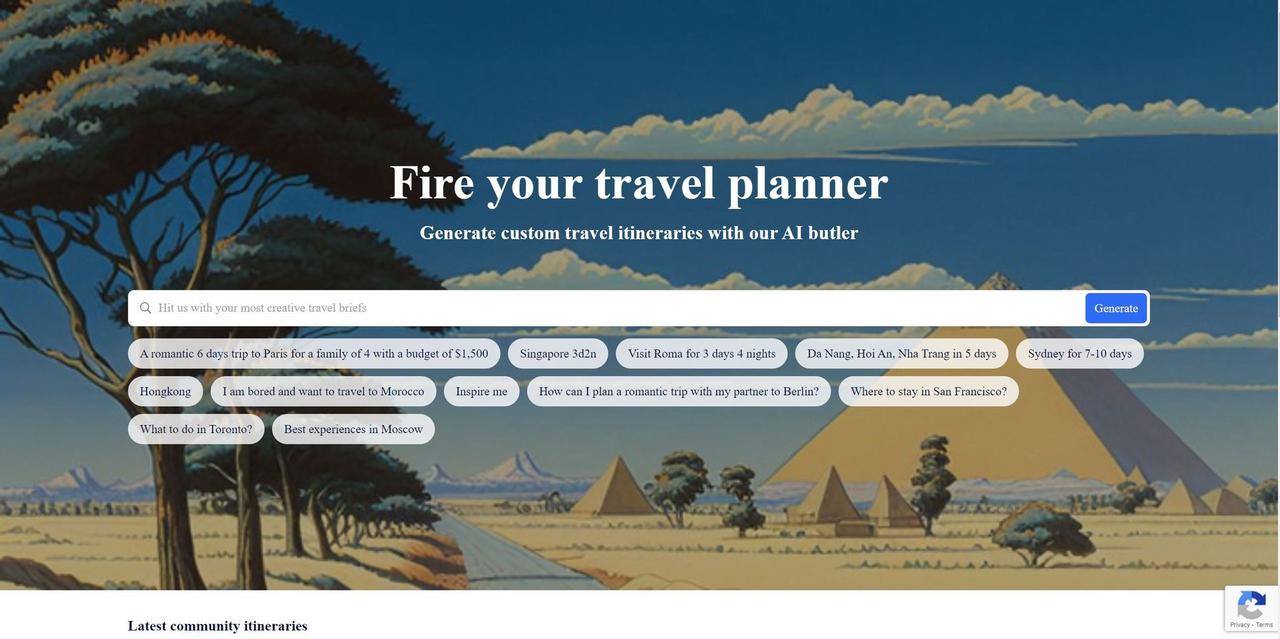
Built by the developers at PlanTrips, this AI travel planner generates personalized, multi-day itineraries for global destinations. It plots daily walking routes, estimates costs, and organizes logical travel sequences. A small business owner planning a team retreat or a founder extending a business trip into a weekend getaway can use this tool to save hours of manual research.
- Primary Use Case: Generating multi-day travel schedules with interactive map visualizations and estimated daily budgets.
- Ideal For: Busy professionals and solo entrepreneurs who want a structured trip outline without spending hours researching.
- Pricing: Starts at $0 (Custom pricing model). You can generate initial plans without creating an account.
Key Features and How PlanTrips Works
Automated Itinerary Generation
- AI Itinerary Engine: The system builds a schedule for up to 14 days in less than 60 seconds. You receive a structured outline rather than a finished product.
- Activity Swapping: You can reject the default suggestions and replace them with alternative local attractions. This prevents you from getting stuck with an activity you dislike.
Think of PlanTrips as the framing of a new house.
It sets up the walls and the floor plan, but you still need to pick out the fixtures yourself.
Mapping and Logistics
- Interactive Map View: The tool displays all suggested stops on a familiar mapping interface. (The default view sometimes overlaps markers in dense urban areas, requiring manual zooming.) Map markers use color coding by day so you can visualize the geographical flow.
- Multi-City Support: It connects multiple destinations into a single travel plan. This prevents backtracking when moving between distant regional meetings or sightseeing spots.
Budgeting and Export Tools
- Budget Calculator: The software estimates price ranges for meals and entrance fees. (During testing, we found these estimates lean conservative, so always add a 15 percent buffer to the total.)
- PDF Export: You can download the entire plan for offline access. This proves helpful when traveling in areas with spotty cellular service.
PlanTrips Pros and Cons
Pros
- Builds a complete five-day travel plan in under 60 seconds.
- Requires no mandatory registration or login to view initial trip suggestions.
- Displays a clean user interface completely free of distracting banner ads.
- Provides color-coded map markers that make day-to-day geographical routing clear.
- Identifies local attractions in smaller cities alongside major capital destinations.
Cons
- Offers no direct booking capabilities. You must leave the site to buy flights or reserve hotels.
- Lacks granular control over exact time slots for specific activities.
- Struggles occasionally with data accuracy, particularly regarding outdated opening hours for niche attractions.
Who Should Use PlanTrips?
- Solo Entrepreneurs: Perfect for a founder trying to add two days of sightseeing onto a quick business trip. It eliminates the need to pay a virtual assistant for basic travel research.
- Team Managers: Useful for outlining a rough schedule for a small team offsite. You can export the itinerary and share it with the group for feedback.
- Control-Oriented Planners: This tool is not a good fit for you. If you need to dictate exactly what happens at 2:15 PM, the lack of minute-by-minute time slot controls will frustrate you.
PlanTrips Pricing and Plans
PlanTrips operates on a custom pricing model that starts at a baseline of $0. The platform allows users to generate basic itineraries without hitting an immediate paywall or a mandatory account registration screen. Generating a basic seven-day cultural itinerary in Tokyo costs nothing upfront.
The catch: the developers do not publish a public pricing tier matrix for premium features. Still, power users looking for extensive white-label exports or high-volume trip generation will need to contact the developer directly. The free access acts as an entry point rather than a permanent solution for enterprise travel planners.
How PlanTrips Compares to Alternatives
Which brings us to the competition. Roam Around relies heavily on conversational AI to build its travel suggestions. Roam Around excels at answering specific text prompts, but it lacks the visual map clarity that PlanTrips offers. PlanTrips gives you a better geographical sense of your route.
Tripnotes takes a different approach by focusing strictly on restaurant and point-of-interest discovery. Tripnotes tracks social media trends to find popular spots. On the flip side, PlanTrips excels at building a chronological schedule across multiple days. Tripnotes acts more like an interactive directory, while PlanTrips acts like a timeline generator.
A Solid Starting Point for Busy Professionals
PlanTrips succeeds because it focuses on speed and visual clarity. Small business owners and corporate travelers get the most value here. You can outline an entire multi-city European tour in one minute. Plus, the interactive map prevents you from scheduling two meetings on opposite sides of Paris.
Here is where it gets interesting.
The tool refuses to be a booking engine. You cannot buy a hotel room or a flight on the platform. So, if you want an all-in-one travel agency that handles the actual transactions, you should look at traditional platforms like Expedia. But if you just need a fast, logical timeline to guide your trip, PlanTrips is an excellent organizational starting point.