



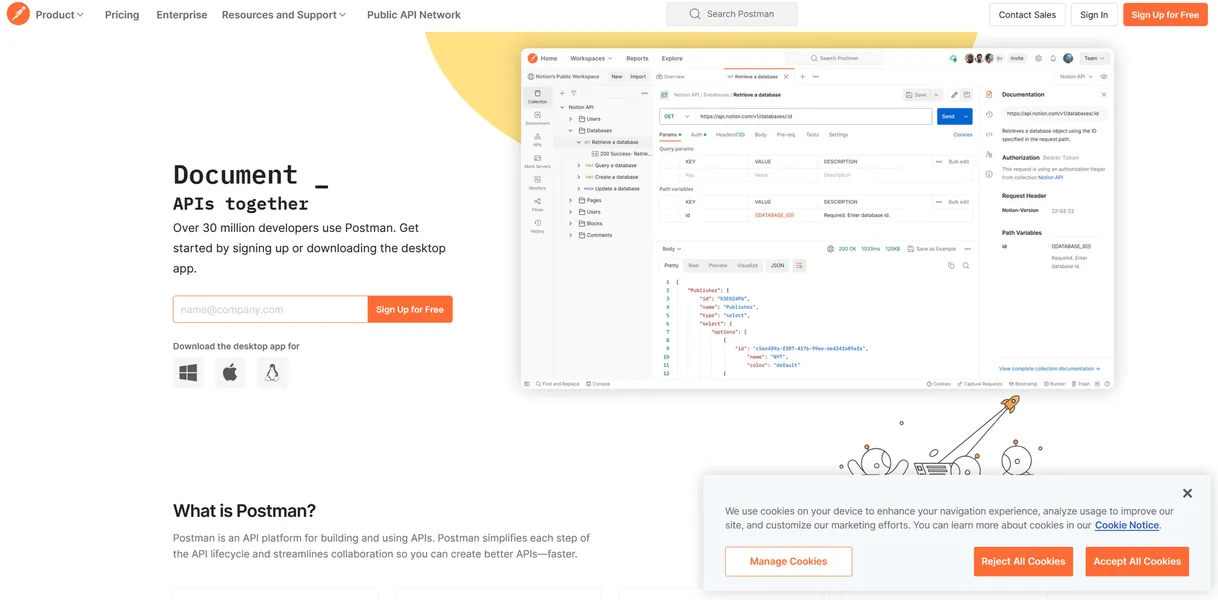
What is Postman?
Developers expected a simple HTTP client to ping endpoints, but they got a massive cloud-based API ecosystem. The desktop app now demands a mandatory login and cloud synchronization for many basic tasks.
Postman, Inc. built this API development platform to help developers and DevOps teams design, build, and test APIs. Users write JavaScript tests to verify responses and generate interactive documentation.
- Primary Use Case: Automating API testing and generating interactive documentation.
- Ideal For: Enterprise DevOps teams managing complex API lifecycles.
- Pricing: Starts at $9 (freemium) – The Basic plan costs $14 per user each month for unlimited shared workspaces.
Key Features and How Postman Works
Automated Testing and CI/CD
- Collection Runner: Executes multiple API requests in sequence. The free plan limits users to 25 collection runs per month.
- Newman CLI: Runs collections from the command line. It integrates with Jenkins and Travis CI without extra fees.
API Design and Mocking
- Mock Servers: Simulates API responses for frontend development. The Basic plan caps usage at 10,000 mock server requests per month.
- Postman Flows: Connects API requests to build logic-based workflows. This feature requires a paid subscription for advanced data manipulation.
AI and Collaboration
- Postbot AI: Generates test scripts and documentation using natural language. Free users receive 50 AI credits per month.
- Shared Workspaces: Groups collections and environments for team access. Free accounts can only create three shared workspaces.
Postman Pros and Cons
Pros
- The Public API Network contains over 100,000 public APIs for quick integration testing.
- JavaScript sandbox environments allow developers to write complex pre-request scripts and test logic.
- Newman CLI enables automated testing inside standard DevOps pipelines.
- Documentation updates in real time when team members modify the underlying API collection.
Cons
- Memory consumption exceeds 1GB of RAM when users open multiple tabs and large collections.
- The mandatory shift to cloud-first workspaces forces users to sync sensitive local data to external servers.
- The interface hides basic request features behind complex menus (a frustrating experience for new users).
Who Should Use Postman?
- Enterprise DevOps Teams: Large organizations need the API Catalog and advanced governance rules found in the $49 Enterprise plan.
- Frontend Developers: Teams building user interfaces use mock servers to simulate backend responses before the actual database is ready.
- Solo Hobbyists: Independent developers should avoid Postman. The heavy resource usage and 25-run limit make lightweight alternatives a better choice.
Postman Pricing and Plans
The Free plan costs $0 per month and includes 3 shared workspaces, 25 collection runs, and 50 AI credits.
This tier acts more like a trial because the 25-run limit restricts serious automated testing.
The Solo plan costs $9 per month. It provides 400 AI credits per month, data-driven testing, and custom documentation. The Basic plan costs $14 per user each month. It provides unlimited shared workspaces, 10,000 mock server requests, and cloud integrations.
The Professional plan costs $29 per user each month. It adds single sign-on and static IP addresses for secure environments. The Enterprise plan costs $49 per user each month. It pools 800 AI credits per user and enforces organizational standards with linting rules.
How Postman Compares to Alternatives
Similar to Insomnia but much heavier on system resources. Insomnia focuses on API design and debugging with a cleaner interface. Postman includes full CI/CD integration and visual workflow builders that Insomnia lacks.
Unlike Hoppscotch, Postman requires a heavy desktop installation and mandatory account creation for most features. Hoppscotch runs in the browser as a lightweight web app. Postman justifies its bulk with enterprise governance tools and a massive public API network.
The Verdict for Enterprise DevOps Teams
Postman delivers a complete API lifecycle platform for large teams willing to pay for governance and collaboration.
Solo developers should look at Hoppscotch for a faster browser-based experience.