

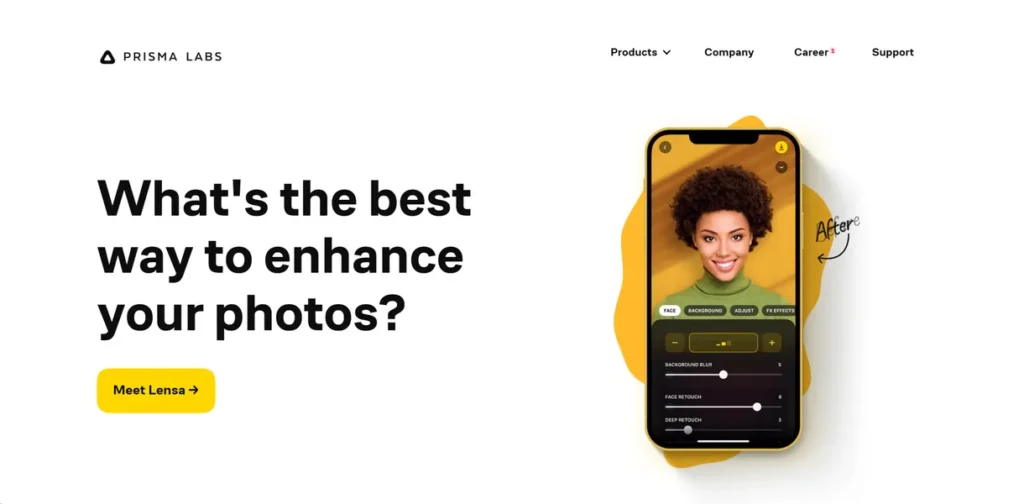
What is Prisma?
Prisma is an AI-powered mobile photo editor that transforms standard images into stylized artwork. For a small business owner, this isn’t just about making photos look ‘cool’; it’s a tool for rapid content creation. It leverages advanced neural networks to reinterpret your photos in the styles of famous artists or various ornamental patterns. The primary business application is to generate unique, eye-catching visuals for social media marketing, digital ads, and website content without requiring the time or budget for a dedicated graphic designer. Instead of using generic stock photos, businesses can apply a consistent artistic flair to their own images, helping to build a more distinct brand identity online.
Key Features and How It Works
Prisma’s value for a business is rooted in its efficiency and the quality of its output. Understanding its core functions helps clarify its potential return on investment.
- Artistic Transformation: Unlike a simple color filter, Prisma’s AI analyzes your photo and rebuilds it from the ground up to mimic a specific artistic style. This ‘style transfer’ technology results in a more integrated and sophisticated visual that can make marketing materials look more polished and intentional.
- Speed and Efficiency: In a business environment, time is a critical resource. Prisma processes images in seconds, allowing you or your team to produce a week’s worth of visually interesting social media content in under an hour. This dramatically reduces the production time associated with content creation.
- High-Resolution Support: The premium version supports high-resolution exports. This is a non-negotiable feature for business use, ensuring that the images are sharp enough not just for an Instagram feed, but for website banners, email newsletters, and even small-scale print materials.
- Extensive Filter Library: The app provides a wide selection of styles. For a business, this means you can test different aesthetics or select a signature style that aligns with your brand identity and apply it consistently across campaigns.
- User-Friendly Interface: The tool is designed for non-designers. Its intuitive mobile interface means there is virtually no training required, allowing any team member to start producing on-brand content immediately.
Pros and Cons
From a practical business standpoint, Prisma presents clear advantages and some operational considerations.
Pros
- Cost-Effective Content Creation: Significantly reduces the cost associated with hiring freelance designers or purchasing stock imagery for day-to-day marketing efforts.
- Enhanced Brand Differentiation: Allows a small business to create a unique visual aesthetic that can stand out in a crowded social media feed.
- Increased Efficiency: Drastically cuts down the time required to ideate and produce visual content, freeing up resources for other business activities.
- Accessibility: As a mobile-first application, content can be created and posted directly from a smartphone, streamlining the social media management process.
Cons
- Risk of Brand Inconsistency: With so many filters available, there’s a temptation to use different styles frequently, which can dilute brand identity. A disciplined approach is required.
- Limited Fine-Tuning: Prisma is not a replacement for professional tools like Adobe Photoshop. It offers limited control over the final output beyond adjusting the intensity of a filter.
- Data Consumption: Processing images, especially at high resolution, relies on an internet connection and can consume mobile data if not used on a Wi-Fi network.
Who Should Consider Prisma?
Prisma offers the most tangible value to businesses that rely heavily on visual marketing but operate with lean budgets and teams.
- Social Media Managers and Content Creators: The ideal users. This tool is built to quickly generate a high volume of engaging visuals for platforms like Instagram, Facebook, and Pinterest.
- Hospitality and Retail Businesses: Restaurants, cafes, and local shops can use Prisma to turn everyday photos of products, locations, or customers into compelling promotional material.
- Real Estate Professionals: An effective tool for enhancing property photos, giving listings a unique, memorable look that can capture a potential buyer’s attention.
- Startups and Solopreneurs: For new ventures with limited design resources, Prisma provides a way to establish a professional and consistent visual brand from day one.
Pricing and Plans
Prisma operates on a freemium model, making it accessible to test before committing financially.
- Free Plan: This tier offers access to a limited selection of artistic filters. It’s a functional way to evaluate the core technology and determine if the output aligns with your brand’s needs. Expect slower processing times and lower-resolution exports.
- Pro Plan: Priced at $7.99 per month, this plan is essential for any serious business use. It unlocks the entire library of 500+ filters, enables high-resolution image saving, provides faster processing, and removes all ads from the application. This is the required investment to use Prisma for professional marketing assets.
What makes Prisma great?
Prisma’s core strength is its proprietary AI that reconstructs photos in the style of famous art, rather than simply applying a colored filter. This fundamental difference is what separates it from standard photo editing apps. For a business, this means the final image doesn’t look like it had a cheap effect applied; it looks like a deliberate piece of creative work. This technology analyzes the lines, textures, and color palettes of a source artwork and intelligently applies them to the structure of your photo. The result is a more authentic and visually complex image that can elevate a brand’s perceived quality. This capability allows any company to create and own a sophisticated visual identity without needing an in-house artist or designer.
Frequently Asked Questions
- Can I use images created with Prisma for commercial purposes?
- Yes, images you create from your own original photos using Prisma can be used for commercial purposes, such as in social media marketing, on your website, or in digital ads.
- Is the Pro plan’s high-resolution output suitable for print materials?
- The high-resolution exports are generally suitable for digital use and small-scale print like flyers or brochures. For large-format printing, such as banners or posters, you should export at the highest possible quality and consult with your print provider.
- Does Prisma require an internet connection to work?
- Yes, the AI processing that transforms the image happens on Prisma’s servers, so a stable internet connection (Wi-Fi or cellular data) is required to apply the artistic effects.
- How is Prisma different from the filters built into Instagram?
- Instagram filters primarily adjust color, contrast, and brightness by adding a simple layer over your image. Prisma’s AI rebuilds your photo from scratch based on the stylistic elements of another piece of art, a process known as neural style transfer, resulting in a much deeper and more structural transformation.