



What is Quip?
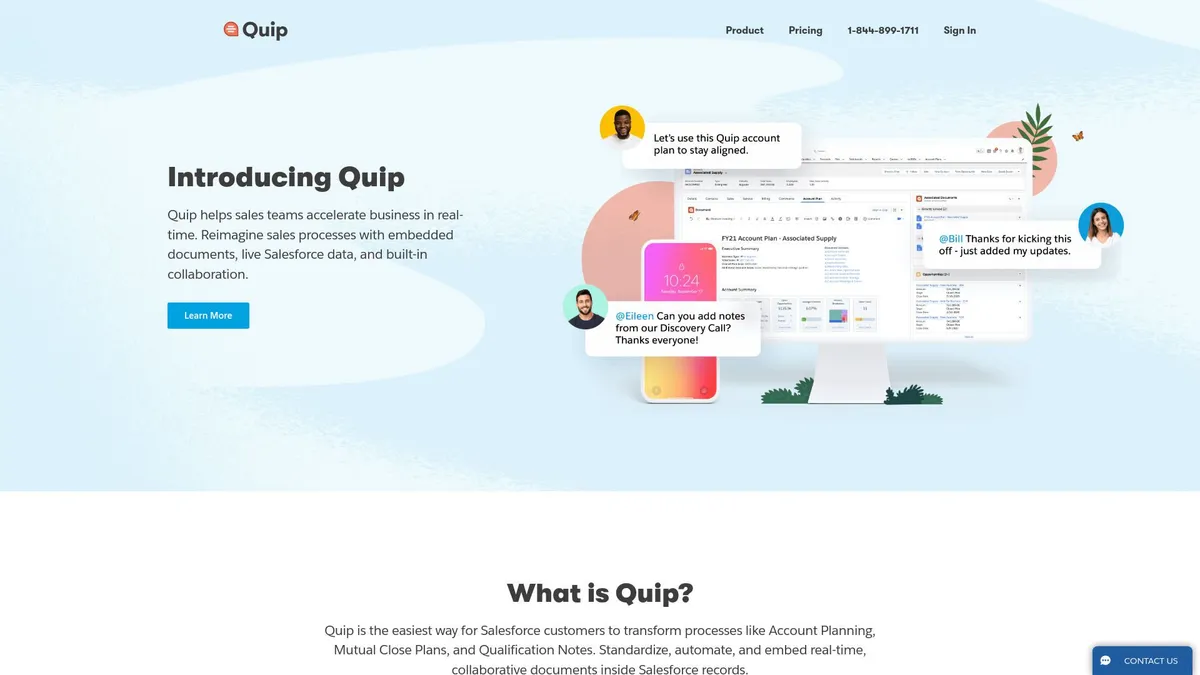
Quip is a productivity suite that forces documents, spreadsheets, and team chat into a single window. It exists to solve a specific problem for enterprise sales teams. Reps hate updating CRM records. Quip lets them update Salesforce data directly from their meeting notes.
Salesforce developed this tool to keep account executives inside its ecosystem. It targets large sales organizations that need standardized account planning. If your team lives in Salesforce, Quip connects your unstructured conversations to your structured CRM data.
- Primary Use Case: Collaborative account planning with live Salesforce data syncing.
- Ideal For: Enterprise sales teams using Salesforce CRM.
- Pricing: Starts at $10 (paid). Expensive unless you need the CRM connection.
Key Features and How Quip Works
Document and Chat Integration
- Integrated Chat: Every document has a dedicated chat sidebar. But high-traffic documents generate overwhelming notification spam.
- Live Apps: Users can embed Kanban boards and calendars into text files. Yet the library of third-party integrations remains small.
- Version History: The system logs unlimited revisions. Finding a specific change from three months ago is tedious.
Data and Spreadsheets
- Embedded Spreadsheets: You can drop a spreadsheet directly into a text document. But it lacks pivot tables and advanced macros.
- Cell Referencing: Users can link spreadsheet cells to inline text. If the cell updates, the text updates. Complex formulas sometimes lag.
Salesforce CRM Syncing
- Bi-directional Sync: Updating a field in Quip updates Salesforce. You need the $100 Advanced plan for live editing inside the CRM.
- Template Library: It includes 50 templates for deal reviews. Visual formatting options are rigid compared to modern wikis.
Quip Pros and Cons
Pros
- Deep Salesforce integration lets sales reps update CRM fields without opening a new browser tab.
- Offline mode works reliably on mobile apps and syncs changes automatically upon reconnection.
- The consolidated interface merges chat, documents, and spreadsheets to reduce software sprawl.
- Real-time collaboration shows character-by-character updates with extremely low latency.
Cons
- Spreadsheets lack advanced data analysis features like pivot tables found in Excel.
- Document formatting options are rigid compared to Notion or Microsoft Word.
- Pricing is prohibitively expensive for teams that do not use Salesforce.
- The notification system becomes chaotic when multiple users edit a single document simultaneously.
Who Should Use Quip?
- Enterprise Sales Teams: Account executives can collaborate on deal strategies while keeping CRM data accurate.
- Remote Field Workers: The mobile app allows offline editing (a rare feature for cloud docs) when traveling.
- Non-Salesforce Users: This tool is a terrible choice for you. You will pay a premium for CRM features you cannot use.
Quip Pricing and Plans
Quip does not offer a free tier or a free trial. You must pay to test it.
The Starter plan costs $10 per user monthly when billed annually. It includes unlimited documents, spreadsheets, and group chat. You do not get single sign-on (SSO) at this tier.
The Plus plan costs $25 per user monthly. It adds SSO via Okta or Ping Identity. It also unlocks the Enterprise API for custom integrations.
The Advanced plan costs $100 per user monthly. This massive price jump unlocks the core value proposition. You can edit live documents directly inside Salesforce and access advanced CRM integration features.
How Quip Compares to Alternatives
Similar to Notion, Quip combines text and databases into a single workspace. But Notion offers far superior formatting and database customization. Notion targets knowledge management and company wikis. Quip targets sales workflows. Notion costs $10 per user, making it a better choice for general documentation.
Unlike Google Workspace, Quip attaches a chat thread to every single file. Google Docs forces you to use comments or switch to Google Chat. However, Google Sheets destroys Quip in data analysis. Google supports complex financial modeling and pivot tables. Quip spreadsheets only handle basic lists and simple math.
The Verdict for Enterprise Sales Teams
Quip justifies its high price tag for one specific group. Large sales teams using Salesforce will save hours of administrative work. The bi-directional sync eliminates duplicate data entry. Account executives can write notes and update deal stages simultaneously.
Small businesses and solo users should ignore this tool. The formatting is too rigid. The spreadsheets are too basic. The entry-level plans lack the CRM features that make the software useful.
If you want a modern collaborative workspace without the Salesforce tax, choose Notion. It provides better design tools and flexible databases for a fraction of the cost. The honest limit of Quip is its dependency on Salesforce. Without the CRM connection, it is just an overpriced word processor.