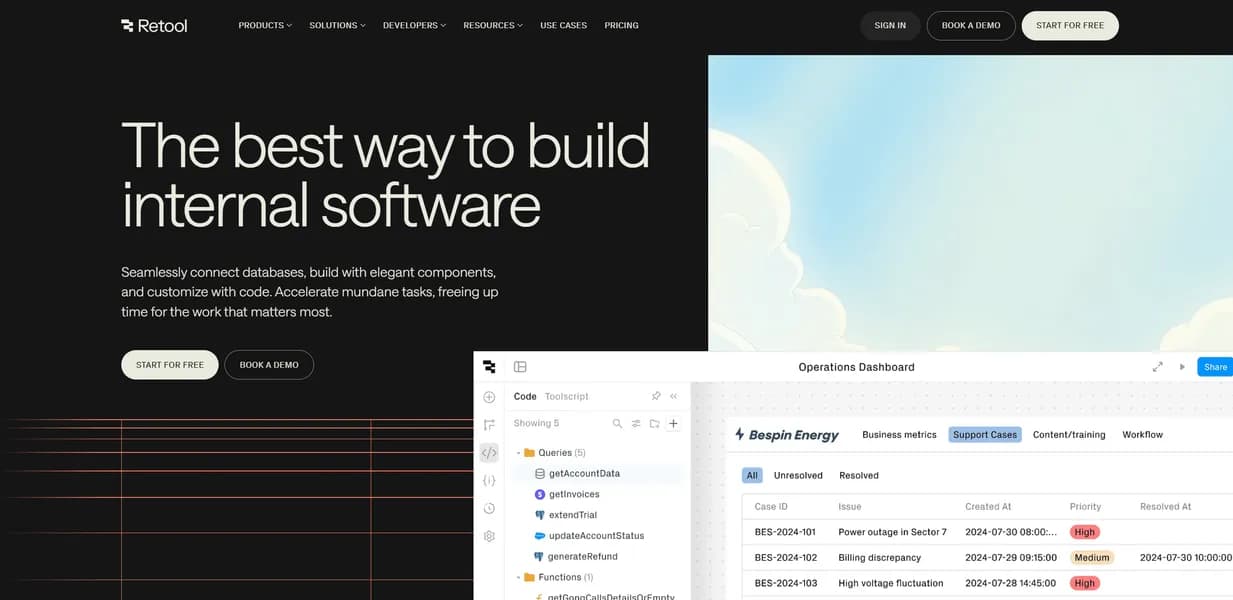

Retool allows developers to build internal business software by connecting pre-built UI components to databases like PostgreSQL. It targets engineering teams needing rapid prototyping. While users can write custom JavaScript anywhere, the split pricing model becomes prohibitively expensive for large organizations.
What is Retool?
Unlike standard no-code website builders, this platform requires users to write SQL and JavaScript to connect pre-built UI components to production databases. Retool, developed by Retool, Inc., operates as a low-code development platform for internal tools. It solves the problem of spending weeks coding custom admin panels from scratch. Engineering teams and database administrators use it to assemble interfaces over existing APIs and data stores.
- Primary Use Case: Building custom CRM dashboards and internal support tools connected to existing databases.
- Ideal For: Engineering teams and database administrators who know SQL and JavaScript.
- Pricing: Starts at $12 (freemium). The split per-builder and per-user pricing model scales poorly for large teams.
Key Features and How Retool Works
UI Assembly and Components
- Component Library: Users drag and drop over 100 pre-built UI components like tables, charts, and forms for rapid interface assembly.
- Custom Code: Developers write JavaScript or Python anywhere to transform data or add custom logic. (Connecting a complex GraphQL API often requires writing custom JavaScript transformers to format the nested JSON response correctly.)
The other piece: Retool Mobile operates as a native iOS and Android app builder for field workers using the same drag-and-drop logic.
Data Connectivity and Security
- Database Connectors: The platform includes native integrations for PostgreSQL, MySQL, MongoDB, MS SQL, and Google Sheets.
- API Integration: Users connect to any REST, GraphQL, or gRPC API with built-in authentication handling.
- RBAC: Administrators apply granular Role-Based Access Control to manage permissions at the app and resource level.
Automation and Storage
- Retool Workflows: A visual automation engine handles cron jobs and event-driven tasks. This feature carries a strict 500-run limit on the free tier.
- Retool Database: The platform provides managed PostgreSQL storage with up to 5GB capacity included in the free plan.
Retool Pros and Cons
Pros
- Rapid Prototyping: Drag-and-drop components reduce UI development time by up to 80 percent compared to custom React builds.
- Extensibility: Developers write custom JavaScript and CSS, ensuring the platform avoids a low-code ceiling.
- Broad Connectivity: The tool supports over 50 native integrations, making it compatible with almost any modern data stack. And. It offers self-hosting and VPN tunneling options to keep sensitive data within the user’s own infrastructure.
- Mobile Support: Retool Mobile allows for the creation of native-feeling apps without needing separate mobile developers.
Cons
Where it falls short: The platform struggles with heavy client-side processing.
- Pricing Complexity: The per-builder and per-user pricing model becomes prohibitively expensive for large internal teams.
- Learning Curve: Users still need a solid understanding of SQL and JavaScript to build complex applications.
- Performance Issues: Large applications with many queries experience slow load times and UI lag in the browser. (The browser tab will noticeably lag if you load a table component with more than a few thousand unpaginated rows.)
- Mobile Limitations: Retool Mobile acts as a separate product with different components. Desktop apps do not automatically scale down to responsive mobile views.
Who Should Use Retool?
- Startup engineering teams: They build a custom CRM dashboard by connecting to a PostgreSQL database and Salesforce API in hours instead of weeks.
- Customer support managers: They create an internal tool for support teams to refund customers via Stripe integration.
- Database administrators: They develop a GUI for managing user permissions and data within a production MongoDB instance.
- Operations managers: They automate inventory management workflows that trigger Slack notifications when stock levels drop.
- Field service teams: They deploy native iOS and Android apps using Retool Mobile for on-site data entry.
- Non-technical founders (Not a fit): Users without SQL or JavaScript knowledge hit a wall immediately. The platform requires coding to connect data to the UI components.
Retool Pricing and Plans
The Free plan costs $0 per month. It supports up to 5 users, 500 workflow runs per month, and 5GB of database capacity. This tier functions as a genuinely useful environment for tiny teams.
Worth separating out: The paid tiers split costs between builders and end users.
The Team plan starts at $12 per builder and $7 per user per month. It includes unlimited users, 5,000 workflow runs per month, a staging environment, and app releases.
That changes when organizations need compliance features. The Business plan costs $65 per builder and $18 per user per month. It provides 25,000 workflow runs per month, granular RBAC, audit logs, and multiple environments.
The Enterprise plan requires custom pricing. It unlocks unlimited workflow runs, dedicated support, self-hosting, and custom SSO via SAML or OIDC.
How Retool Compares to Alternatives
Similar to Appsmith, Retool provides a drag-and-drop interface for internal tools. Yet. Appsmith provides a more straightforward pricing model without the split between builders and end users. Retool counters this by offering a separate native mobile app builder, which Appsmith lacks.
Unlike Budibase, which focuses heavily on an internal built-in database for rapid deployment, Retool assumes users will connect to external production databases like PostgreSQL or MongoDB. Budibase caters more to users who want an all-in-one solution without managing external data stores.
ToolJet competes directly by offering a similar open-source low-code environment. Retool maintains a larger library of over 100 pre-built UI components compared to ToolJet. ToolJet often appeals to teams looking for a cheaper self-hosted alternative to Retool’s Enterprise plan.
Is Retool Worth It for Engineering Teams?
Engineering teams with existing databases get the most value from this platform. They save hundreds of hours by skipping custom React frontend development. Non-technical users should look elsewhere, as the SQL and JavaScript requirements will block their progress. Appsmith serves as a better alternative for companies that want predictable flat-rate pricing for large groups of end users.
The result: If a team knows how to write queries and needs to ship internal tools fast, Retool is the pick. If the organization has hundreds of non-technical end users and a tight software budget, Appsmith is the better call.
User Reviews
No reviews yet. Be the first to share your experience!
Sign in to write a review.
Related articles
Guides and articles related to Retool.

Replit Pricing Explained (2026): Core vs Pro and Effort-Based Agent Billing

Replace 6 SaaS Subscriptions With 4 n8n AI Agents (2026)

The Personal AI Productivity Stack (2026): One Tool Per Job, Nothing Extra

Jitterbit Pricing and Review (2026): Real Contract Costs and 5 Alternatives

Which Workflow Automation Platform Fits Your Business: n8n vs Zapier vs Make